How to Find Free Public Wi-Fi Hotspots (2026)
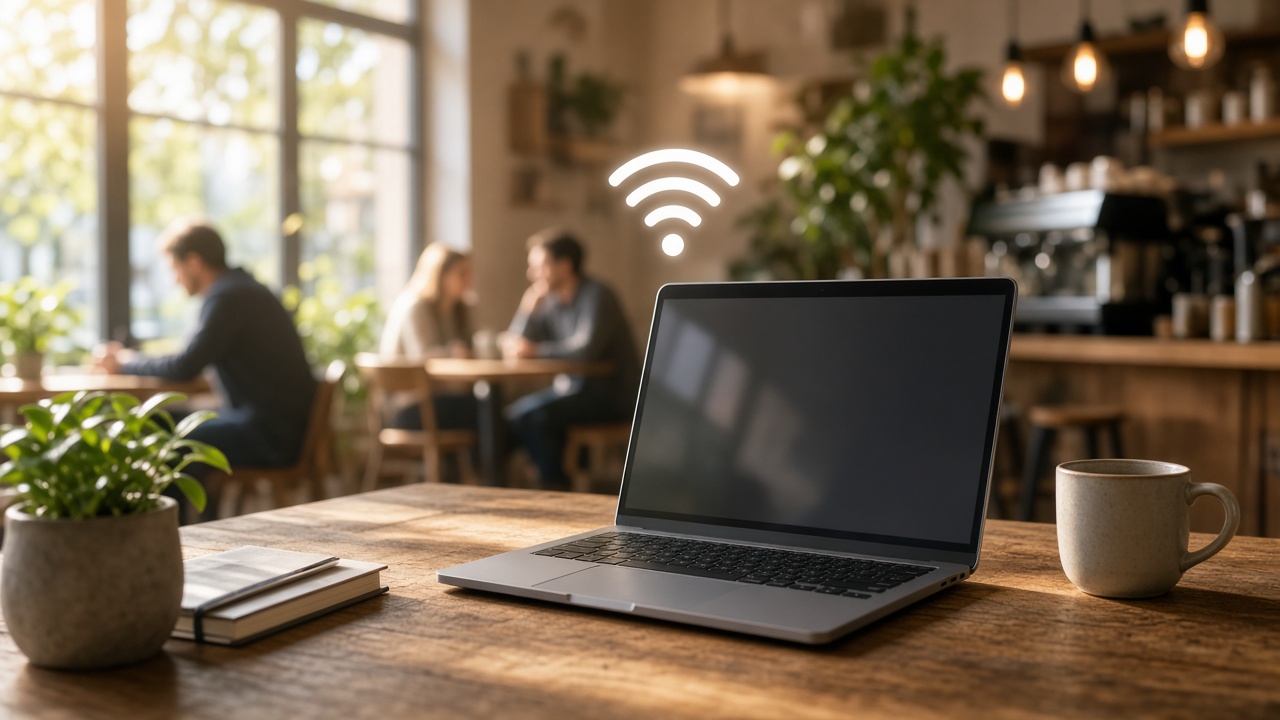
Wireless Fidelity, better known as Wi-Fi, transmits internet signals using radio waves, enabling devices to connect without physical cables. In public settings, Wi-Fi routers broadcast signals within a defined radius, creating what's known as a hotspot. These public Wi-Fi hotspots allow users to access the internet without using mobile data—ideal for working remotely, checking emails on the go, or streaming content while traveling.
Commonly found in cafes, libraries, transit stations, shopping centers, airports, and even public parks, free hotspots provide instant access and broad coverage. Businesses may offer it as a value-added service, while municipalities implement it as part of urban connectivity initiatives. Whether you're traveling abroad or in your hometown, knowing where and how to find these access points unlocks convenient digital access virtually anywhere.
Protecting Your Data: Safety Tips for Using Public Wi-Fi
Understanding the Risks at Hand
Public Wi-Fi networks, especially those without passwords, create vulnerable environments for users. Because these networks often lack encryption, attackers can intercept unprotected data during transmission—a tactic commonly known as man-in-the-middle (MITM) attacks. Another prevalent threat involves rogue hotspots, where cybercriminals mimic legitimate networks to lure users into connecting. From there, they can siphon login credentials, payment details, and other sensitive information directly from unsuspecting devices.
According to a 2022 report by Symantec, 53% of users assume public Wi-Fi is safe, while 60% used it for confidential tasks like email and financial transactions. This disconnect between behavior and risk significantly increases the likelihood of exposure.
Steps to Secure Personal Data on Public Networks
- Use a Virtual Private Network (VPN): A VPN encrypts your internet traffic, rendering intercepted data unreadable. Even if a hacker manages to capture your session, everything appears as useless ciphertext.
- Turn Off Sharing: Disable file and printer sharing from your system preferences. This cuts off potential channels for unauthorized access to your device.
- Enable Firewall Protection: Built-in firewalls add a security layer by monitoring incoming traffic and blocking suspicious connections. Activate it before connecting to an open network.
- Verify Network Names: Avoid connecting to generic or suspicious SSIDs. Confirm with a staff member or sign before joining a public hotspot. Legitimate networks typically post credentials in visible locations.
- Use HTTPS-Only Browsing: HTTPS encrypts communications between your browser and websites. Install browser extensions like HTTPS Everywhere or ensure the padlock icon appears in the address bar before entering any information.
- Avoid Accessing Sensitive Accounts: Postpone banking, shopping, or anything involving financial data until you’re on a secured private network.
- Turn Off Auto-Connect: Devices set to auto-join open networks may silently attach to malicious hotspots. Disable this function in your Wi-Fi settings to retain control over your connections.
- Keep Applications and Operating Systems Updated: Security patches often close exploitable loopholes. Running outdated software opens the door to known vulnerabilities.
Securing personal data while browsing over open Wi-Fi doesn't require complicated procedures—it demands consistent habits. With these safeguards in place, exposure to common threats drops significantly. What changes will you make before you connect to your next hotspot?
Locating Wi-Fi Hotspots Through Apps
Smartphone apps streamline the process of finding free Wi-Fi by tapping into real-time databases of public hotspots. These tools combine GPS location tracking with user-generated data to pinpoint reliable connections near your current location or a specific destination.
Top Apps for Finding Free Wi-Fi
- WiFi Map: Offers a global database of over 100 million Wi-Fi hotspots. The app shows user-verified passwords and even includes offline maps for travelers with limited data access.
- Instabridge: Focuses on crowdsourced networks shared by users. It integrates a sleek map interface, automatically connects you to free networks, and ranks connections based on speed and reliability.
- OpenSignal: While primarily a mobile coverage map, it also includes Wi-Fi hotspot locations. The app displays signal strength and network speed, which helps in choosing the best option nearby.
- WiFi Finder: Designed specifically for locating free and secured Wi-Fi. It lets you filter by venue types like cafés, hotels, and airports, and includes offline functionality for international travel.
How These Apps Work
Once installed, these apps request access to your device's location services. This step enables the app to show nearby hotspots in real time on an interactive map. Tapping a hotspot reveals additional details such as network names (SSID), previous user ratings, access notes, and, where available, passwords contributed by other users.
Map integration plays a central role. Most platforms use visual pins or color-coded icons to differentiate between open, password-protected, and previously verified networks. Some apps, like Instabridge, automatically connect you to the highest-rated public network in range, eliminating the need for manual selection.
Offline functionality adds another layer of convenience. Before heading into areas with patchy mobile service, download hotspot maps for cities or regions of interest. WiFi Map and WiFi Finder both support this feature, reducing the risk of being disconnected while searching for a connection.
Ready to explore a new city or just need a quick connection while running errands? Let data-backed apps point the way. Which one will you try first?
Harnessing Social Media to Uncover Free Public Wi-Fi Hotspots
Social media platforms serve more than entertainment—they operate as real-time search engines powered by people. When you need to locate a nearby public Wi-Fi hotspot, networks like Twitter, Facebook, and Reddit can deliver useful, up-to-date leads drawn from shared experiences and local insights.
Crowdsourcing Through Real-Time Posts and Community Feedback
Millions of users post about everyday discoveries, including where they’ve connected to Wi-Fi without paying. Hashtags, geotags, and check-in data reveal a steady stream of location-specific information you can act on immediately. People frequently share names of restaurants, lounges, coffee shops, public spaces, or transit centers that offer reliable Wi-Fi connections—and they often add photos, signal strength reviews, or passwords.
- Twitter: Enter targeted keywords or hashtags such as “#FreeWiFi [city],” or “Wi-Fi near me.” Use filters to isolate posts from the last day or hour to increase relevance.
- Facebook: Local community groups often serve as hubs for sharing free Wi-Fi spots. Post a query like “Does anyone know of cafés in [neighborhood] with free Wi-Fi?” and expect responses within minutes.
- Reddit: Subreddits related to cities, digital nomadism, or travel frequently host discussions about dependable public Wi-Fi. Dive into threads in subs like r/travel, r/digitalnomad, or city-specific forums such as r/NYC.
Effective Strategies for Direct Engagement
Passive scrolling won’t yield much unless it’s combined with strategic interaction. Posing direct questions invites personal anecdotes—responses will often include not just locations, but nuances such as seating availability, power outlet access, and general ambiance.
- Phrase your request clearly. For example, “What public spots offer strong free Wi-Fi in downtown Atlanta, ideally open late?” yields better answers than vague requests.
- Use poll features on Facebook and Twitter to let others vote on their favorite hotspots.
- Follow travel bloggers, digital nomads, or city-based influencers; they frequently post connectivity tips sourced from experience.
Geo-Tag Tracking and Location Search Filters
Most social platforms allow search by location. On Instagram or Facebook, explore the content tagged at a particular location—this often uncovers real-time experiences shared by users who’ve accessed on-site Wi-Fi. Look for check-ins at libraries, public squares, coworking spaces, and even pop-up events that temporarily offer public connectivity.
The result: instead of relying solely on static directories, you're tapping into living databases of on-the-ground knowledge that respond in real time to location and demand.
Unlocking Free Internet Access at Public Libraries
Library Wi-Fi: A Quiet Yet Powerful Resource
Most public libraries in the United States and many countries around the world provide free Wi-Fi access to library users. Whether you're browsing for research or streaming educational content, these institutions offer a reliable and secure connection point away from home or work. According to the American Library Association, over 99% of public libraries provide free public internet access.
How to Access Wi-Fi in a Library Setting
Connecting to the Wi-Fi network at a public library typically follows a straightforward process. Upon entering the building, enable your device’s Wi-Fi settings and look for the library’s network name, often labeled with the institution’s name followed by 'Guest' or 'Public.' Here's how the connection process usually works:
- Select the library’s wireless network from the available list.
- A login page may automatically open; if not, try refreshing your browser to trigger it.
- Accept the terms of service, which may outline usage policies and limitations.
- Once accepted, you’ll gain access—no password usually needed, though some libraries require a library card number to authenticate.
Usage Limitations and Guidelines
While public library Wi-Fi is generally open-access, there are some parameters. Common limitations include daily session time caps or bandwidth restrictions to ensure equitable access among visitors. For example, libraries in New York City impose a two-hour daily session per user on some systems, but users can reconnect if bandwidth allows.
Remote access varies as well—some branches extend Wi-Fi coverage to adjacent outdoor areas, such as parking lots or courtyards. During peak COVID-19 closures in 2020, many systems boosted signal strength to enable 24/7 outdoor access. That trend continues, with some locations still maintaining external coverage.
Looking for a quiet place to work with reliable connectivity? Try your local library. Many offer public computers, outlet access, and extended opening hours, adding significant utility beyond internet services alone.
Finding Wi-Fi at Coffee Shops and Restaurants
Wi-Fi as a Standard Offering in Food Establishments
Many coffee shops and restaurants now provide free Wi-Fi as a baseline amenity. This shift began in the early 2000s with larger chains like Starbucks and McDonald’s, and has extended to local cafés and independently owned diners. According to a 2023 survey conducted by Statista, nearly 78% of U.S. coffee shop patrons ranked free Wi-Fi as their top non-food amenity, surpassing even comfortable seating and atmosphere.
Chains such as Panera Bread, Dunkin', and Peet’s Coffee all offer free internet access without requiring complex login procedures. In most urban areas, it's possible to locate at least one of these establishments within walking distance. Independently owned cafés often match this trend, using free Wi-Fi to attract patrons who work remotely or hold informal meetings.
Understanding User Expectations and Etiquette
Accessing complimentary Wi-Fi in a café doesn't require a subscription or prior relationship with the business; however, there's an unspoken agreement at play. You're occupying real estate—usually a table, often an outlet—and in exchange, the business expects some level of patronage.
- Order before connecting: Make a purchase before claiming a seat. A coffee or small meal covers your access and contributes to the business.
- Limit your time during peak hours: If the store gets busy, avoid monopolizing space for extended periods, especially during breakfast or lunch rushes.
- Use headphones for audio: Whether it’s a video call, podcast, or music, keep the sound to yourself to maintain a professional and considerate atmosphere.
- Mind your space: Don’t spread out across multiple tables. Stay compact and easy to accommodate.
Several cafés implement signal timers to manage usage. For example, Starbucks’ network resets connections every two hours, prompting users to reconnect and keeping bandwidth balanced. Smaller establishments may introduce network passwords that are changed daily to limit access to paying customers only.
Before you settle in, scan the café or restaurant for signage regarding their Wi-Fi policy. Some display the SSID and password near the till or on a notice board; others may require you to ask. Employees typically provide this information with a receipt or on request.
Curious to know where your city’s best café work spots are? Try searching for “laptop-friendly cafés” in your area. Results often include resources that consider noise levels, outlet availability, and Wi-Fi reliability—making your next connection smoother and more productive.
Using Wi-Fi Finder Websites to Locate Free Public Hotspots
Dedicated Wi-Fi finder websites streamline the process of locating free public internet access. These platforms aggregate hotspot data from businesses, municipalities, and individual contributors, offering interactive maps and search tools for precision and convenience.
Top Websites for Finding Free Wi-Fi Hotspots
- Wi-Fi Map (wifi-map.com): Covers over 100 million hotspots worldwide. Users can search by city or GPS location, view hotspot names, connection details, and crowd-sourced user feedback including updated passwords and signal strength ratings.
- Wiman (wiman.me): Provides categorized Wi-Fi locations by service area—cafes, hotels, airports, and more. Profiles include speed reports, session logs, and automatic connection tracking.
- Instabridge (instabridge.com): Offers a seamless web-to-mobile platform with downloadable offline Wi-Fi maps. Users gain insights into which networks are free, which are unlocked, and how reliably they perform.
Navigating and Utilizing These Platforms
Each of these websites features an interactive map interface. Search functionality lets users input a location manually or allow browser-based geolocation. Filters—such as Wi-Fi reliability, password access, and user density—narrow the results for faster decision-making.
Hotspot profiles typically provide:
- Network Type: Whether the hotspot is open, secured, or requires login credentials.
- Signal Strength: User-reported performance metrics (e.g., upload/download speed, stability).
- Password Sharing: Publicly available passwords updated in real-time by users.
- Connection History: Data on availability trends and average session length.
Some platforms allow registered users to contribute by rating their experience, updating passwords, or flagging inactive networks. This ecosystem of shared knowledge continuously improves accuracy and trustworthiness.
What city are you searching in? Try keying it into one of these sites and examine the density of available free hotspots downtown versus the outskirts. The difference can shape your work habits, travel plans, or device usage dramatically.
Discovering Free Wi-Fi Access in Retail Stores
Retail chains across the U.S. offer complimentary Wi-Fi to attract foot traffic and provide an enhanced in-store experience. Free internet access keeps customers engaged longer, encourages leisurely browsing, and supports app-related in-store activities—like scanning QR codes or downloading coupons. Retailers gain real-time analytics on shopping behavior, while shoppers benefit from the convenience of staying connected without tapping into mobile data.
Major Retailers Offering Free Public Wi-Fi
Several leading retailers have integrated free Wi-Fi into their customer service strategy. These networks are typically open-access and require only a single click agreement to connect.
- Target: Every Target location provides free guest Wi-Fi with speeds averaging between 2 to 5 Mbps—enough for light browsing and app use.
- Walmart: Over 4,700 Walmart stores in the U.S. offer free Wi-Fi. Speeds vary by location but generally support streaming and app downloads.
- Best Buy: Customers can connect to free in-store Wi-Fi to check tech product specs, compare prices, or receive promo notifications.
- Lowe’s: Free Wi-Fi in Lowe’s home improvement stores allows customers to access instructional content, DIY videos, or app-based tools while shopping.
- Whole Foods Market: Owned by Amazon, Whole Foods provides open-access Wi-Fi, aligning with its focus on tech integration and digital customer engagement.
- Costco: Although not widely advertised, many Costco warehouses offer in-store Wi-Fi to facilitate in-app purchasing and enhance product search.
Know Before You Go
Most stores place their Wi-Fi login details near the entrance or at customer service stations. Others prompt automated login pages upon device connection. Some, like Target or Best Buy, include in-app features that detect and guide users to the closest Wi-Fi-enabled location.
Already heading out for errands? Consider which of your destination retailers offer Wi-Fi—chances are one of them does. Have you ever planned part of your workday around a store with free internet access? Professionals and students often do.
Unlocking Connectivity: Wi-Fi Access at Transit Stations and Airports
Public Transit Hubs as Wi-Fi Zones
Major train stations, subways, and bus terminals often offer free public Wi-Fi as part of their commuter experience. Transport for London (TfL), for example, provides Wi-Fi at over 260 London Underground stations through a partnership with Virgin Media. Similarly, in New York City, Wi-Fi is available across MTA stations via Transit Wireless.
Access usually begins with selecting the official network from the list of available connections. After connecting, a captive portal appears, prompting you to agree to terms of service or provide an email address. Some systems may ask for a mobile number or require watching an ad before granting access. Logins typically last 30 to 60 minutes, after which reauthentication may be necessary.
Airport Wi-Fi Infrastructure
Airports typically offer broader coverage and more stable connectivity than transit stations, reflecting longer dwell times and higher demand for business services. According to the 2023 Ookla Airport Wi-Fi Report, Seattle-Tacoma International Airport delivered a median download speed of 203.1 Mbps—placing it among the fastest in the U.S.
Most airport Wi-Fi networks require users to:
- Select the SSID provided by the airport or its telecom partner (e.g., “_FreeAirportWiFi” or “Boingo Hotspot”).
- Accept terms of use on a login screen. Some locations include tiered access—free basic service with an option to upgrade for higher speeds or longer sessions.
- Use loyalty programs or airline credentials to unlock premium access. For instance, American Airlines Admiral Club members often receive elevated connectivity options in participating terminals.
Known Limitations to Consider
Not all transit Wi-Fi is built alike. Municipal or transportation-body funded networks occasionally cap speed between 1 and 5 Mbps to keep bandwidth distributed fairly, especially during peak hours. Free sessions may be limited from 30 to 90 minutes, with paid options extending beyond that. Furthermore, connectivity could drop when moving between gates or switching terminals, as each area may use a different access point or provider.
Despite the constraints, transit networks remain a dependable workaround for quick browsing, navigation lookups, or email checking. For data-heavy tasks, such as video conferencing or file uploads, performance inconsistency suggests planning ahead using personal hotspots or paid airport Wi-Fi tiers.
Finding Free Wi-Fi in Public Parks and Squares
Walk through the heart of many modern cities, and you’ll likely notice something new stitched into the infrastructure: free public Wi-Fi. Urban development plans across the globe increasingly integrate internet connectivity into outdoor communal spaces like parks, squares, and pedestrian promenades. These areas serve not only as green escapes or public gathering spots but also as nodes in the expanding network of digital accessibility.
Urban Initiatives Bringing Wi-Fi Outdoors
Several cities have launched initiatives specifically aimed at narrowing the digital divide by installing Wi-Fi networks in outdoor public spaces. For example:
- New York City: The LinkNYC program replaced payphones with kiosks that provide free high-speed Wi-Fi, accessible within a 150-foot radius of each terminal.
- Barcelona: Its “Barcelona WiFi” project offers over 1,000 access points across public parks, markets, and squares. The service, branded as “Barcelona WiFi,” delivers a consistent experience throughout city spaces.
- Toronto: Wi-Fi access is available in many public parks through the city’s collaboration with telecom providers and Smart City technologies.
These services often come with bandwidth limits or filtered content policies, yet they deliver reliable internet access for emails, streaming music, and general browsing in open-air settings.
How to Find and Connect to Outdoor Public Wi-Fi
Locating free Wi-Fi in a park or square doesn’t require guesswork. Use these strategies to pinpoint available hotspots:
- Look for official signage: Cities typically post signs indicating zones with municipal Wi-Fi. Benches, kiosks, and lamp posts often feature these labels.
- Use your device’s Wi-Fi scanner: Open network settings and search for SSIDs with names matching city programs (e.g., “LinkNYC Free Wi-Fi” or “CityofToronto_Wifi”).
- Explore local government websites or tourism apps: Municipal portals frequently include interactive maps showing Wi-Fi-enabled zones.
- Ask nearby vendors or park staff: In community-run parks or plazas, local workers often know the reliable signal spots.
Once connected, most networks redirect to a portal page prompting simple registration or a click-through agreement. Connection speed varies based on traffic and signal range, but sitting closer to access points — such as informational kiosks or lamp posts with mounted transmitters — increases stability.
Citywide Internet Access: Municipal Free Wi-Fi Initiatives
Expanding Connectivity Through Public Infrastructure
Local governments across the globe are investing in public Wi-Fi networks to bridge the digital divide, support economic development, and enhance access to online services. These municipal Wi-Fi programs are designed to deliver free internet access in key public areas, transforming urban mobility and digital participation.
By deploying wireless access points on streetlights, traffic signals, and public buildings, municipalities can create expansive, reliable networks. These hotspots typically serve high-traffic zones—city centers, transit hubs, parks, and government campuses—and operate without the need for user credentials or subscriptions.
Cities Leading the Way
- New York City – LinkNYC: Replacing outdated payphones, LinkNYC kiosks provide ultra-fast gigabit Wi-Fi, charging ports, and local services across all boroughs. As of 2024, more than 2,000 LinkNYC structures offer free internet with unlimited usage, funded entirely through advertising.
- San Francisco – SFWiFi: The city’s program covers key neighborhoods and civic locations including Market Street, Mission District, and several public libraries. SFWiFi delivers internet speeds averaging 10 Mbps, supporting video conferencing and streaming.
- Barcelona – Barcelona WiFi: With over 1,000 hotspots, the city’s network spans public parks, metro stations, and municipal buildings. Access is restricted to basic navigation (no streaming or P2P), but it's available without registration, following the EU’s public net neutrality guidelines.
- Seoul – Public Wi-Fi Project: More than 20,000 access points blanket the capital in free Wi-Fi, particularly in buses, subways, public parks, and bustling commercial zones. The initiative supports speeds up to 100 Mbps and is managed by the city’s IT Bureau.
Digital Equity with Long-Term Impact
Municipal Wi-Fi initiatives directly support remote work, economic mobility, tourism, and digital education. Cities that invest in public connectivity infrastructure often see a measurable reduction in internet access inequality. Moreover, these networks enable smart city applications—from traffic monitoring to emergency alerts—by supplying reliable connectivity across key zones.
Next time you're in a major urban center, look around—free municipal Wi-Fi might already be available within steps of where you stand. Have you tried using public city Wi-Fi on your travels or in your community? What was your experience?
Stay Connected, Stay Smart: Mastering Free Public Wi-Fi Access
Free public Wi-Fi hotspots exist in more places than ever—coffee shops, libraries, airports, city parks, fast-food chains, and even grocery stores. With the right tools like Wi-Fi-finder apps, provider directories, and municipal networks, anyone can locate reliable connections without paying a cent.
Security remains non-negotiable. Using a VPN, avoiding sensitive transactions, and monitoring network authenticity will prevent most privacy risks. Apps, map-based platforms, and mobile service providers help guide real-time access while minimizing friction. Quality of Service tools can enhance the experience, even on shared networks.
Each setting—be it a crowded transit hub or a quiet bookstore—offers different reliability levels. Combining local knowledge with digital resources ensures faster, safer, and more consistent connectivity.
What’s your go-to method for finding free Wi-Fi when you're on the move? Know a hidden gem or a lesser-known strategy that always works? Share your tips and stories in the comments below.
Want more insights on digital access, Wi-Fi tech upgrades, or next-gen connectivity tools? Subscribe to our newsletter or follow us for weekly updates.