Does Starlink Work in Heavy Rain (2026)?
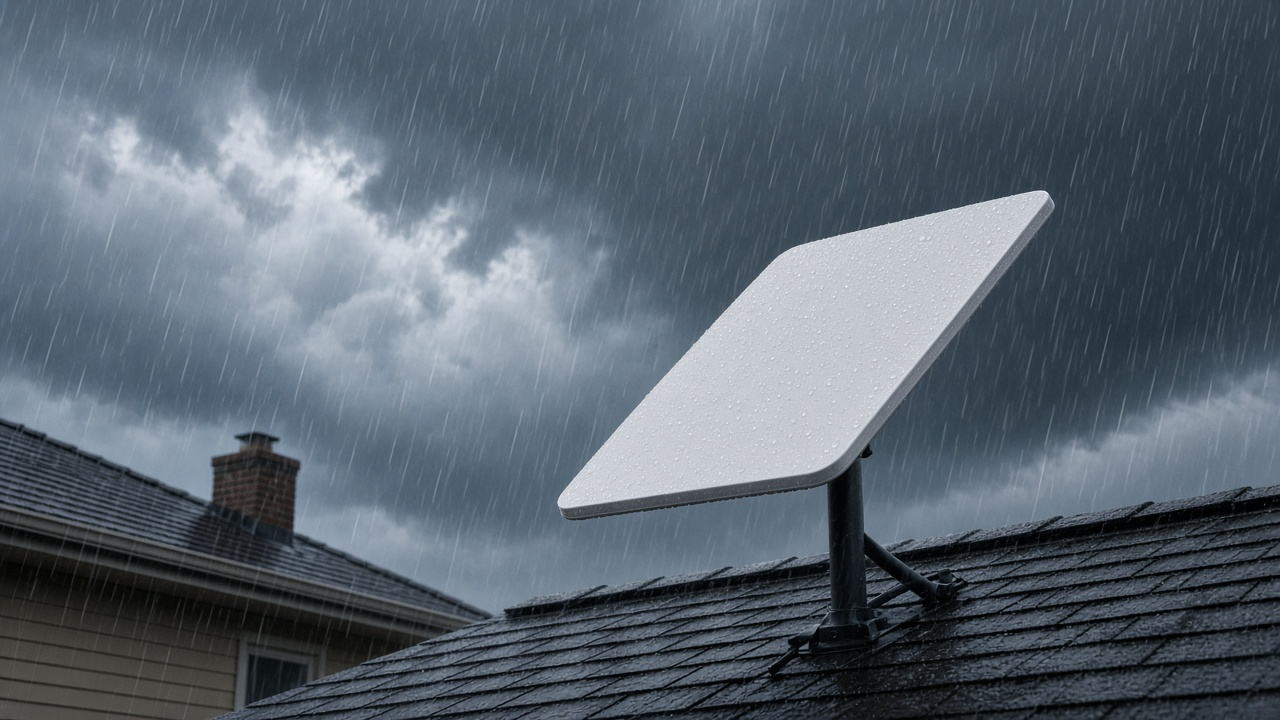
As satellite-based internet surges in popularity, hundreds of thousands of users turn to Starlink for high-speed connectivity in rural regions, disaster zones, and off-grid locations. The appeal lies in its promise—a global broadband network powered by thousands of low-Earth orbit (LEO) satellites offering faster response times than traditional geostationary systems.
However, as more people switch to satellite internet, questions surrounding reliability during severe weather intensify. Heavy rain, snowfall, and dense cloud cover are known to affect certain radio frequencies. So how does Starlink perform when the sky turns against it?
This guide breaks down exactly how rain impacts Starlink’s network performance—and what users can realistically expect when the weather takes a turn.
How Satellite Internet Works (and Why Weather Affects It)
Traditional Satellite Internet Systems vs. Starlink’s Low-Earth Orbit Innovation
Satellite internet providers historically relied on geostationary satellites orbiting around 35,786 kilometers (22,236 miles) above Earth. These satellites remain fixed relative to a point on the planet’s surface, covering large areas but introducing latency issues due to the immense distance data must travel. For context, a signal must journey to space and back, creating average latencies of 600 milliseconds or more.
Starlink, designed and operated by SpaceX, uses a vastly different architecture. Instead of one or two satellites in high orbit, Starlink deploys fleets of low-Earth orbit (LEO) satellites at altitudes of approximately 550 kilometers (around 342 miles). This proximity slashes latency to 20–40 milliseconds and enables satellite movement across the sky for continuous handoffs between terminals and satellites. By mid-2024, SpaceX has launched over 5,000 Starlink satellites to maintain wide coverage and network resiliency.
How Weather Impacts Radio Frequencies Used in Satellite Communications
Satellite internet—whether geostationary or LEO—depends on radio frequency waves to carry data between space and ground-level equipment. These signals operate in the Ku-band (12–18 GHz) and Ka-band (26.5–40 GHz), chosen for their relatively high bandwidth. Unfortunately, higher frequencies are more susceptible to environmental interference.
Headwinds come in various forms: water vapor in the air, dense cloud layers, sleet, snow, and heavy precipitation. Moisture, more than any other variable, obstructs and absorbs portions of electromagnetic signals. Rain droplets specifically interact with the millimeter waves of Ka-band frequencies, degrading the signal before it reaches the user terminal.
Introducing “Rain Fade”
Engineers use the term “rain fade” to describe signal degradation caused by precipitation. It occurs when rain absorbs or scatters the satellite’s signal, reducing data throughput or cutting off connectivity altogether. Ka-band systems, such as those used by Starlink, are especially vulnerable due to their short wavelengths, which match the size of water droplets. When these frequencies encounter rainfall, energy is lost in transit, diminishing the signal strength received on the ground.
Rain fade severity depends on several factors:
- Rain rate — measured in millimeters per hour, higher values increase attenuation.
- Signal path length through precipitation — the longer the signal passes through rain, the greater the loss.
- Frequency band used — higher frequencies mean more risk of signal loss.
The physics behind rain fade won’t change. What can change are the technologies satellites and user terminals use to mitigate its effects. Starlink addresses this with a combination of advanced beamforming, multiple satellite connections, and software-driven signal modulation techniques. But first, those weather effects must be fully understood to appreciate how far technical innovation can go in addressing them.
Real-World Performance: How Starlink Handles Weather Extremes
Heavy Rain
Modern satellite systems struggle with rainfall because raindrops absorb and scatter radio frequencies, especially in the Ka-band. Starlink, which operates primarily in this frequency range, is susceptible to rain fade—temporary signal degradation during downpours. However, the impact varies based on rain intensity and dish alignment. In moderate rain, users often see little to no disruption. During intense tropical downpours or thunderstorms, brief drops in connection or slower speeds can occur, especially when combined with thick cloud cover.
Cloudy Skies
Overcast conditions alone don’t interfere with Starlink's performance in a significant way. Water vapor in clouds causes far less signal attenuation than heavy precipitation. As long as cloud density doesn’t accompany active rainfall or snow, most users retain a stable connection with minimal latency shifts. The system maintains its beam steering function, compensating for slight drops in signal clarity.
Snow Accumulation
Snow introduces two challenges: attenuation of the signal as it passes through snowfall and physical build-up on the dish’s surface. Starlink’s phased-array antenna includes built-in heating to melt snow and prevent accumulation. In areas experiencing heavy snowfall, users report reliable performance as long as the dish remains free of obstruction. Heavy, wet snow can temporarily dampen performance if buildup exceeds the heater’s clearing capacity, but dry snow tends to be less problematic.
Severe Storms (Wind, Lightning, Hail)
- High Winds: Starlink dishes are engineered to withstand wind speeds up to 75 mph. Mounting hardware plays a critical role. Properly secured dishes maintain alignment and signal integrity even in gale conditions. Poorly installed mounts, however, can shift or vibrate, leading to signal loss.
- Lightning: While lightning itself doesn't disrupt signal paths, it poses a hardware risk. Starlink antennas aren't inherently lightning-protected, so grounding external mounts is standard in high-risk regions.
- Hail: The hardware casing resists minor impacts, but hailstones exceeding 1 inch in diameter may crack housings or damage surface electronics. Storm intensity, therefore, dictates the risk to the unit more than signal attenuation.
Across all scenarios, Starlink exhibits a higher degree of weather tolerance than older geostationary satellite systems. However, fluctuations persist depending on local climate severity and system placement.
Signal Degradation in Heavy Rain: Understanding “Rain Fade”
The Science Behind Signal Attenuation in Wet Weather
Rain fade occurs when precipitation, particularly in the form of heavy rain, disrupts the radio frequency (RF) signals transmitted between a satellite and a ground terminal. Starlink operates using the Ku-band (12–18 GHz) and Ka-band (26.5–40 GHz) frequencies. These high-frequency microwave signals are more susceptible to atmospheric attenuation, especially by water droplets suspended in the air.
As the signal path from satellite to dish travels through rain-laden clouds, electromagnetic waves encounter absorption and scattering by these droplets. The intensity of the degradation corresponds to the rate of rainfall, with attenuation increasing significantly in storms exceeding 25 mm/hr. Rain fade is not a linear process—frequencies in the Ka-band suffer disproportionately higher losses as rainfall intensifies.
How Heavy Rain Affects Signal Stability
Once rainfall reaches a certain intensity, usually categorized as “heavy” beyond 20–25 mm/hr, signal strength can drop below usable thresholds. In real-world usage, this translates to partial data loss, slower speed, or full service outages that typically last several minutes—depending on storm severity and duration.
Starlink’s phased-array dish attempts to correct for this by dynamically adjusting the direction of its beam, shifting connectivity to alternate satellites when possible. Still, during severe thunderstorms, beam steering and frequency hopping may not fully compensate for absorption loss along the entire signal path.
Latency and Speed Fluctuations During Rainfall
Even before a full signal drop occurs, users will see latency spikes and bandwidth throttling during active precipitation. Industry tests, including a 2023 field evaluation by IEEE Spectrum, recorded latency increasing from an average 40 milliseconds to over 150 milliseconds during heavy downpours, while download speeds halved from 120 Mbps to below 60 Mbps in some cases.
Uplink transmissions—data sent from the ground dish—face even sharper degradation compared to downlink. This happens because water particles more effectively attenuate the weaker signal traveling from Earth to satellite, resulting in disrupted Zoom calls, video uploads, or cloud syncing during storms.
- Rain intensity above 25 mm/hr typically reduces Starlink signal strength noticeably.
- Ka-band transmissions experience greater attenuation than Ku-band under identical conditions.
- Latency spikes and bandwidth reduction occur before full outages in sustained rain events.
Have you experienced laggy Zoom meetings or buffering videos during a thunderstorm with Starlink? That's rain fade in action—now grounded in signal physics, not speculation.
Rewriting the Rules: Starlink vs. Traditional Satellite Services in Bad Weather
Comparing GEO Satellite Services and Starlink During Storms
Traditional satellite providers like HughesNet and Viasat operate using geostationary (GEO) satellites positioned approximately 35,786 kilometers above the equator. This long-distance transmission introduces several limitations during adverse weather. Signal latency exceeds 600 milliseconds under optimal conditions, and during precipitation-heavy events, users frequently report service degradation or complete loss of connectivity.
Starlink, developed by SpaceX, uses a constellation of low Earth orbit (LEO) satellites positioned between 340 km and 1,200 km from the Earth's surface. This setup slashes latency down to 25–50 milliseconds under normal conditions and shrinks the distance that radio signals must travel. As a result, the signal has less atmospheric interference to contend with during storms or intense rainfall.
Why LEO Means Stronger Stability in Bad Weather
By eliminating the need to pass through higher-density parts of the troposphere for long distances, Starlink reduces the cumulative effect of signal absorption caused by water and atmospheric particles. The closer proximity of its satellites also enables Starlink to sustain signal lock more effectively in dynamic weather systems where traditional GEO systems would be overwhelmed by rain fade or cloud attenuation.
In practical terms, a user relying on HughesNet during a thunderstorm might experience buffering times upwards of 10 seconds or total connectivity dropout for minutes. Starlink users in similar conditions are more likely to see brief dips in speed rather than full service interruptions—thanks to real-time satellite handoff and beam-switching capabilities baked into its LEO infrastructure.
Real-World Contrast: Thunderstorm Internet Experience
- Latency: GEO averages 600+ ms during storms; Starlink maintains 35–70 ms.
- Packet Loss: HughesNet and Viasat frequently experience loss rates above 5% in adverse weather; Starlink typically remains below 1.5%.
- Recovery Time: LEO satellites hand off to another node quickly after obstruction, keeping uptime high. GEO satellites rely on a fixed signal path, which can take minutes to recover after a severe rain fade.
Want to stream a high-resolution video during a summer downpour? Starlink makes it happen with only minor quality adjustments, while a GEO-based service will likely buffer, reduce resolution, or drop the connection entirely.
How Starlink's Dish Design Fights Back Against Harsh Weather
Phased-Array Antenna: The Backbone of "Dishy McFlatface"
Starlink's user terminal—cheekily dubbed “Dishy McFlatface” by early adopters—relies on a sophisticated phased-array antenna system. Unlike traditional parabolic dishes that depend on physical movement to track satellites, this flat-panel antenna uses software-defined beamforming technology. Thousands of tiny antennas embedded in the panel electronically steer the beam with no mechanical parts involved. This setup enables near-instant adaptation to satellite movement and environmental conditions.
What difference does this make in heavy rain? Beam steering offers tighter signal control, which reduces degradation during precipitation. The array can adjust its direction rapidly to lock onto the strongest possible signal path. This agility provides a major advantage over fixed-focus dishes, especially during moments of signal interference caused by rain droplets.
Built-In Features Designed for Real-World Weather
What does all this mean for users asking whether Starlink works in heavy rain? These design features collectively reduce the likelihood of complete signal loss. The dish doesn’t just passively receive—its components actively respond to environmental changes to maintain connectivity. That's how design meets technology to answer nature’s frequent interruptions.
What Starlink Users Say About Service in Bad Weather
Experiences Shared Across Forums, Social Media, and Review Platforms
Starlink users across Reddit, gardening forums, and Facebook groups have documented how the service performs during heavy rain, snow, and thunderstorms. These firsthand reports offer a broad view into real-world conditions, beyond lab simulations or product specs.
- On Reddit’s r/Starlink, one user based in the Pacific Northwest described a consistent 10 to 15 Mbps drop during intense rain showers, though latency remained stable enough for video calls.
- A reviewer on Trustpilot noted that the signal dropped entirely during a torrential downpour in rural Georgia, but service resumed within 30 minutes once rainfall lessened.
- Another account from central Alberta, Canada, described no issues during mild rain but a 50% speed drop during a prolonged thunderstorm.
Several YouTube content creators, including Off Grid Backcountry Adventures and This Off-Grid Life, have documented Starlink use in remote areas under a variety of weather conditions. Their speed tests during moderate rain showed performance drops ranging from 20% to 40%, with most activities—including HD streaming—remaining functional.
When Starlink Held Steady—And When It Didn’t
The most consistent pattern reported? Light rain rarely caused any noticeable signal interruptions. Users in Washington, Oregon, and northern England reported streaming Netflix and attending Zoom meetings without disruption. However, during intense downpours or thunderstorms, partial slowdowns or brief outages did occur. Some users observed that service degraded for several minutes then automatically recovered.
- Users in tropical regions like Florida and coastal Philippines saw temporary blackouts lasting between 2 to 5 minutes during monsoon-level storms.
- Others in the American Midwest described a “buffering delay” during heavy hail but no complete service disruption.
Influencing Factors: Location, Mounting, and Obstructions
Not all bad weather effects translated equally across user reports. Several contributing variables emerged. Users with elevated, obstruction-free dish placements experienced fewer and shorter signal losses compared to those who installed their Dishy close to trees or buildings. In northern latitudes, lower satellite angles meant the signal traveled through more atmospheric moisture, increasing the chances of degradation.
In side-by-side comparisons, users who installed heaters on their dishes or had the latest rectangular Dishy model also noted slightly improved resistance to temporary outages during rain. Unsurprisingly, rural installations with open sky exposure outperformed urban balconies with cluttered line-of-sight.
The consistency of these trends suggests a clear correlation between installation quality, surrounding environment, and performance under adverse conditions. Curious how your setup compares? Try tracking your internet stats the next time heavy clouds roll in.
Starlink Service Consistency in Snow, Cloudy Skies, and Severe Storms
Weather varies dramatically across regions, and Starlink has to contend with a wide spectrum of conditions. From light snow showers to full-blown hurricanes, performance under these circumstances provides a real-world measure of the system’s robustness. Here’s what the data and firsthand reports confirm about its behavior in snow, cloudy skies, and severe storms.
Snowfall: Real-World Impacts on Signal and Speed
Starlink dishes, officially called Dishy McFlatface, come equipped with a built-in snow melt feature—an automatic heating system designed to prevent accumulation from disrupting signal transmission. During active snowfall, users typically see consistent connectivity as the dish repels snow accumulation.
However, the situation changes when snow begins to build up and surpasses the dish's heating capacity. If snow piles on faster than the system can melt it, signal interruptions can begin. For instance, in a Montana winter test reported in early 2023, broadband speeds on a snow-covered dish dropped from 150 Mbps to below 20 Mbps, and packet loss increased significantly. After manual clearing, performance resumed to normal.
The system does not automatically clear surrounding obstructions, so snow piling around the dish—rather than directly on it—can also create coverage blind spots. Elevating the dish or keeping its sightlines clear remains critical for consistent service in snow-prone zones.
Cloudy Conditions: Minimal Effect Unless Storm-Associated
Dense clouds alone typically have negligible impact on Starlink’s performance. Being in the Ka-band frequency range (26.5–40 GHz), Starlink signals can penetrate water vapor unless cloud density groups into larger storm formations.
In overcast conditions unlinked to a weather system—like stratiform clouds or marine layers—download and upload speeds tend to remain consistent. Independent tests in the Pacific Northwest observed less than 3% signal degradation during torrential cloud cover over five consecutive days. No significant dropouts occurred.
The equation changes when those clouds are part of large systems such as nor’easters or subtropical cyclones, where accompanying precipitation, wind, and electrical activity can collectively disrupt signal lock and satellite alignment.
Severe Storms and Hurricanes: What Actually Happens
Starlink satellites orbit at about 550 km and offer lower latency due to their proximity, but severe storms create highly localized atmospheric interference. In thunderstorms, especially systems with electrical discharges, temporary disconnections often occur.
Lightning isn’t the cause—it's the ionospheric disturbances and heavy rain rates (typically exceeding 25 mm/hour) that create attenuation strong enough to break connectivity. In hurricane scenarios, Starlink systems generally go offline at the peak of the storm due to extreme rain fade, debris displacement, or power loss, but can reconnect once conditions stabilize.
- In Hurricane Ian (Sept 2022), Florida-based Starlink users reported initial drops in performance, blackout periods during landfall, followed by self-recovery within hours once skies began clearing.
- Wind does not directly affect signal, but physical disruption of the dish alignment—whether by vibration or falling debris—will immediately cause service loss.
- Prolonged heavy storms may lead to persistent packet loss (5–15%) even if complete disconnection doesn’t occur.
Storm intensity and duration directly correlate with connectivity reliability. A brief squall line causes far less disruption compared to a Category 3 hurricane stalling overhead. Expect service interruptions when atmospheric opacity peaks—but also note that Starlink generally recovers faster than traditional satellite systems once storm elements move past.
Troubleshooting Starlink Connectivity Issues in Bad Weather
What Happens to Starlink During Poor Weather?
Heavy rain, snow accumulation, and thick cloud cover can interrupt the steady stream of data between the Starlink dish and the satellite constellation. These interruptions manifest in a few telltale ways. For users, the symptoms usually fall into three categories.
- Drops in speed: Bandwidth may fall significantly below average, as limited signal penetration reduces throughput capacity.
- Temporary outages: Brief connection losses lasting seconds to minutes typically align with the most severe parts of a storm cell.
- Latency spikes: Latency can swing from the usual 20–40 ms up into the 100+ ms range during transmission interruptions.
Steps to Restore Stability When Weather Interrupts Starlink
1. Inspect and Clear the Dish
Snow, ice, or pooling rain around the dish’s surface will obstruct signal reception. Starlink dishes include a built-in heating element, but in conditions with high moisture and freezing temperatures, physical clearing may still be required. Use a soft brush to gently remove snow—never pour hot water or use metal tools, which could damage the radome.
2. Run a System Diagnostic
Open the Starlink app and navigate to the “Statistics” tab. This section shows recent outages, categorized by type: “Obstructed,” “Network Issue,” or “No Signal Received.” If the trend shows an increase in “Obstructed,” local interference—such as tree branches or new construction—might be the bottleneck, not the weather itself. Check for firmware updates from the Settings menu; updates push performance improvements directly to the dish and router, some of which improve weather-handling algorithms.
3. Optimize Dish Placement
Rain fade worsens when the dish has a shallow field of view. This matters more in densely built-up or forested areas. Repositioning the Starlink dish—from ground level to rooftop, for example—can unlock significantly better visibility to the required area of the sky (approximately 100° cone from zenith). Use the Starlink app’s “Check for Obstructions” tool to simulate this before moving the unit.
4. Monitor Local Network Load
Heavy rain doesn’t just affect your dish. During storms, regional Starlink ground stations may also perform sub-optimally. Combine this with increased usage (people indoors streaming content), and congestion may occur. Router logs or real-time speed tests can help differentiate between local dish issues and upstream congestion.
By isolating the root cause—weather vs. obstruction vs. firmware or external overload—responding to weather-induced dropout becomes more strategic, not just reactive.
Keeping Your Starlink System Weather-Ready: Maintenance Essentials
Inspecting for Weather-Related Damage
Routine checks will extend the life of your Starlink hardware. Strong winds can shift the dish’s alignment, while hail or flying debris may crack plastic housings or leave dents in the phased array. After a storm, walk around the installation site. Look for signs of physical impact, loose bolts, or slight dish movement off axis. Small changes in positioning will reduce signal quality, especially during ongoing adverse conditions.
When temperatures swing dramatically, inspect connector seals and cables for cracking or stiffness. UV exposure over time can degrade non-metallic components. Observing hardware between seasons, not just after storms, will catch early signs of wear.
Managing Snow and Ice Accumulation
The Starlink dish features a built-in heating system designed to melt snow automatically. This “Snow Melt Mode” activates when sensors detect icy buildup and ambient temperature drops below a threshold. However, in regions with sustained heavy snowfall or wet freezing conditions, manual intervention still helps.
- Clear excess snow surrounding the dish to avoid blockage during continuous storms.
- Use a soft-bristle broom or a handheld blower—never a shovel—because hard tools can scratch the surface or misalign the unit.
- If ice forms before the heater can reactivate, wait for passive melting or warm water spray rather than scraping.
Supplementary Gear: Covers and Mounting Enhancements
Aftermarket snow covers exist, but Starlink’s heating element integrates effectively into the hardware already. Thermal film sensors regulate activation without user input. Third-party covers may trap moisture or disrupt heat dissipation, so only use designs specifically tested with Starlink's dish specifications.
Elevated pole mounts or angled roof setups limit snow collection and pooling rain. Positioning the dish in constant line of sight with the sky while reducing exposure to treefall zones lowers long-term hardware stress from both precipitation and debris.
Consider grounding the mounting pole if lightning is a concern in your area. Though Starlink doesn’t require ground wires natively, proper electrical grounding protects during power surges caused by storm proximity.
Long-Term Reliability Starts with Preventive Care
Starlink is built with resilience in mind, but no technology remains maintenance-free under extreme weather cycles. Staying ahead of environmental damage through observation and proactive decisions will keep your equipment functioning through snow squalls, hailstorms, or high-humidity heat waves.
Is Starlink a Smart Choice for Areas with Challenging Weather?
Final thoughts for wet, snowy, and stormy climates
Starlink consistently outperforms legacy satellite systems when skies turn gray. It delivers lower latency, higher bandwidth, and faster signal recovery after disruption. During moderate precipitation and cloud cover, most users experience only brief interruptions—often seconds long. In heavy rain or snow, performance can drop, especially during peak usage times. However, recovery is typically quick unless accumulation physically blocks the dish.
For rural users who face frequent weather disruptions or gaps in DSL or cable coverage, Starlink fills a critical connectivity gap. Those transitioning from satellite TV or legacy satellite internet will notice faster speeds and fewer prolonged outages. And because the Starlink network continues to expand and receive firmware improvements, its performance in adverse weather improves over time.
What to consider before subscribing
- Roof accessibility: Can you easily clear snow or debris from the dish if needed?
- Hardware placement: Is there an unobstructed view of the sky, clear of trees and nearby structures?
- Local climate patterns: Do you regularly see heavy thunderstorms, several feet of snowfall, or long periods of dense cloud cover?
- Backup internet needs: Will you need mobile data tethering or an LTE backup during extended outages?
- Power stability: Is your area prone to power cuts during storms? If so, a UPS may help keep the terminal running.
Let’s make the story better together
Already using Starlink in a rain-prone or mountainous area? Experiencing faster recovery after a snow squall than you did two firmware updates ago? Share your experiences using Starlink during a storm in the comments section below. First-hand reports shape future upgrades and help others make informed choices.
Want to stay updated on performance improvements, hardware innovations, and new availability zones? Subscribe to receive Starlink performance updates tailored to your region.