Why Gigabit Ethernet Is No Longer Enough for the Modern Home (2026)
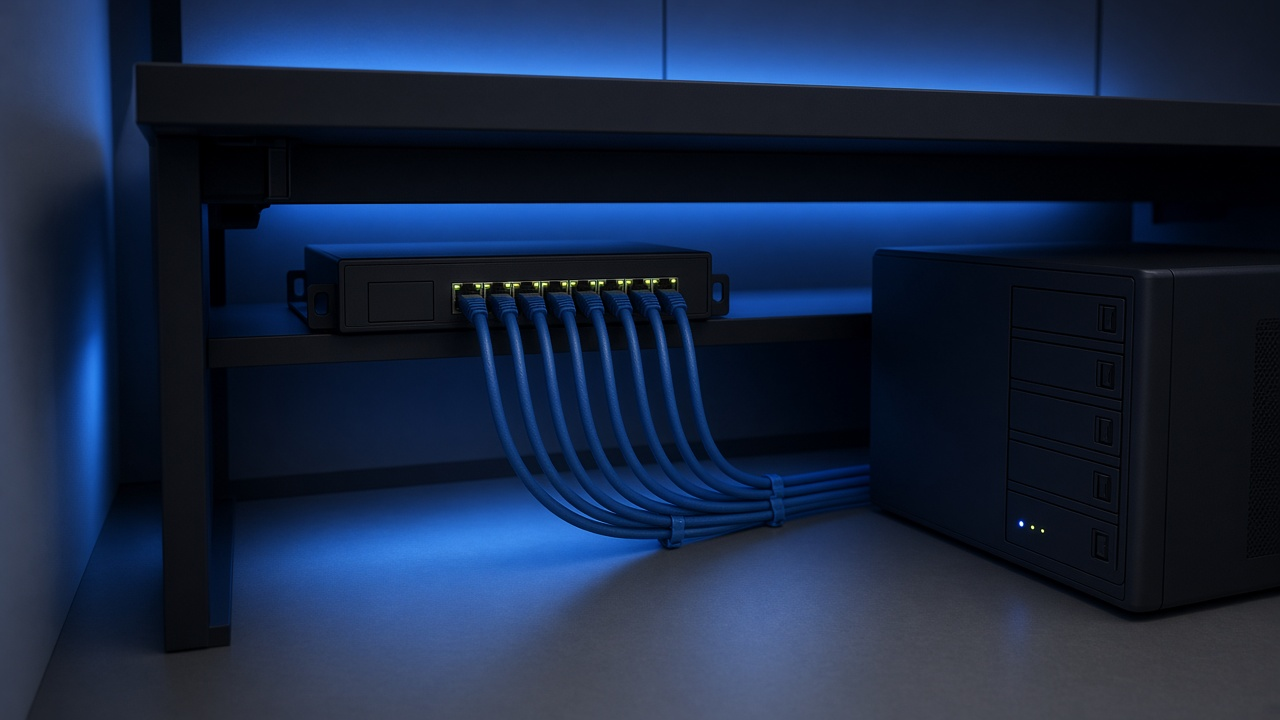
The modern home no longer resembles the space it was even five years ago. From 4K and 8K streaming to remote workstations, smart appliances, gaming rigs, and cloud-synced devices, the digital environment inside today’s house resembles a compact data center more than a traditional living space. At the heart of this ecosystem lies the home network—with Ethernet cables and switches handling the heavy lifting behind every upload, stream, and video call.
Ethernet, the wired backbone that has quietly supported household connectivity for decades, offered a breakthrough with Gigabit Ethernet. Released in the late 1990s and widely adopted over the 2000s, it provided ten times the speed of Fast Ethernet and, for a time, far outpaced household demands. But that era has passed.
With data-intensive devices multiplying in every room and multi-person households pushing networks to their limits, Gigabit Ethernet is beginning to show its age. Browsing once felt instantaneous; now it competes with bandwidth-hungry applications and background syncs. So, what's driving the need to move beyond 1 Gbps at home? High-bandwidth streaming, large file transfers for remote workflows, VR platforms, and IoT-powered routines are just the beginning.
The Growing Demands of the Modern Smart Home
Surge in Connected Devices: A Constantly Expanding Network
Walk into any home built or renovated in the past five years, and you’ll find an ecosystem of networked devices far beyond basic laptops and smartphones. Smart TVs stream high-bitrate video content around the clock. Video doorbells and security systems maintain real-time cloud connections 24/7. Thermostats, lights, speakers, vacuum cleaners—even refrigerators—now integrate with central home networks, each requiring a slice of bandwidth.
According to a 2022 study by Deloitte, the average U.S. household contains 22 connected devices. That number continues to rise annually as smart technology becomes more affordable and embedded in daily life. This proliferation isn’t linear—it compounds. Homes don’t just add devices; they add categories of interconnectivity.
Bandwidth-Heavy Applications: More than Just Browsing
Today’s digital households engage in far more than casual web surfing. Families regularly consume 4K and, increasingly, 8K content on multiple devices. Netflix, for instance, recommends a steady 25 Mbps for a single 4K stream. Multiply that by three or four concurrent streams, plus overhead for other services, and total required bandwidth climbs rapidly.
Online gaming introduces its own pressures—low latency, high responsiveness, and uninterrupted throughput. Add to this real-time data transfers from cloud backup services (think Google Drive or iCloud), video conferencing via Zoom or Microsoft Teams, and uploads from content creators, and the equation becomes clear: Gigabit Ethernet becomes the bottleneck, not the backbone.
Multi-User Load: Every Room Competing for Throughput
Networks now need to handle parallel sessions of high-demand traffic. In a family of four, one person might be gaming, another streaming TikTok videos, while two others attend video calls. The house isn’t idly connected—it’s simultaneously straining all endpoints of the network infrastructure.
- A teenage bedroom doubles as a live-streaming studio with HD uploads.
- The kitchen smart speaker streams playlists while controlling lights.
- Multiple tablets and televisions stream movies or YouTube in HD or 4K.
- Download queues run in the background for gaming consoles and PCs.
This overlapping usage results in bandwidth fragmentation. Unlike older browsing patterns with predictable, low-impact traffic, modern smart homes demand sustained high-throughput across multiple endpoints simultaneously.
What happens when all these devices compete on a 1 Gbps line? Latency spikes, buffering becomes visible, and device responsiveness drops. Modern usage demands more than peak speed—it requires consistently high throughput across concurrent sessions.
Where Gigabit Ethernet Falls Short: Bottlenecks That Disrupt Performance
Throughput Capped at 1 Gbps: A Hard Limit
Each Gigabit Ethernet port offers a theoretical maximum of 1,000 megabits per second. That ceiling includes both upload and download traffic. When multiple devices compete for that single channel—such as during simultaneous HD video calls, security camera feeds, and file transfers—performance drops. In practice, protocol overhead often reduces usable throughput to 940 Mbps or less.
As a result, the connection becomes an active limiter rather than a facilitator, especially when paired with modern multi-gig internet services and high-speed local networks.
Heavyweight Traffic: Today’s Bandwidth Giants
- Ultra-High-Definition Streaming (4K, 8K): Services like Netflix, Apple TV+, and Disney+ deliver 4K streams that demand 25 Mbps or more per device. With 8K content emerging—requiring 80 Mbps and beyond—a household with multiple streams can easily saturate a gigabit link.
- Cloud Storage and Computing: Editing and rendering projects stored in platforms like Google Drive or Dropbox involve uploading and syncing large files. Real-time collaboration with apps such as Adobe Creative Cloud or AutoCAD takes consistent bandwidth, both upstream and downstream.
- Smart Home Automation: Dozens of devices—thermostats, locks, cameras, lights—trigger frequent, low-latency communication. While each relay uses minimal bandwidth, their combined overhead can aggregate into measurable strain, particularly on a congested subnet.
- Network Attached Storage (NAS): Moving raw video footage, high-resolution photography, or full-system backups to and from NAS devices over a 1 Gbps link introduces long wait times and potential lag, especially as file sizes balloon past 100 GB.
ISP Services Outpacing Home Networking Infrastructure
Symmetrical fiber-optic internet connections—offered by providers like Google Fiber, AT&T, and Verizon Fios—routinely deliver 1 Gbps+, with some plans reaching up to 5 Gbps. However, once that data enters a home built on traditional Gigabit Ethernet, the internal network creates a chokepoint. No matter how fast the modem connects to the internet, only 1 Gbps traffic can flow from the router to each individual endpoint if the Ethernet backbone doesn’t support higher rates.
In setups where households attempt to harness full-throttle symmetric speeds for home offices, real-time cloud production, or high-bandwidth gaming, the bandwidth ceiling inside simply fails to keep pace with the speed arriving outside.
The Role of Wi-Fi Versus Ethernet in High-Performance Homes
Next-Generation Wi-Fi Leaves Gigabit Limits Behind
Wi-Fi technology has undergone rapid transformation over the past few years. The arrival of Wi-Fi 6 (802.11ax) and its extension, Wi-Fi 6E, introduced significant leaps not just in speed, but also in capacity and efficiency. Wi-Fi 6 supports theoretical maximum speeds up to 9.6 Gbps, a staggering increase from Wi-Fi 5’s 3.5 Gbps ceiling. That number may look theoretical — and it is — but even realistic speeds have doubled with Wi-Fi 6 in most controlled environments.
This generation of wireless connectivity introduces lower latency, improved performance in congested networks, and increased simultaneous throughput for multiple devices. In homes filled with smart tech, those improvements translate to faster response times, smoother 4K/8K streams, and better performance in shared-bandwidth environments like home offices or gaming setups.
Low Latency Isn’t Just for Wired Anymore
Wi-Fi 6 and Wi-Fi 6E deploy Orthogonal Frequency-Division Multiple Access (OFDMA) and Target Wake Time (TWT) to significantly reduce latency and increase power efficiency. The result? Wireless latency now approaches levels previously reserved for Ethernet. For example, Wi-Fi 6 can drive single-digit millisecond latency in ideal conditions. That shifts expectations—where once wireless was "good enough," now it competes directly with older wired gigabit connections.
But Physical Ethernet Still Has the Edge in Stability
That said, wired connections still deliver greater reliability under heavy and sustained loads. Smart TVs streaming 4K HDR video, gaming PCs pushing 240 FPS online shooters, and workstations conducting high-throughput data transfers all benefit from the consistent performance of Ethernet. Latency on wired Gigabit Ethernet typically hovers around 1 millisecond or less, with no overhead for signal interference or packet retries typical of Wi-Fi.
Segments of the network where true zero-jitter connectivity matters — such as NAS devices, home media servers, or real-time virtual meetings — continue to rely on Ethernet to deliver predictable, degradation-free service.
Where the Bottleneck Begins: Ethernet Can't Match Modern Wi-Fi Speeds
Here’s where the problem emerges. High-end routers are now capable of wireless throughput exceeding the physical limit of traditional Gigabit Ethernet, which caps at 1 Gbps. That creates a mismatch. Even if a device connects over faster Wi-Fi, the moment data routes through a gigabit-limited wired backhaul, performance drops to wired speeds, not wireless capacity.
Many routers today, especially those supporting Wi-Fi 6E, feature multi-gigabit wireless radios but only include 1 Gbps Ethernet ports. This means the system's backplane can't move data fast enough to take full advantage of what wireless radios can now deliver. For homes with fiber connections of 2 Gbps or higher, this creates a ceiling that's not set by the internet provider, but by the outdated wired infrastructure in homes.
Is Your Infrastructure Working Against Your Wi-Fi?
- Using Wi-Fi 6E on a 5 Gbps internet plan? Your router's Gigabit port may throttle your entire network down.
- Running a mesh setup with wired backhaul? That “best practice” setup loses value if the cabling only supports 1 Gbps.
- Seeing lag spikes during simultaneous 4K streams, remote work calls, and game downloads? Your Ethernet bottleneck may be the culprit, not your Wi-Fi.
Blazing fast wireless now creates demands that the wired foundation must keep up with. When high-performance wireless meets outdated Ethernet, the result isn’t synergy — it’s setback.
Inside the Engine Room: Essential Components of a Modern High-Speed Wired Network
IP Router with Multi-Gig Ports
Every high-performance home network starts at the gateway. A router outfitted with multi-gigabit LAN and WAN ports—2.5G, 5G, or 10G—eliminates immediate throughput ceilings. When handling fiber internet plans above 1 Gbps or relaying 4K video streams across VLANs, these routers maintain full-duplex transmission without packet loss. Devices like the Netgear Nighthawk RS700 or Ubiquiti UXG-Pro support such interfaces and enable symmetric multi-gig traffic across internal and external networks.
Network Interface Cards (NICs) Beyond 1G
To take full advantage of multi-gig networks, PCs and NAS units must be equipped with network cards rated at 2.5G, 5G, or 10G speeds. Without these, even the fastest backbones choke at 1 Gbps due to hardware limitations. For instance, installing an Intel X550-T2 10G NIC in a desktop or Synology NAS immediately unlocks the bandwidth needed for tasks like local 4K video editing or real-time VM syncs.
Multi-Gig Ethernet Switches: Core Distribution Layer
A high-throughput home needs a switch that keeps up. Managed or unmanaged, Layer 2 or Layer 3—what matters is support for multi-gig links across several ports. Models like the QNAP QSW-M2108-2C or Netgear MS510TX can distribute 2.5 to 10 Gbps connections simultaneously across various client devices. This becomes non-negotiable when multiple high-speed endpoints—gaming rigs, media servers, or cloud-connected hubs—operate in parallel.
Upgraded Cabling: Cat6a and Cat7
Even with advanced switches and NICs, performance collapses with outdated wiring. Cat5e cables are capped at 1 Gbps. Replacing this legacy copper with Cat6a or Cat7 infrastructure ensures support for 10G speeds up to 100 meters. Shielding in these cables reduces crosstalk and electromagnetic interference—especially relevant in dense environments filled with IoT devices, power supplies, and smart appliances.
Example in Action: Smart Home Hub Over 10G Fiber
Imagine a central smart home server handling live 4K security cam feeds, real-time automation scripts, and syncing terabytes of home surveillance to the cloud daily. With a 10G Ethernet link connected via Cat6a cabling to a multi-gig switch—paired with a 10G WAN router—this setup operates without buffer, delay, or network congestion. Latency-sensitive tasks like AI-driven motion detection or voice-command relays remain smooth even during peak throughput.
- Router: 2.5G+ LAN/WAN ports to match fiber or DOCSIS 3.1 uplinks
- Switch: Layer 2/3 with aggregated 2.5G-10G port support
- NIC: Desktop/NAS systems with multi-gig cards (Intel or Aquantia chips)
- Cable: Cat6a or Cat7 certified for 10G transmission over full-length runs
Every link in this chain decides network speed. Each component, from cable to switch, operates as a multiplier—or a limiter. No single upgrade unlocks seamless multi-gig performance. The system works only when built to compress latency, elevate throughput, and match rising digital demands.
Enter 2.5G, 5G, and 10 Gigabit Ethernet: The Next Step Forward
What 10 Gigabit Ethernet Delivers That Gigabit Can't
10 Gigabit Ethernet (10GbE) increases data throughput tenfold over standard Gigabit Ethernet, pushing the maximum theoretical transmission rate from 1 Gbps to 10 Gbps. This translates to 1.25 GB (gigabytes) per second of raw data transfer capability. Even under typical real-world conditions, users routinely see speeds over 9 Gbps with minimal latency when using properly configured Cat6a or Cat7 cabling and capable network interface cards (NICs).
Beyond raw speed, 10GbE also dramatically cuts delay and congestion during simultaneous high-bandwidth activities. For data-intensive workflows—such as moving uncompressed 4K video files from one system to another or running virtualization labs at home—Gigabit becomes the limiting factor. 10GbE eliminates these lags entirely.
Reality Check: Theoretical vs. Practical Speed
The theoretical 1 Gbps of standard Ethernet quickly erodes in practical usage. Factoring in protocol overhead, transmission inefficiencies, and network congestion, actual achievable throughput typically falls between 940 Mbps and 960 Mbps. On the other hand, 10GbE regularly delivers over 9,400 Mbps in optimized environments, making it nearly ten times more effective in sustained throughput.
Improvements in switch backplanes and cabling help retain high throughput even in busy multi-user environments. With SSDs fully saturating Gigabit bandwidth in file transfers, the added headroom of 10GbE becomes not just desirable but necessary.
Bridging the Gap: 2.5G and 5G Ethernet as Intermediate Solutions
Not everyone needs a full 10GbE setup from the start. That’s where 2.5GBASE-T and 5GBASE-T Ethernet come in, offering affordable stepping stones. These standards provide 2.5 and 5 Gbps connection speeds over existing Cat5e or Cat6 cabling—making them perfect upgrades without rewiring a home or replacing existing patch panels.
- 2.5G Ethernet (2.5GbE): Hits a sweet spot for homes with multiple UHD streams or heavy file transfers without demanding premium hardware.
- 5G Ethernet (5GbE): Serves demanding environments where multiple simultaneous tasks—such as backups, media streaming, and gaming—stretch 2.5GbE.
Most modern routers and switches are beginning to ship with at least one 2.5GbE port by default. Motherboard manufacturers have also widely adopted 2.5GbE NICs as standard offerings on mid- and high-end boards.
Real-World Use Cases That Break 1 Gigabit Barriers
- Transferring 4K video from PCs to a NAS: A single minute of ProRes 4K footage can exceed 10 GB. With Gigabit Ethernet, transferring such files takes over 80 seconds. On a 10GbE connection, it's under 10 seconds.
- Streaming UHD content from a local server: Uncompressed 4K video demands 250–400 Mbps. Multiple simultaneous streams can easily saturate a standard Gigabit pipe, resulting in buffering and quality drops. 2.5G and 5G Ethernet eliminate this constraint entirely.
- Simultaneous high-speed tasks across rooms: One room backs up a 1TB drive to a NAS while another streams 4K video and a third downloads large game updates. Gigabit quickly bottlenecks. With 5GbE or 10GbE uplinks and multi-gig switches, each task proceeds uninterrupted.
Think beyond peak usage. It's the collision of tasks—automated backups, video playback, simultaneous downloads—that exposes Gigabit's limits. The move to 2.5G, 5G, or 10GbE solves congestion before it chokes.
When Gigabit Ethernet Fails: Real-Life Scenarios That Expose the Limits
Scenario A: The Remote Workday Collides with 8K Streaming and Massive Backups
In a household where multiple users rely on the network for bandwidth-heavy tasks, Gigabit Ethernet begins to show its age. Picture this: one parent is on a Zoom call while accessing a cloud-based design tool, the other is uploading 4K video content to a NAS for safekeeping. At the same time, two kids are streaming native 8K videos on YouTube using Smart TVs connected via Ethernet. The result? Contention for bandwidth on a 1 Gbps uplink begins to delay critical backup routines, pixelate live video streams, and even cause virtual conference calls to stutter.
Native 8K video can demand as much as 100 Mbps per stream depending on compression. Two such streams, combined with a multi-gigabyte video backup and concurrent conferencing, will saturate a Gigabit link quickly. With no bandwidth headroom, latency increases and packet loss follows, degrading every user experience simultaneously.
Scenario B: A Home Lab That Needs More Than Just Bandwidth
Running a homelab environment—especially one with virtual machines, container orchestration platforms like Kubernetes, or hyperconverged infrastructure—demands high-throughput connections between hosts and storage nodes. Gigabit maxes out at around 125 MB/s under ideal conditions, which severely limits tasks like VM replication, backup synchronization, or mass file transfers across nodes.
When a user runs multiple VMs and simultaneously pushes updates or pulls Docker images while using networked storage over iSCSI or NFS, bottlenecks emerge fast. Technologies like 2.5G or 10G Ethernet unlock the ability to treat home labs like data centers—for real.
Scenario C: Wired Gaming Held Back by Legacy Specs
A wired console connection typically suggests low latency and fast response—until the uplink is maxed out. In homes where game consoles connect to Gigabit switches shared with media servers, smart TVs, and streaming devices, bandwidth prioritization falls apart once multiple high-drain services operate in parallel.
High-frequency packet exchanges during competitive online play suffer when concurrent data-heavy services throttle available bandwidth. A typical online game may only use a few Mbps, but congestion causes latency spikes and jitter, taking players out of sync. With 2.5G or higher, there’s enough throughput to isolate gaming traffic without compromise, even in multi-user environments.
Scenario D: Smart Surveillance Meets High-Resolution Reality
Modern smart surveillance systems with 1080p or 4K IP cameras streaming 24/7 generate a constant flow of data. A single 4K security camera streaming at 30 fps with H.265 compression still pushes up to 15 Mbps. Multiply that across ten cameras, and you’re looking at 150 Mbps of sustained data flow—exclusive of other devices.
Add in automated backup to a local NAS every hour, and suddenly, network usage spikes far past Gigabit thresholds. During backup windows, the system either drops frames or delays archival processes. These losses don’t just affect surveillance quality—they undermine security integrity. Upgrading to multi-Gigabit Ethernet ensures seamless storage operations while maintaining real-time feeds.
Upgrading Your Network: Solutions and Best Practices to Future-Proof Performance
Start With What You Have, Then Build Strategically
Upgrading doesn’t require gutting the entire network at once. Replace outdated components systematically. Start with critical nodes—like your main router and high-traffic devices—and expand as demand grows. Prioritizing based on usage patterns avoids unnecessary overinvestment and ensures each dollar goes directly into bandwidth where it’s most needed.
Check Your Internet Service Plan
ISPs routinely offer residential plans exceeding 1 Gbps speeds. Comcast’s Gigabit Pro plan delivers up to 2 Gbps symmetric, and Google Fiber goes up to 5 Gbps or even 8 Gbps depending on location. Sticking with a Gigabit Ethernet setup throttles performance regardless of your plan. Before upgrading hardware, confirm that your internet subscription isn’t already outpacing your internal network’s capabilities.
Upgrade Your Router for Multi-Gig Capability
Routers with 2.5G or 10G WAN and LAN ports, like the Asus ROG Rapture GT-AXE16000 or the Netgear Nighthawk RS700, handle multi-gig throughput efficiently. These units also support Wi-Fi 6E and avoid creating internal data bottlenecks. Select models capable of link aggregation add flexibility by splitting data loads across multiple lines.
Deploy Multi-Gig Ethernet Switches Strategically
Multi-gig switches centralize data traffic without the 1 Gbps ceiling. Midrange models like the QNAP QSW-M2108-2C offer a mix of 2.5G and 10G ports—useful for NAS setups or PC gaming hubs. By upgrading to a distribution switch between high-performance devices, you prevent throughput slowdowns across the network backbone.
Choose the Right Cabling
Wiring limits speed just as much as ports. Cat5 and Cat5e max out below 2.5 Gbps in most real-world settings. Cat6 handles 10 Gbps over 55 meters; Cat6a extends that to 100 meters. For best results in new installations or replacements, Cat6a or Cat7 eliminates future compatibility concerns while minimizing crosstalk and boosting interference resistance.
Upgrade Network Interface Cards on High-Demand Devices
Gaming rigs, media servers, and NAS units benefit most from upgraded NICs. Add-in PCIe 2.5G or 10G cards create a direct high-throughput channel between devices and your router or switch. Options like the ASUS XG-C100C (10GBase-T) or TP-Link TX201 (2.5GBase-T) cost less than expected and offer plug-and-play compatibility for most modern desktops.
Combine Next-Gen Wired and Wireless
A hybrid model pairs Wi-Fi 6/6E for light and mobile devices with 2.5G or 10G Ethernet for fixed high-demand endpoints. Mesh systems like the Ubiquiti UniFi Dream Machine Pro + U6 Access Points connect wirelessly to general-use devices while directing media streams and backups through cabled multi-gig backhaul to avoid congestion.
Start with Budget-Conscious 2.5G Components
Upgrading doesn’t require going straight to 10G. Start with affordable 2.5G switches and USB/PCIe adapters; they support five times the throughput of 1G at a fraction of the cost. Most Cat5e cables already installed in homes support 2.5G over short distances, which stretches utility without immediate rewiring.
- Use 2.5G USB-C or PCIe adapters on key PCs and workstations.
- Plug them into a 2.5G-capable switch connected to your multi-gig router.
- Pair with Cat6 or existing high-quality Cat5e cable under 50 meters.
By scaling your upgrades to usage, existing infrastructure, and bitrates delivered by your ISP, your network framework will stay relevant and capable long past Gigabit Ethernet’s limitations.
The Future: Preparing for 10G and Beyond
Home networking is poised to undergo another leap in performance. As new technologies and applications arrive, 1 Gbps no longer defines a high-performance connection. The groundwork is already in motion — from multi-gig internet plans to next-gen wireless standards — and the shift is accelerating.
Wi-Fi 7: Breaking the Gigabit Barrier Wirelessly
Wi-Fi 7, based on the 802.11be standard, raises the ceiling for wireless networking with peak theoretical speeds exceeding 40 Gbps under optimal conditions. Using 320 MHz channels, 4K QAM modulation, and Multi-Link Operation (MLO), Wi-Fi 7 can deliver throughput that easily overwhelms a traditional gigabit wired connection. While real-world performance will be lower than lab results, Wi-Fi 7 will routinely surpass the 1 Gbps barrier — fundamentally changing expectations for wireless connectivity.
ISPs Are Moving to Multi-Gig Speeds
Internet Service Providers have begun rolling out residential internet plans that offer 2.5, 5, or even 10 Gbps symmetrical speeds. For example:
- Google Fiber offers 5 Gbps and 8 Gbps plans in select cities.
- AT&T and Frontier provide 5 Gbps fiber tiers in metro areas.
- Xfinity has pilot 2.5 Gbps service in some states, with plans to expand.
With these speeds available at the curb, the limiting factor shifts to the home network infrastructure. Any gigabit-only setup can't take advantage of the bandwidth at the gateway. That's a bottleneck users will be compelled to eliminate.
Applications Demand More Than Ever
Real-time, high-bandwidth applications are at the front line of this demand surge. Consider how these technologies strain a gigabit connection:
- VR and AR streaming — Meta’s Quest ecosystem and Apple Vision Pro require low-latency, high-throughput data to deliver fully immersive environments.
- Metaverse interactions — Multi-stream spatial audio, live-rendered 3D avatars, and synchronized haptic feedback create traffic patterns that dwarf traditional video conferencing.
- AI/3D creative workflows at home — From generative AI model training to 8K video editing across NAS systems, modern creators are pushing gigabit networks past their limits daily.
For those working in these spaces, latency, bandwidth, and consistent throughput directly affect output. With workflows that move terabytes rather than gigabytes, gigabit Ethernet introduces significant delays.
Gigabit Ethernet Will Be the Next Fast Ethernet
In the early 2000s, Fast Ethernet — capped at 100 Mbps — quickly became a limiting standard. Today, Gigabit Ethernet stands at the same precipice of obsolescence. Multi-gig infrastructure is no longer a luxury or enterprise-only concern; it's becoming the baseline for homes where high digital performance is a daily necessity.
The transition to 2.5G, 5G, and 10G Ethernet mirrors that earlier shift. Ports, switches, NICs, and cabling are becoming widely available and affordable. Just as 100 Mbps networks couldn't accommodate 4K video and cloud backup, 1 Gbps can't sustain what's coming next. Looking ahead, networks that stop at Gigabit speeds will resemble aging DSL — technically functioning, but out of step with reality.
Speed is the New Standard
Gigabit Ethernet served the connected home well for many years. But as technology pushed forward, it stayed stagnant. A single-gig pipeline no longer keeps pace with households running multiple 4K streams, cloud backups, smart home automations, and high-performance gaming rigs—often all happening simultaneously.
The metrics don’t lie. Streaming services now offer 4K HDR and 8K content, each requiring bandwidth beyond what 1 Gbps handles comfortably when shared across a network. Wi-Fi 6 and Wi-Fi 6E routinely deliver speeds that outpace gigabit Ethernet, revealing the bottleneck hiding in cables and switches. Meanwhile, households average more than 20 connected devices, according to Statista, and that number continues to climb.
Latency-sensitive apps like competitive gaming, videoconferencing, and AR/VR interactions suffer when data hits a ceiling. And it's not just about bandwidth—it's about flow, responsiveness, and how a network handles concurrent traffic from many sources. Gigabit Ethernet doesn’t flex. Multi-gig does.
The shift to 2.5G, 5G, and 10G Ethernet unlocks the bandwidth needed to meet current demands and scale with future ones. Switches supporting multi-gig speeds, CAT6a or CAT7 cabling, and routers designed for throughput beyond 1 Gbps are no longer niche options—they’re minimum viable infrastructure for modern households.
- Start with core devices: choose a multi-gig router and a 2.5G+ NAS for faster local backups.
- Upgrade your cabling to at least CAT6a to remove physical bottlenecks.
- Select multi-gig switches to spread bandwidth evenly across the network.
This isn’t theoretical—it’s operational. Every second of delay, buffer, or loss of quality traces back to an outdated pipeline. New speed standards bring consistency, enable automation, and prepare home networks for AI-driven workflows, generative media, and edge-based computing tasks.
Is your Ethernet still gigabit? It’s time to think bigger. The infrastructure is available, scalable, and engineered for the future. Upgrading now means unlocking seamless performance across applications you already use—and those you haven’t imagined yet.