What Internet Provider Should I Use for My Rental Property (2026)?
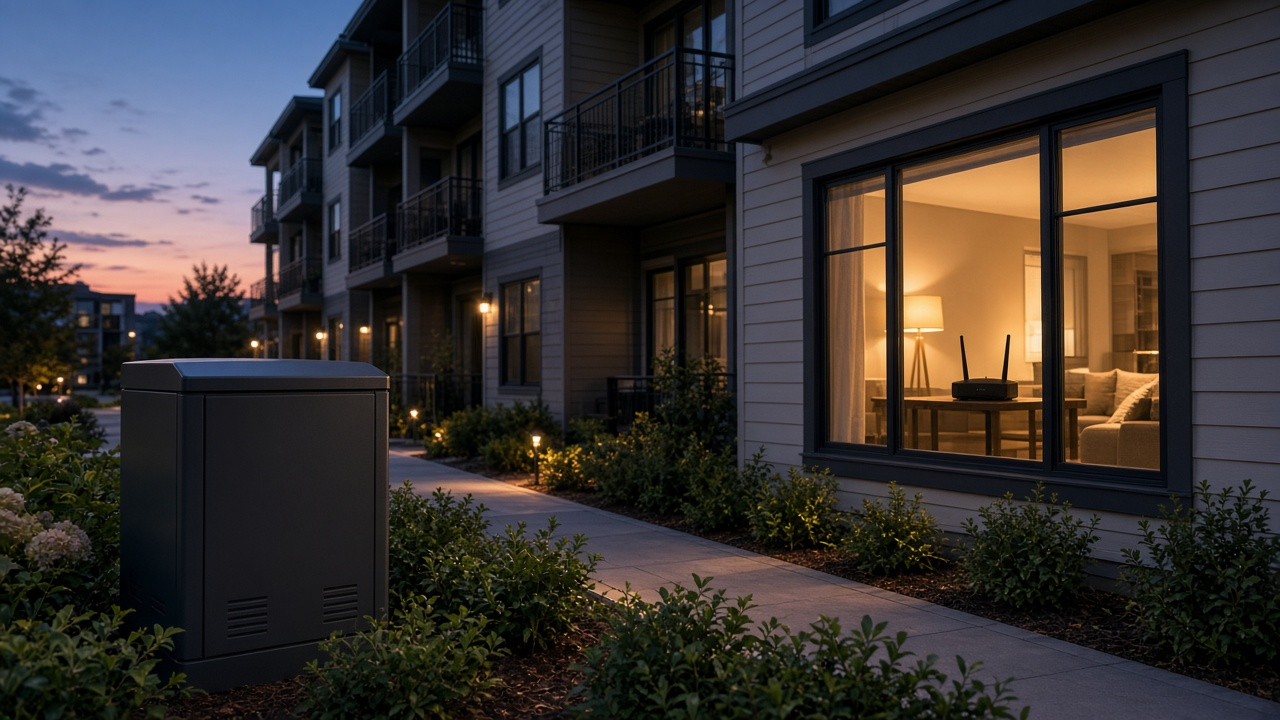
Renters today expect more than just four walls and a roof—they expect seamless connectivity. In the competitive rental market, offering fast and dependable WiFi isn't an optional perk; it's a core feature that directly influences tenant satisfaction and perceived property value. Poor internet speeds cause frustration, negative reviews, and lease turnovers, while strong, reliable connections help drive renewals and justify higher rental rates.
But there's more to consider than just upload and download speeds. The length of tenant leases, turnover frequency, and the type of rental (short-term vs. long-term) all shape the right internet service plan and provider choice. Whether managing a high-turnover vacation rental or leasing long-term units, aligning your ISP decision with your leasing dynamics will impact everything from setup and billing to customer service responsiveness.
So, which internet provider makes sense for your rental strategy? Let’s break it down based on coverage, speed, flexibility, and cost-efficiency.
Matching Internet Speeds to Rental Property Needs
Short-Term vs. Long-Term Rentals: Speed Expectations Shift
Whether hosting weekend travelers or year-long tenants, aligning internet speeds with tenant expectations determines satisfaction. Short-term guests—Airbnb users, for example—expect seamless streaming, fast browsing, and glitch-free video calls. Provide at least 100 Mbps download speed for properties where guest turnover is frequent and usage is unpredictable. With the prevalence of 4K smart TVs and guests carrying multiple devices, slower speeds won’t keep up.
In contrast, long-term tenants often have persistent demands for reliability. A single remote worker may not require ultra-high speeds, but simultaneous usage across work, streaming, and gaming requires minimum 200–300 Mbps download. Upload speeds matter more too—25 Mbps or higher supports stable video conferencing and large file uploads.
Scaling Based on Property Size and Density
For landlords managing multi-unit properties or apartment complexes, individual tenant needs compound quickly. A 10-unit building housing students or professionals working from home generates bandwidth load comparable to a small office. Relying on consumer-grade plans in this case leads to reduced speeds and user complaints.
Evaluate shared-use systems accordingly:
- Small multi-family property (3–5 units): Aggregate demand often requires at least 500 Mbps to 1 Gbps shared bandwidth, with Quality of Service (QoS) prioritization to balance usage.
- Large complexes or student housing: Invest in enterprise-grade infrastructure. Collaborate with providers offering bulk fiber or Gigabit Ethernet with dedicated bandwidth per unit or managed WiFi systems capable of serving dozens of users simultaneously.
What Are Your Tenants Doing Online?
Usage behavior drives speed needs more than number of users. Consider these benchmarks:
- Streaming in HD: Netflix recommends at least 5 Mbps per stream; for 4K content, it jumps to 15 Mbps. Multiply that by the number of concurrent users in the unit.
- Remote work: Zoom, Teams, and similar tools operate best with uplink speeds above 3 Mbps, though stable experiences require more headroom.
- Online gaming: Latency and stability trump download speed here, but most platforms suggest minimum 25 Mbps for casual play. For competitive gaming environments, low-latency fiber or cable connections offer consistent performance.
Don't forget smart devices. WiFi-enabled thermostats, doorbells, security cams, and smart TVs increase background traffic. Even when idle, these devices consume bandwidth for updates and remote monitoring.
Choose the Right Internet Connection Type for Your Rental Property
Fiber: Optimal Speed for High-Demand Users
Fiber internet delivers the fastest speeds currently available, regularly exceeding 1 Gbps for both downloads and uploads. Providers like Google Fiber, AT&T Fiber, and Verizon Fios use fiber-optic cables to transmit data at the speed of light, offering ultra-low latency and stable performance even during peak times.
This makes fiber ideal for multi-tenant apartment buildings in cities, work-from-home tenants, or smart homes equipped with multiple connected devices. While availability remains limited to urban and some suburban areas, properties with fiber access can market high-speed internet as a premium amenity.
Cable: Reliable, Accessible, and Fast Enough for Most Rentals
Cable internet, offered by ISPs like Xfinity, Spectrum, and Cox, uses the same coaxial lines originally built for cable TV. Download speeds often reach up to 1 Gbps, although upload speeds typically cap out below 50 Mbps due to shared bandwidth infrastructure.
Most tenants won’t notice performance drops unless multiple devices upload large files at the same time, which rarely happens outside of home studios. Cable remains the most widely available broadband option in the U.S. and meets the needs of students, professionals, and streamers without issue.
DSL: An Older Option Still Relevant in Specific Use Cases
Digital Subscriber Line (DSL) service runs over old telephone lines. Speeds vary dramatically depending on the wiring and distance from the provider’s central office, ranging from under 10 Mbps to around 100 Mbps in some optimized areas.
While too sluggish for data-heavy households, DSL suits basic rental needs—light browsing, emails, and streaming in SD. It's still in use in rural or aging infrastructure zones where fiber and cable haven’t rolled out. Providers such as CenturyLink and Windstream maintain DSL networks in these regions.
Satellite: Service Where Wires Don’t Reach
Satellite internet bypasses cable altogether by sending data to and from satellites in Earth’s orbit. Viasat and HughesNet operate with geostationary satellites, while Starlink from SpaceX uses a low-earth orbit constellation to reduce latency.
Download speeds can exceed 100 Mbps with Starlink and hover around 25–100 Mbps with traditional providers. Latency still affects gaming and video conferencing, but satellite remains the only option for off-grid cabins or remote vacation rentals without terrestrial connection.
5G and Cellular Internet: Versatility for Modern Rentals
5G home internet uses fixed wireless access via cellular towers to deliver broadband speeds comparable to cable. Providers like T-Mobile and Verizon offer service plans with average downloads between 100–300 Mbps and minimal installation effort.
It works well in suburban areas and growing urban pockets. Landlords seeking easy setup, portable warranties for furnished mid-term rentals, or a backup option for temporary housing will benefit from the flexibility this tech provides. As 5G rollout continues, this category is worth watching closely.
- Fiber: Best for high-density, tech-savvy tenants
- Cable: Balanced speed and availability across most U.S. zip codes
- DSL: A fallback for low-demand rentals in older infrastructure areas
- Satellite: Only viable solution for isolated, remote units
- 5G/Cellular: Flexible, quick-to-deploy connection with growing performance potential
Before selecting your provider, narrow the connection type that fits the nature of your property. Is it a short-term vacation rental off the grid? Consider Starlink. Managing a growing multifamily complex downtown? Fiber becomes a differentiator. Match technology to tenant demands, not the other way around.
Pinpointing the Right Provider: ISP Availability at Your Rental Property
How to Determine Which Providers Serve Your Property
Coverage varies dramatically depending on geographic location. A provider with top national ratings might not serve your neighborhood at all. So the first step: identify exactly which ISPs operate in the area where your rental is located. Start with the service address, not just the ZIP code—availability can change block by block, especially in suburban and rural regions.
Go directly to the ISP websites. Comcast Xfinity, AT&T, Spectrum, Verizon Fios, and Cox all offer address lookup tools. Input the full street address to get real-time availability. If you're not seeing consistent coverage from major names, check with regional providers—smaller cable, DSL, or fiber networks often cover areas neglected by national brands. In rural locations, fixed wireless or satellite may be the only options. HughesNet and Viasat maintain online maps with high-resolution coverage overlays.
Top Tools to Check ISP Coverage at Your Rental
- BroadbandNow: Enter an address to compare all known ISPs for that location, along with speed offerings and customer ratings. This database pulls from FCC and provider-submitted data.
- FCC National Broadband Map: This is the most comprehensive government-backed tool. Updated regularly, it displays all available providers down to the address level, including maximum download/upload speeds.
- CHOICE or InMyArea: Comparison sites like these allow multi-ISP comparison and can flag promotional offers by ZIP code.
Don’t rely on general ZIP code lookups—they often return partial or outdated results. Use full street address searches to avoid surprises during installation.
Considerations for Multi-Unit Buildings and Larger Developments
If your property includes multiple units—such as duplexes, apartment buildings, or larger communities—check whether providers offer bulk or commercial plans designed for multi-dwelling units (MDUs). Some ISPs negotiate exclusive contracts with property owners or HOAs in exchange for discounted rates or dedicated service infrastructure.
Contact each ISP’s commercial or MDU department directly rather than using residential sales portals. In some cases, you’ll get access to higher bandwidth packages or on-site technician support not available to standard residential customers. For new construction or heavy renovations, involve the ISP early to verify whether existing infrastructure can support fiber or DOCSIS 3.1 installations throughout the structure.
For legacy buildings, investigate whether coaxial cabling or Ethernet wiring to each unit will limit available speeds or plans. In these cases, the difference between AT&T DSL and AT&T Fiber service could mean gigabit speeds versus under 50 Mbps.
Breaking Down ISP Costs: What to Expect for Your Rental Property
Monthly Service Costs Vary Widely by Plan Type
Monthly pricing depends on both the type of internet connection and the speed tier. According to data published by the Federal Communications Commission (FCC), here’s the average monthly cost breakdown:
- DSL: Typically ranges from $30 to $50 per month for basic speeds up to 100 Mbps.
- Cable: Most cable providers charge between $50 and $80 per month for speeds ranging from 100 Mbps to 1 Gbps.
- Fiber: Plans start at about $50 per month but can reach $100 or more for gigabit speeds. AT&T Fiber and Verizon Fios often offer 300 Mbps to 1 Gbps in this range.
- Fixed Wireless: Monthly pricing can fall between $40 and $70, often with data caps.
- Satellite: HughesNet and Viasat cost between $60 and $120 per month, typically with lower speeds and strict data thresholds.
Properties in competitive markets with multiple fiber or cable options may benefit from promotional rates in the $20–$40/month range, at least for the first 12 months.
Upfront Setup Fees: Equipment, Installation, and Activation
Initial costs may increase your total investment significantly if not negotiated upfront. Here's what most ISPs charge:
- Installation Fees: Commonly range from $50 to $100. Some providers waive this with promotional sign-ups or contract commitments.
- Equipment Rentals: Expect to pay $10 to $15 per month for a modem/router combo. Alternatively, purchasing your own equipment can cost $100–$200 upfront and pays off over time.
- Activation Charges: One-time fees between $10 and $50 may apply, especially for self-install kits or reactivating service after tenant turnover.
Hidden Fees: Know What Could Inflate Your Monthly Bills
Many providers advertise headline prices while burying add-ons in fine print. Common hidden fees include:
- Data Overage Charges: ISPs like Cox and Xfinity may charge $10 per 50 GB once monthly caps are exceeded.
- Upgrade/Change Fees: Changing plans mid-contract may trigger a $20–$75 fee.
- Early Termination Fees (ETFs): Can exceed $200 for breaking long-term agreements before term expiration.
- Service Recovery or Maintenance Fees: Occasionally included as regulatory surcharges without clear explanation.
Comparing Providers by Price: A Cost-Efficient Strategy
Focus on total cost of ownership over 12–24 months rather than just base monthly rate. Here’s how to effectively compare:
- Get quotes for equal speed tiers — compare 300 Mbps plans across all available ISPs, not mismatched tiers.
- Calculate total costs: Add up monthly bills, installation, equipment rental or purchase, and any contract-based penalties.
- Check for multi-unit property discounts: Some providers like Spectrum and Comcast offer bulk pricing for landlords managing several units.
- Evaluate bundled incentives: When comparing cost, consider bill credits, free months, or included streaming devices as part of the value.
Staying organized with a spreadsheet and tracking overall cost per Mbps will help highlight real differences. Often, the cheapest option upfront ends up being more expensive in the long run if fees and limits aren’t factored into the calculation.
Bundled Services: Should You Combine Internet with TV, Phone, or Security?
Advantages of Bundling: Streamlined Management and Enhanced Value
Bundling internet with other services—like TV, VoIP phone lines, or home security—can simplify administrative tasks and reduce operational clutter. For landlords managing multiple rental units, one consolidated bill instead of three separate ones removes friction. Most major providers, including Xfinity, Spectrum, AT&T, and Cox, offer customizable bundle packages tailored for landlords or property managers.
Security systems, in particular, become easier to manage when incorporated within one provider's ecosystem. A single technical support channel and unified portal reduce troubleshooting time. Tenants benefit, too. Bundled offerings often include consistent user experiences—like a universal app or single login for managing WiFi and smart home devices.
Financial Incentives: Multi-Service Discounts and Added Features
Internet service providers reward bundling with tangible savings. According to a 2023 report from the Federal Communications Commission (FCC), bundled services can reduce overall monthly costs by 10% to 30% compared to purchasing each service separately. For example:
- Xfinity: Offers a bundled “Internet + TV + Home” package starting at $99/month, typically discounted from $135 if bought à la carte.
- Spectrum: Includes free installation and a free modem when selecting multiple services.
- AT&T: Provides two-year price guarantees and entertainment perks, such as HBO Max access, as part of fiber and TV bundles.
Beyond price reductions, providers often add bonuses—higher-tier router hardware, waived activation fees, or priority technical support—exclusively for multi-service subscribers.
Short-Term and Furnished Rentals: Bundles That Attract Guests
In short-term or vacation rentals, bundled services enhance guest experience and boost property reviews. Travelers expect more than just fast WiFi; streaming TV, local channels, and smart security features transform a basic unit into a complete digital hub. Landlords operating on platforms like Airbnb can promote properties with “free Netflix” or “smart home access” as unique selling points.
- Internet + Streaming: Combine high-speed internet with services like Hulu Live or YouTube TV for cord-cutters.
- Internet + Smart Security: Combine WiFi with doorbell cameras, smart locks, and alarm systems for controlled, remote management of access between guests.
- Triple-Play Packages: Especially beneficial in high-turnover metro properties, triple bundles reduce tenant churn by enriching the in-unit experience.
Bundled services work as subtle retention levers. Incoming tenants may favor listings already equipped with tech conveniences they use daily. Have you considered leveraging bundles as a competitive differentiator?
How Contract Terms Can Strengthen or Complicate Your Rental Setup
Contract Length: Short-Term Flexibility vs. Long-Term Savings
Internet service providers offer various contract structures. Most commonly, you'll encounter month-to-month plans or fixed-term agreements lasting 12 to 24 months. Each option serves different priorities. Month-to-month plans provide unmatched flexibility — useful in markets with high tenant turnover or for vacation rentals. On the other hand, committing to a one- or two-year contract often unlocks lower monthly rates and promotional perks like free installation or equipment upgrades.
If your rental property has stable, long-term tenants or you're furnishing a corporate lease, locking in a multi-year deal reduces administrative hassle. But for short-stay listings or properties targeting traveling nurses, students, or seasonal workers, avoid long-term commitments to keep options open.
Early Termination Fees: What Happens When Plans Change
ISPs usually impose early termination fees (ETFs) on fixed-term contracts. The amount varies by provider, but expect to pay between $10–$20 for each remaining month. For example, if you cancel a 12-month contract after six months, the penalty could total $60 to $120 depending on the ISP.
For landlords including internet as part of the rent, this cost hits your bottom line if the property sits vacant or if there’s a change in service strategy mid-year. In contrast, letting tenants handle their own ISP contracts shields you from these fees altogether. Before signing anything, read the provider’s cancellation policy and ETF breakdown thoroughly — some even offer prorated exit costs or no-fee terminations under specific circumstances like a property sale or tenant relocation.
Transferable Plans and Tenant Management Options
Not all ISPs make it easy to pass internet service from landlords to tenants or vice versa. Few offer fully transferable plans that allow seamless name changes mid-contract without resetting terms or paying new connection fees. Check if the provider supports:
- Account migration tools – allowing tenants to assume a contract with their own billing.
- Landlord-managed group accounts – in which you handle payment, but multiple units receive service independently.
- Tenant-initiated signups – streamlined interfaces for renters to select and activate service without needing physical installation changes.
In multi-family buildings or Airbnb-style setups, ISPs like Spectrum, Xfinity, and AT&T sometimes offer property-wide agreements that minimize friction as tenants come and go. While rarer, some high-speed fiber providers also support short-term "prepaid" access for vacation rentals.
Before choosing an ISP, test their flexibility firsthand. Call their support line, pose a hypothetical move-out scenario, and assess how smoothly they handle it. Contracts that adapt to your turnover rhythm will save time and reduce void-period headaches.
Smooth Setup: Navigating Internet Installation for Your Rental Property
Self-Installation vs. Professional Setup: Which Works Better for Rentals?
Deciding between self-installation and professional setup hinges on tenant expectations, unit accessibility, and your own management preferences. For furnished or turnkey rentals, professional installation ensures everything works before tenants arrive, removing any responsibility from the renter. This method also aligns well with multi-unit properties where standardization matters.
On the other hand, self-install kits appeal in situations where tenants manage their own utilities. Most major ISPs—including Comcast Xfinity, Spectrum, and AT&T—offer streamlined self-install options equipped with modem/router combos shipped directly to the unit. These kits often rely on existing coaxial or fiber connections, which most buildings already support.
Consider the type of property: single-family homes often present fewer logistical hurdles for self-installation, while multi-unit buildings may demand more oversight. In buildings where property-wide internet is offered, professional setup becomes the only viable option to ensure uniform quality and eliminate service gaps.
Coordinating with Leasing Schedules and Move-in Dates
Timing installation alongside tenant move-ins avoids last-minute surprises and frustrated calls about missing WiFi access. For properties with owner-provided internet, schedule professional setups at least 48 hours before move-in to allow time for activation and onsite testing.
In tenant-driven setups, provide ISP coaching in your welcome packet. Include information about available providers, recommended service tiers, and tips on scheduling installation proactively. Many tenants overlook this step until they’ve already unpacked—help them avoid that delay.
Vacation rentals or short-stays have no flexibility here—the connection must be ready when guests walk in. Automation helps. ISPs like CenturyLink and Spectrum allow advance ordering with activation on a scheduled date. Use this to your advantage when aligning tech logistics with your leasing calendar.
Supporting Tenants During Installation (for Shared or Community WiFi Networks)
In shared internet setups—common in student housing, co-living spaces, or Airbnb-style units—tenants often encounter questions during installation or usage. Take initiative here. Create simple documentation tailored to your building. Include login credentials, network name(s), bandwidth guidelines, and a troubleshooting FAQ.
If your network uses managed WiFi (for example, via a provider like Pavlov Media or Google Fiber Webpass), ensure 24/7 support is available directly to tenants. Avoid putting yourself in the middle of technical support unless you operate a hands-on management style.
Provide a direct contact for WiFi assistance or pre-authorize technical support access to units for issue resolution. In buildings with private networks per unit, clarify who maintains the equipment—the landlord or the tenant—and note this in the lease.
Customer Service and Provider Reliability: What Sets ISPs Apart
Service Reliability in Multi-Tenant Properties
Outages disrupt more than internet access—they generate tenant complaints, damage online reviews, and trigger churn. In buildings with multiple tenants, a single network failure affects everyone simultaneously. Unreliable service creates a domino effect, making management chaotic and reducing tenant satisfaction scores. For landlords managing short-term rentals, every minute of downtime erodes guest trust and weakens the consistency that earns 5-star ratings.
Look at network uptimes across providers. Major ISPs like AT&T, Spectrum, and Verizon Fios publish network reliability metrics that exceed 99.9% uptime. In contrast, lesser-known or ultra-budget ISPs often lack the infrastructure for stable performance, especially during peak hours. Frequent latency spikes, packet loss, and evening congestion point to oversold bandwidth or outdated equipment—conditions that won’t improve without reinvestment.
Spotting Red Flags in Poor Customer Service
Patterns emerge quickly in customer reviews. Slow issue resolution, long call wait times, and poor communication during outages appear frequently among low-tier providers. If multiple reviews mention repeat service calls, vague explanations from agents, or delays lasting days, assume a systemic problem behind the scenes: lax service protocols, overextended support teams, and outdated CRM systems.
Another red flag: a lack of live chat or ticketing systems. High-quality providers allow property managers to open a case directly online, track it, and escalate it. Those that don’t typically handle customer service reactively—with first-contact failures and internal misrouting. For rental properties, this means more time spent chasing answers, not managing guests or units.
Why 24/7 Service Matters for Short-Term or Vacation Rentals
Tenants and guests don’t adapt to your business hours—they expect round-the-clock functionality. For vacation properties where check-ins happen after 5 PM or on weekends, support availability outside standard hours becomes non-negotiable. Renters confronted with WiFi issues at 11 PM on a Friday don’t care about automated phone trees.
Choose ISPs that operate 24/7 technical support lines with human escalation options. Some, like Xfinity and Frontier, also support text-based troubleshooting for faster triage. In higher-end markets, consider managed WiFi providers with dedicated concierge lines for guests. These services provide immediate response without routing calls through the landlord, and reduce emergency upkeep calls at night.
Have you tested how fast your provider picks up the phone—or how long it takes to resolve a basic ticket? It’s worth doing before locking in a long-term plan.
Streamlined WiFi Management and Secure Guest Access for Rental Properties
Configure Guest Networks for Short-Term Rentals
For vacation rentals or any unit listed on platforms like Airbnb or Vrbo, creating a guest Wi-Fi network is the most effective way to control access while keeping your main network secure. Most modern routers allow easy setup of a secondary network with its own name and password. This approach limits guests to the internet without giving them access to connected devices like printers, security cameras, or smart thermostats.
Some ISPs and mesh Wi-Fi systems, such as Google Nest WiFi or Eero, offer management apps that let you generate temporary guest credentials, monitor usage, or even schedule access windows. This level of control prevents unauthorized extended use after checkout.
Prioritize Security with Network Separation
For multifamily properties or rentals with shared equipment, network segmentation is non-negotiable. By maintaining separate networks—one for tenants and another for any owner-occupied units or shared services—you eliminate the risk of cross-access to files, devices, and smart controls. Business-class routers or upgraded consumer ones like ASUS’s RT-AX88U support VLAN setup, allowing for highly customized network boundaries.
If you're deploying internet service at scale—think duplexes or apartment buildings—using managed switches and firewalls ensures long-term security. These tools let you isolate user traffic while centralizing control for maintenance or troubleshooting. Pair that with WPA3 encryption and automatic firmware updates to cover critical security layers.
Monitor Usage with Smart Tools
Tracking internet usage becomes valuable in two situations: plans with bandwidth caps and properties with shared usage environments. Routers with built-in analytics, such as the Netgear Nighthawk series or Ubiquiti’s UniFi platform, offer dashboards where you can view total consumption, set thresholds, and receive alerts when usage nears defined limits.
For family tenants, parental control features provide content filtering, screen time limits, and scheduling—all managed from intuitive apps. This ensures your ISP-provided service adapts not just to technical needs, but to lifestyle choices within your rental units.
- Guest networks: Share WiFi without exposing your main devices or private data.
- Security layers: Use VLANs and encryption to protect local networks in multi-tenant setups.
- Cloud-based management tools: Monitor usage and apply limits remotely via ISP or router platforms.
- Custom protocols: Implement access schedules or one-time passwords for short-term guests.
- Smart user control: Deploy parental filters and site blocking where households require it.
Your network doesn't just deliver internet—it controls the digital experience of your rental units. Think beyond speed and coverage. WiFi is a tool for balance: between user needs, cost containment, and long-term security.
Understanding Data Caps and Usage Limits for Rental Properties
Usage-Based vs. Unlimited Plans: What's the Real Difference?
Internet plans fall into two core categories: usage-based (also known as metered) and unlimited. Usage-based plans impose a monthly data allowance—go over it, and the provider adds extra fees or throttles speeds. These caps typically range from 100 GB to 1 TB per month, depending on the provider and plan tier.
Unlimited plans, on the other hand, don’t restrict data usage. However, some “unlimited” offerings come with a fair use policy; for example, AT&T’s unlimited plans may reduce speeds after 1.5 TB of use in a billing cycle, depending on network congestion. Xfinity's "unlimited" service often requires a fee to remove the 1.2 TB monthly cap. Always review the fine print—terms vary widely even within the same provider.
Setting Expectations with Tenants
Overages can lead to unexpected expenses. If the property uses a metered plan, make sure tenants are aware of the monthly limits and the potential consequences of exceeding them. Providers such as Cox or Xfinity charge an average of $10 for each additional 50 GB once the cap is exceeded, capping overage charges around $100 per month in most cases.
Display the data policy clearly in the lease or on a visible notice within the unit. If offering included Internet, landlords often build a buffer into the rent to cover potential spikes in data usage—particularly valuable during high-traffic seasons or when hosting groups stays.
Managing High-Usage Environments
Rental properties with multiple occupants or heavy streaming activity (e.g., units with smart TVs in every room or full-home WiFi coverage) should lean toward unlimited or high-cap plans. A household streaming HD video on three screens can consume over 20 GB per day. Add video calls, gaming, and downloads, and even a 1 TB plan can vanish quickly.
- Choose providers with real unlimited options: Verizon Fios and Spectrum generally do not impose data caps, making them well-suited for rentals with high device counts.
- Invest in usage monitoring tools: Some routers and most ISPs provide dashboards to track real-time data consumption. Familiarize yourself with these tools to intervene before hitting thresholds.
- Standardize equipment to limit bandwidth hogs: Routers with Quality of Service (QoS) settings can prioritize critical traffic like video conferencing over bulk downloads.
Excessive usage from one unit in a multi-property rental can affect performance across all tenants if sharing a network. In those cases, segregate networks using VLANs or install separate connections per unit to distribute load evenly.
Making the Right Choice: Tailoring Internet Service to Your Rental Property
Every rental property has different connectivity needs, but four non-negotiables will shape the best decision: speed, availability, reliability, and provider flexibility. Balancing these factors ensures consistent tenant satisfaction and reduces avoidable maintenance issues related to internet access.
Matching Your ISP to Your Property Type
Not all rental models demand the same Internet features. Here's how to align the rental internet plan with your specific property:
- Apartment Buildings: Prioritize ISPs offering bulk service agreements, enterprise-level WiFi solutions, and built-in router hardware for multi-unit properties. Look for Managed WiFi functionalities that allow seamless tenant onboarding, especially in properties with frequent lease turnover.
- Single-Family Rentals: Speed and reliability matter most. Tenants will expect the same service they’d get if they owned the home. Choose an ISP with nationwide coverage and responsive technical support.
- Vacation Rentals: Short-term guests will expect plug-and-play high-speed WiFi. A fiber or cable connection with minimal lag and 24/7 tech support is ideal. Some landlords provide upgraded guest networking for streaming and smart TV connectivity.
- Student Housing: Performance under load is critical. Choose a broadband provider capable of handling spikes in concurrent streaming, gaming, and video conferencing. Campus-adjacent properties benefit from unlimited data plans and symmetrical speeds to support uploads and downloads equally.
Checklist: Choose the Best Rental Internet Plan in Your Area
- Check provider coverage maps for your exact address to evaluate availability
- Verify minimum download/upload speeds based on property type and tenant use expectations
- Compare pricing tiers for residential vs. commercial plans for bulk installations
- Review contract length and early termination terms—flexibility supports managing tenant turnover
- Look into technical support hours and on-site setup assistance
- Evaluate options for guest WiFi networks, equipment rentals, and router security
- Read verified customer ratings focused on ISP reliability in your county or neighborhood
- Ask if the service package includes mesh coverage for multi-level or large-square-footage units
- Confirm whether the provider offers specific rental-focused bundles with WiFi, TV, or smart security
Ready to upgrade or select internet for your rental property? Use our free Rental Internet Provider Comparison Tool to evaluate the best services in your area by speed, price, and customer rating!