Best Ways to Get Portable Wi-Fi (2026)
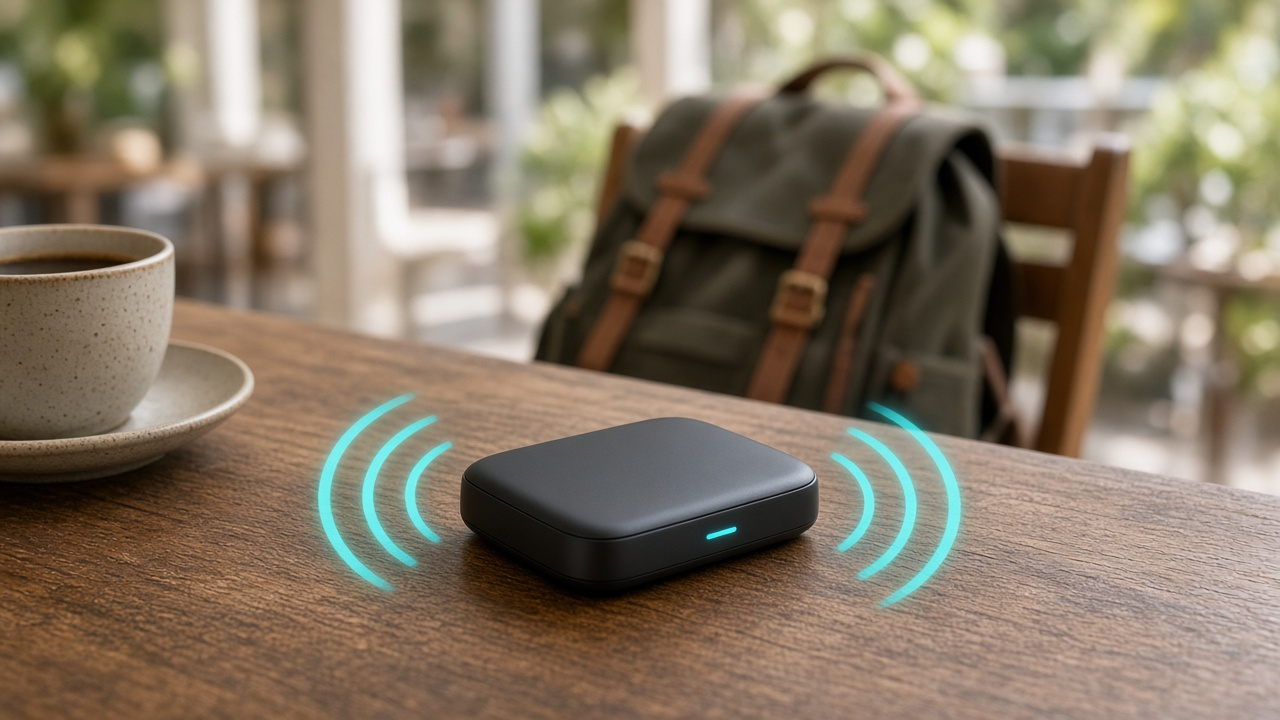
Portable Wi-Fi combines cellular internet access with lightweight, compact hardware to deliver wireless connectivity on the go. It creates a personal network that lets multiple devices—phones, tablets, or laptops—connect to the internet wherever cellular signal exists.
The backbone of portable Wi-Fi lies in cellular networks, ranging from 3G and 4G LTE to the newest 5G infrastructures. These technologies link the portable device—typically a mobile hotspot or pocket router—to the internet. Once connected, the device wirelessly broadcasts the signal, much like a home router, allowing you to access the web while traveling, commuting, or working remotely.
Planning a trip or managing remote work demands? Let’s take a look at the smartest and most efficient ways to stay online wherever you go.
Reliable Connectivity Through Mobile Hotspots
What is a Mobile Hotspot Device?
Mobile hotspot devices create a private Wi-Fi network by connecting to cellular data services. They operate independently of smartphones, offering a dedicated solution for on-the-go internet access. Unlike tethering, they don’t drain your phone’s battery or tie up your handset.
Key Benefits
- High-speed Internet Access via Cellular Networks: Many mobile hotspots support 4G LTE and 5G connectivity, delivering download speeds that can rival home broadband. For example, the Netgear Nighthawk M6 Pro supports 5G with theoretical speeds up to 8Gbps, depending on network conditions.
- Standalone Devices: There’s no need to use your smartphone. These devices come equipped with modems, batteries, antennas, and SIM card slots. Once connected, they function independently, allowing full phone functionality while maintaining internet access.
- Support for Multiple Users: Mobile hotspots can handle anywhere from 5 to 32 connected devices simultaneously, depending on the model. This capacity makes them ideal for families, teams, or small business travel.
Top Brands and Models
- Netgear Nighthawk M6 Pro: Offers Wi-Fi 6E, 5G mmWave, and sub-6 GHz compatibility, along with a 2.8” display and 1 Gbps Ethernet port.
- Verizon Jetpack MiFi 8800L: Supports dual-band Wi-Fi, connects up to 15 devices, and runs on a 4400mAh battery for up to 24 hours of use.
- TP-Link M7350: A budget-friendly option with global compatibility, a microSD card slot, and a compact design for travelers.
Considerations When Buying
- Data Plan Compatibility: Not all mobile hotspots are unlocked. Some are tied to specific carriers like AT&T or Verizon. Before purchasing, confirm whether the device accepts SIMs from multiple providers to ensure flexibility across regions.
- Battery Life: Devices vary widely — from 6 hours to over 24 hours on a single charge. Business travelers and digital nomads often prioritize high-capacity models like the Jetpack 8800L or Huawei E5785, which support long work sessions without restraint.
- Coverage Based on Provider: A 5G-capable device won't help in areas where only 4G or 3G is available. Reviewing network maps from providers (such as T-Mobile, Verizon, or AT&T in the U.S.) gives a clear picture of expected connectivity. In rural areas, carrier choice often matters more than the device model.
Turn Your Phone Into a Hotspot: Tethering from Smartphones
What Is Tethering and How It Works
Tethering means using your smartphone’s cellular connection to provide internet access to other devices such as laptops, tablets, or even smart TVs. The phone acts as a gateway, converting the mobile data signal into usable internet for nearby devices. Once activated, your device becomes a portable access point.
This method enables on-demand connectivity without extra hardware. Whether working remotely from a café or sharing internet on a road trip, tethering delivers quick web access using technology already in your pocket.
Types of Tethering
Wi-Fi Tethering
Wi-Fi tethering creates a wireless hotpot using your phone’s cellular data. Other devices connect via Wi-Fi just as they would with a typical router. It’s the easiest method to set up and allows multiple connections simultaneously. Speed largely depends on the phone’s LTE or 5G capability and network conditions.
USB Tethering
Using a USB cable, the smartphone shares its internet connection directly with a computer. This wired method typically provides a more stable connection and increased speed with lower latency. Additionally, the phone charges while tethered, avoiding battery drain.
Bluetooth Tethering
Bluetooth tethering offers the lowest speed among the three methods, but it consumes less power. It’s suitable for basic browsing or transferring small amounts of data, and works well when a stable Wi-Fi or USB connection isn’t viable. Setup requires device pairing and enabling internet sharing through Bluetooth settings.
Pros and Cons of Tethering
- Convenient: If you already carry your phone, there's no need for extra gear. Set up tethering instantly through device settings.
- Battery Impact: Continuous tethering, especially over Wi-Fi, depletes battery faster unless the phone is plugged into power.
- Carrier Restrictions: Some mobile plans limit hotspot data, throttle speed, or charge extra fees. For example, Verizon’s Unlimited Plus plan includes 30 GB of high-speed mobile hotspot data, after which speeds drop to 600 Kbps.
Tethering works best in short-term situations or light usage scenarios. For bandwidth-heavy tasks or all-day connectivity, consider pairing it with a power bank or switching to a dedicated hotspot solution.
Pocket Wi-Fi Device Rentals: A Smart Solution for Temporary Connectivity
What Is a Pocket Wi-Fi Rental?
Pocket Wi-Fi rentals provide a compact, battery-powered router with a local SIM card pre-installed. These devices create a personal Wi-Fi hotspot, allowing users to connect multiple devices—smartphones, tablets, laptops—simultaneously. Rental providers offer these units on a daily or weekly basis, tailored for travelers and short-term users.
Ideal for International Travel and Short-Term Connectivity
Travelers, particularly those exploring multiple countries or staying abroad for less than a month, often turn to rental Wi-Fi for streamlined connectivity. Providers frequently operate at airports, enabling quick device pickup upon arrival. Since the setup requires no technical expertise—just power on and connect—it’s favored by tourists and business travelers alike.
Advantages of Renting a Pocket Wi-Fi Device
- Cost-effective for temporary use: Buying a mobile router and data plan doesn’t make financial sense for short trips. Rentals slash upfront costs and eliminate contracts.
- Zero roaming charges: With a local SIM enabled in the device, users bypass expensive international data fees imposed by home carriers.
- Immediate availability: Airport kiosks and delivery options ensure access to Wi-Fi within minutes of landing. Some services offer hotel delivery or pickup from local convenience stores.
When Rental Outperforms Ownership
Choose a pocket Wi-Fi rental over buying in scenarios involving:
- Trips under 30 days where purchasing hardware and a data plan would cost more than renting.
- Travel across multiple countries—many providers offer global coverage packages in a single rental unit.
- Short-notice departures where researching SIM compatibility or purchasing a device isn't feasible.
Providers like Japan Wireless, Skyroam, and Travelwifi operate across key international hubs and provide extensive data packages, including options for unlimited usage or capped high-speed plans. Some rental services also include power banks, vehicle chargers, or multilingual customer support, streamlining the entire connection experience.
Portable Wi-Fi Routers: Flexible Connectivity Without Compromise
Definition and Key Features
A portable Wi-Fi router creates a private Wi-Fi network by distributing internet access from a wired or wireless source. Unlike traditional home routers, these compact devices cater to travelers, remote professionals, and anyone needing steady access on the move. Models range from pocket-sized units with basic capabilities to advanced routers supporting multiple bands, external antennas, and dual WAN connections.
- Compact design: Easily fits into travel bags or backpacks.
- Battery-powered or USB-powered: Operates without immediate access to a wall outlet.
- Multiple connection methods: Accepts SIM cards, USB modems, Ethernet cable, or piggybacks on existing public Wi-Fi.
- Broad compatibility: Distributes internet simultaneously to smartphones, tablets, laptops, and IoT devices.
- Customizable security: Configurable firewalls, passwords, and VPN compatibility elevate privacy.
Router vs. Mobile Hotspot: What's the Difference?
Both serve the same end — creating a Wi-Fi network — but functionally differ in architecture and adaptability. A mobile hotspot is often a self-contained device with built-in cellular connectivity, typically using a dedicated SIM and data plan. It’s a modem and router in one.
A portable router, on the other hand, may not include modem capabilities. Instead, it connects to an internet source, such as a USB modem, existing broadband (via Ethernet), or even a hotel Wi-Fi network, and rebroadcasts the signal using its own SSID and security settings. Some high-end models support LTE SIM cards directly, blending functionality between routers and mobile hotspots.
When to Use a Portable Router
Connecting Multiple Devices
In group settings — conferences, shared workspaces, or family travel — a portable router handles more simultaneous connections with greater stability than a mobile hotspot. For example, devices like the TP-Link TL-MR6400 support over 30 connected users, while most consumer-grade hotspots max out around 10.
Enhancing Security on Public or Hotel Wi-Fi
Hotel internet setups often allow only one device per user and come with limited encryption. A portable Wi-Fi router connects to that single authorized input (via Ethernet or Wi-Fi) and creates a private, encrypted network for all your devices. No personal data is exposed on the hotel’s shared network segment, and you regain control over firewall and DNS settings.
Devices With or Without Built-in SIM Support
Some portable routers, like the Huawei B535 or Netgear Nighthawk M1, accept 4G SIM cards directly, functioning as full LTE routers. Others, such as the GL.iNet GL-AR750S, require a USB modem or tethered smartphone to access cellular data. The choice depends on whether you prioritize plug-and-play cellular access or prefer flexibility with multiple upstream sources.
Maximizing Portability with SIM Cards and Data Plans
Why SIM Cards Matter for Portable Internet Access
A data-enabled SIM card forms the foundation for mobile internet outside traditional Wi-Fi zones. Whether inserted into a pocket Wi-Fi device, a tablet, or directly into a smartphone used as a hotspot, the SIM card connects to cellular networks, facilitating internet access on the move. Without the right SIM, even the most advanced device stays offline.
Choosing the Right Data SIM
- Provider Coverage by Country or Region: Not all mobile networks perform equally. For example, in Japan, NTT Docomo and SoftBank offer extensive LTE coverage, while in the U.S., T-Mobile provides widespread 5G availability. A SIM card from a local or regional provider with proven coverage ensures consistent connectivity.
- Prepaid vs. Postpaid Models: For travelers or short-term users, prepaid cards provide fixed data at a known cost — no billing surprises. Postpaid options typically offer better rates per GB, but often require contracts or credit checks. Choose based on the length of stay and budget flexibility.
Best Global Data SIM Providers
Several companies offer global SIM cards that simplify international mobile internet without swapping SIMs at every border. Here’s how they stack up:
- Airalo: This eSIM-first provider offers regional and global plans across over 190 countries. €20 buys approximately 10GB for Europe (30-day validity).
- GigSky: Offers data bundles for 190+ countries, with direct integration into iPads and eSIM-compatible phones. Plans start at $10 for 1GB in North America for 15 days.
- Keepgo: Supplies physical SIMs and dongles, with lifetime validity as long as data is topped up annually. Pricing for 1GB globally starts around $17.
Managing Download Limits and Knowing Your Data Usage
Track how much data you actually use versus what providers offer. Streaming HD video consumes roughly 3GB per hour, while simple web browsing or email checks need under 150MB per hour. If the use case includes tethering multiple devices, higher data thresholds — at least 10GB per month — are essential. Use device settings or apps like My Data Manager to monitor real-time data usage and avoid service reductions or unexpected charges.
Local Prepaid Data SIMs: A Smart Choice for Travelers Staying Put
Opting for a local prepaid data SIM unlocks two critical advantages: lower costs and faster data speeds. Unlike international roaming plans that often carry inflated fees and throttled bandwidth, local SIMs connect directly to the region’s native mobile networks, delivering country-level pricing and performance.
Who Benefits Most from Local SIMs?
This route works best when itineraries are stable and long enough to justify the setup. Specific scenarios amplify the benefit:
- Long-term travelers: Staying in one country for weeks or months? A local SIM plan typically beats rental hotspots or roaming passes in both price and data allowance.
- Digital nomads and remote workers: Fast and stable connections directly from top-tier national providers increase productivity and reduce latency issues on calls or video conferencing.
- Visitors attending local events or conferences: Extended stays in cities for business or leisure allow more intensive data use, making unlimited or high-cap plans from local carriers viable and cost-effective.
Where to Buy One – Kiosk or City Shop?
Travelers face two common purchase points for local SIMs: airport kiosks or in-city stores. The choice impacts cost and convenience.
- Airport kiosks: Immediate access wins out here. Providers often offer tourist-tailored packages with preloaded data and activation assistance. However, expect to pay a markup—convenience carries a premium.
- Local telecom shops or electronic retailers: Prices drop significantly once outside the airport perimeter. Data plans are more diverse, and service agents may help customize the provisioning to match your device or preferences.
Check Compatibility Before You Buy
Inserting a local SIM won't guarantee a connection unless the hardware cooperates. Two conditions must be met:
- Your device must be unlocked: Carrier-locked phones, especially those from North America, often reject SIMs from foreign providers. Unlocking before travel resolves this limitation.
- Your device must support local bands: Each country standardizes on specific LTE or 5G frequencies. Matching your smartphone’s modem capabilities with those used locally prevents signal issues or slow speeds.
Those two simple checks—unlock status and frequency compatibility—mean the difference between seamless uploads and frustrating dropouts.
Maximizing Connectivity Abroad: International Roaming Options
What Does International Data Roaming Actually Mean?
When a mobile device connects to a network outside of its home country, it enters roaming mode. International data roaming specifically allows devices to access mobile internet when traveling globally. Rather than switching SIM cards or renting a hotspot, users continue using their domestic mobile plan overseas—data, calls, and texts travel through foreign networks via arrangements set up by the home carrier.
Convenience Comes at a Cost
International roaming provides seamless connectivity. No hardware switches or new setup required—open your messaging app or browser after landing, and data flows through instantly. Especially during short trips where time is limited, the simplicity is unmatched.
That seamless access, however, can lead to eye-catching charges. Standard international data usage not covered by any global plan often exceeds $10 per megabyte. A half-hour of GPS navigation, social media browsing, or photo uploads can rapidly accumulate to a $200+ bill. In addition to high pricing, some carriers throttle speeds or cap usage once threshold limits are crossed, even on special travel plans.
Evaluating the Pros and Cons
- Pro: Zero setup required – The phone automatically uses data abroad if roaming is enabled.
- Pro: Familiar number and service – Continue receiving texts and calls without interruption.
- Con: High cost without a travel-specific plan – Charges can exceed $100 even after moderate use.
- Con: Limited control over speed – Frequent throttling or reduced bandwidth applies after caps.
Strategies to Reduce Roaming Costs
- Audit your carrier’s roaming partners – Research which international networks are covered under your plan and whether high-speed access is guaranteed. For example, AT&T's International Day Pass covers 210+ destinations, while Verizon offers TravelPass in 185+ countries.
- Activate only when necessary – Turn off data roaming in device settings when not actively using it. This prevents background apps from consuming data without notice.
- Add a global roaming package – Purchase plan add-ons like T-Mobile’s Magenta plans, which include unlimited texting and 5GB high-speed data in over 210 countries. These options drastically reduce per-MB costs and offer predictable billing.
For business travelers or those on tight schedules, international roaming delivers unmatched ease. To avoid sticker shock, align carrier options with your travel itinerary and data needs before departure.
Leverage eSIM Technology for Seamless Portable Wi-Fi Access
What Is an eSIM and How It Works
eSIM stands for Embedded Subscriber Identity Module. Unlike traditional physical SIM cards, an eSIM is a digital SIM installed directly into a device’s hardware. This allows users to download mobile network profiles and activate service plans remotely, without needing to physically insert or replace a SIM card.
When a user scans a QR code or activates service through an app, the eSIM provisions mobile access through the network provider’s infrastructure. The process typically takes only a few minutes, offering a frictionless experience especially useful for travelers.
Devices That Support eSIM
Top-tier smartphones, tablets, and some laptops already support eSIM functionality.
- Apple: iPhone XR and newer, iPad Pro, iPad Air (3rd gen and later), and Apple Watch Series 3 (GPS + Cellular) and later.
- Google: Pixel 3 and newer, including Pixel Fold.
- Samsung: Galaxy S20 series and later, Galaxy Z Flip and Fold series, certain Galaxy Watches.
- Others: Microsoft Surface Pro with LTE Advanced, Lenovo Yoga devices, and Huawei P40 series.
Device capabilities vary across markets, so checking carrier compatibility ensures functionality before purchasing a data plan.
What Are the Benefits of Using eSIM for Portable Wi-Fi?
- Instant connectivity: No need to visit a store or wait for a physical card—users can activate data plans immediately via mobile apps or QR code.
- Seamless switching: eSIM supports multiple profiles, allowing users to switch between plans from different providers or countries in seconds. There's no need to remove or store old SIM cards.
- Traveler convenience: Regular travelers can set up regional plans ahead of time or buy discounted local data packages remotely while in transit.
- Space-saving design: With no SIM tray needed, manufacturers use the freed space for additional features or bigger batteries.
Top eSIM Providers and Apps
Several global providers offer accessible eSIM solutions through intuitive mobile apps. These platforms focus on travel data plans optimized by region.
- Airalo: Operates in over 190 countries. Offers local, regional, and global eSIMs with coverage from local-tier operators. Plans often start at $4.50 for 1GB usable over 7 days.
- GigSky: Tailors its offering for business travelers. Supports iOS and Android with regional bundles such as 5GB for $20 in Europe (valid 30 days).
- Truphone: Focuses on reliability and automatic plan renewal. Popular among enterprise users needing stable global coverage. Also integrates with Apple Watch cellular plans.
All three apps offer plan browsing, activation, usage monitoring, and top-up capabilities from within their interfaces—no physical interaction required.
Public Wi-Fi Safety and Security: Smart Browsing on the Go
Risks Lurking in Open Networks
Free public Wi-Fi hotspots attract millions of users daily, but they also draw the attention of cybercriminals. Hackers intercept unencrypted data streams, access personal information, and even deploy spoofed networks that mimic legitimate ones. These “evil twin” networks often look like genuine connections—named after nearby businesses or venues—but redirect traffic to malicious servers.
According to a 2022 report by NortonLifeLock, 53% of adults who use public Wi-Fi admitted to taking actions such as checking email, logging into social media, or shopping online while connected. These behaviors open the door to credential theft and financial fraud, especially when websites fail to enforce HTTPS security protocols.
Using Public Wi-Fi Safely
Staying connected shouldn't mean sacrificing privacy. With the right precautions, users can significantly reduce their risk exposure while using open networks.
- Activate a VPN (Virtual Private Network): A VPN encrypts all traffic between a device and the internet, making it unreadable to anyone attempting to intercept it. This simple step renders man-in-the-middle attacks ineffective.
- Avoid sensitive activities: Logging into bank accounts, shopping online with credit cards, or accessing work intranets on public Wi-Fi introduces unnecessary risk. Postpone these activities until you're on a secure network.
- Choose networks with known credentials: Opt for Wi-Fi provided by reputable venues like hotels, airports, or established cafés. Ask staff for the correct network name to avoid connecting to spoofed access points.
Secure Alternatives to Public Wi-Fi
When privacy matters, bypass public Wi-Fi altogether. A travel-sized portable hotspot provides encrypted, password-protected internet access anywhere within cell coverage. These devices offer dedicated connectivity using cellular data plans—unshared, secure, and far more reliable.
For frequent travelers or remote workers, investing in a portable hotspot ensures continuity, speed, and the peace of mind that sensitive communication won’t be broadcast to strangers on a shared network.