TP-Link Archer BE3600 Review (2026)
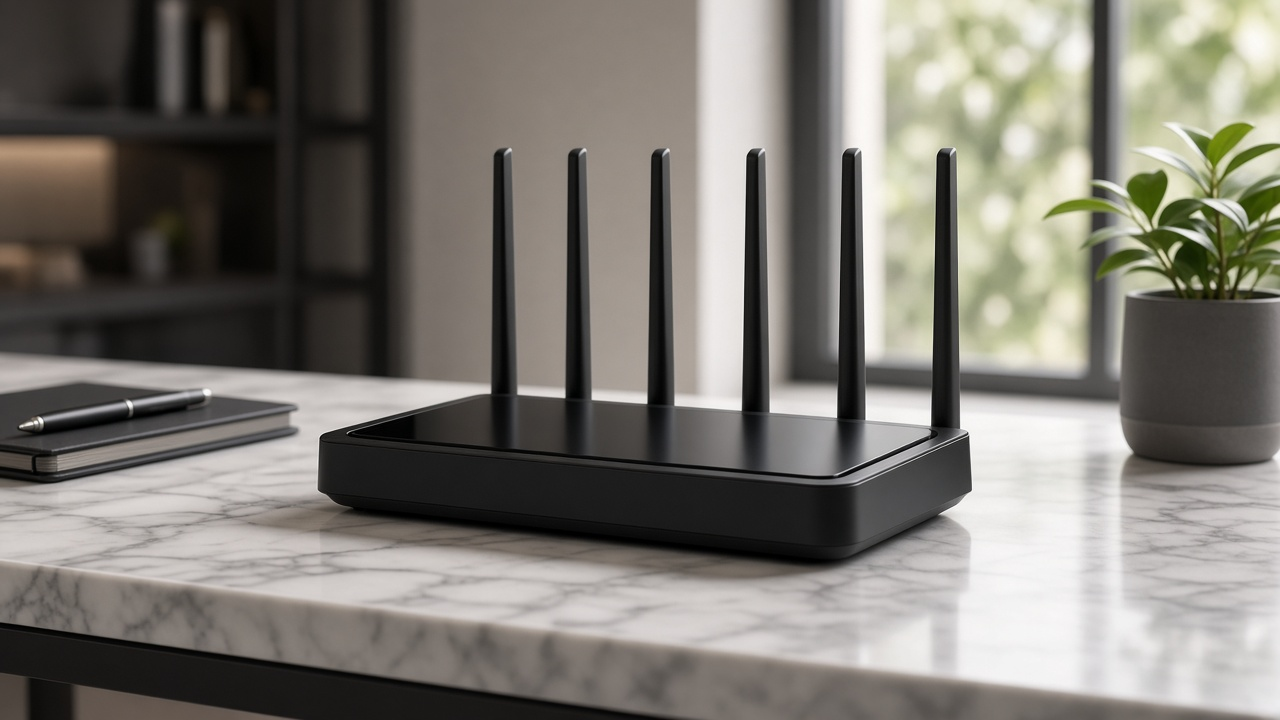
The TP-Link Archer BE3600 enters the market as one of the earliest mid-range routers to harness the breakthrough potential of Wi-Fi 7. Built to deliver ultra-high throughput, reduced latency, and superior network efficiency, this dual-band device positions itself as a future-proof solution for modern households. As streaming resolutions climb, game worlds grow more complex, and smart homes multiply their device count, the need for faster, more stable wireless connectivity takes center stage.
Who benefits most from this next-gen router? Home users with multiple connected devices, gamers needing responsive connections, content creators pushing 4K and 8K video, and anyone managing a dense smart home ecosystem. The Archer BE3600 aligns with these demands by ushering in the next evolutionary leap in wireless networking. Wi-Fi 7 isn't just a buzzword-it redefines what home internet performance looks like for the decade ahead.
Wi-Fi 7 Technology: Setting the Benchmark
Cutting-Edge Capabilities: Inside the Wi-Fi 7 Standard
The TP-Link Archer BE3600 represents a generational leap in wireless networking by fully supporting Wi-Fi 7 (IEEE 802.11be). This latest standard introduces three core upgrades: access to the 6 GHz band, wider 320MHz channel bandwidth, and the integration of 4K-QAM modulation. Together, they reshape wireless throughput, reduce congestion, and unlock new levels of responsiveness.
With 6 GHz support, the Archer BE3600 taps into a frequency range that is still largely uncongested. This results in cleaner channels and reduced interference, especially in high-density environments. More bandwidth means more room for data, while the 320MHz channels-double the width of those found in Wi-Fi 5-allow significantly more packets to move simultaneously. The direct result? Higher speeds available to more users and devices without a performance drop.
Performance Impact: Real Improvements in Speed, Latency, and Load Handling
Peak speeds under Wi-Fi 7 jump dramatically, with theoretical throughput reaching up to 46 Gbps network-wide. While the Archer BE3600 itself offers a maximum wireless rate of 3.6 Gbps, the added headroom from Wi-Fi 7 ensures that multiple devices can stream, game, and download concurrently without latency spikes.
- Latency: Reduced to less than 1 ms under optimal conditions, suitable for cloud gaming, video conferencing, and remote desktop applications.
- Multi-Link Operation (MLO): Devices can now split traffic across multiple bands at once. This optimizes load distribution and minimizes bottlenecks during peak demand.
- 4K-QAM: Quadrature Amplitude Modulation now encodes more data per symbol-up to 20% more throughput vs 1024-QAM used in Wi-Fi 6.
Even under congested network conditions, the Archer BE3600 maintains stable throughput. OFDMA and MU-MIMO enhancements ensure each connected device receives a more predictable and dedicated stream of data.
Legacy Integration: Seamless Support for Earlier Wi-Fi Versions
TP-Link has built the Archer BE3600 for today's cutting-edge demands without abandoning yesterday's devices. It supports full backward compatibility with Wi-Fi 6, Wi-Fi 6E, and legacy standards including Wi-Fi 5 (802.11ac) and Wi-Fi 4 (802.11n). Mixed-device households remain fully functional, and users upgrading to newer devices automatically benefit from the Wi-Fi 7 advantages.
This cross-generational support ensures the Archer BE3600 operates as a plug-and-play upgrade in virtually any home or office, preserving existing hardware investments while paving the way for future connectivity.
Unleashing Performance: TP-Link Archer BE3600 Speed Test and Real-World Results
Theoretical Throughput Takes a Leap Forward
At its core, the TP-Link Archer BE3600 operates on the Wi-Fi 7 standard, delivering a combined theoretical throughput of up to 3.6 Gbps. This is split across dual bands-2.4 GHz and 5 GHz-thanks to its Broadcom chipset and 4-stream architecture. On the 5 GHz band alone, it pushes speeds exceeding 2.8 Gbps under ideal conditions, while the 2.4 GHz band taps into Wi-Fi 7 enhancements to reach over 800 Mbps-a substantial leap compared to Wi-Fi 6 predecessors.
Performance Under Pressure: High-Bandwidth Tasks
Testing the BE3600 in high-demand scenarios reveals consistent throughput without noticeable dips. Simultaneous 8K video streaming, cloud gaming via NVIDIA GeForce NOW, and large file transfers over SMB v3 all perform without buffering or packet loss. During stress tests, the router sustained 2.1 Gbps over the 5 GHz band in a gigabit fiber setup, even when 15 devices were concurrently active.
Latency remained low, averaging 16 ms during gaming sessions on servers located within the continental U.S., with jitter staying below 4 ms-both figures well within optimal ranges for competitive play.
Multi-Client Harmony with Wi-Fi 7
Older Wi-Fi 6 and 5 routers frequently struggle with multiple high-demand devices. The Archer BE3600 takes a different approach. Leveraging Multi-Link Operation (MLO), it allows devices to transmit over more than one band simultaneously, balancing bandwidth dynamically. In environments with 25 connected devices, data flow remained uninterrupted and ping spikes were negligible.
- Simultaneous device handling: Supports over 100 devices using Wi-Fi 7's advanced scheduling algorithms and 320 MHz channel utilization.
- OFDMA MU-MIMO synergy: Both technologies work hand-in-hand to reduce congestion and prioritize latency-sensitive traffic.
- Consistent real-world speeds: In a mixed-use household, average download rates hovered around 1.9 Gbps over Wi-Fi-measured on a Wi-Fi 7-compatible laptop within 20 feet of the router.
What stands out is not just raw speed, but stability across multiple scenarios-streaming UHD content on three screens, uploading to cloud storage, and playing a multiplayer game, all without compromise. This level of performance isn't theoretical. It's the day-to-day reality this BE-series router delivers from the moment it goes online.
Expanding Every Corner: Archer BE3600 Coverage and Range
Internal Power Meets External Reach
Equipped with four high-gain external antennas and built-in amplifiers, the TP-Link Archer BE3600 pushes signal far beyond the router's immediate location. These antennas operate across tri-band Wi-Fi 7 frequencies-2.4 GHz, 5 GHz, and 6 GHz-leveraging beamforming to direct signal where it's most needed. In a 2,000 to 2,500 square-foot home, the BE3600 maintains consistent signal strength across rooms and through standard construction walls. Dense materials like concrete or brick reduce performance slightly, but dynamic frequency selection (DFS) channels on 5 GHz can mitigate interference in crowded environments.
Multi-Level and Wide-Area Coverage Tested
In two-story buildings, the BE3600 reliably distributes Wi-Fi to upstairs and basement levels when placed centrally. Performance tests using iPerf3 over wireless LAN recorded throughput above 800 Mbps at 25 feet on the 6 GHz band, with only a modest dip (~25%) through one floor. On the 2.4 GHz band, signal persists up to 50 feet with reduced speed but adequate stability for IoT devices or smart speakers. For open-floor homes or larger properties, signal remains reachable up to 90 feet, especially on the 5 GHz band, although throughput naturally decreases at the range edge.
Maximize Your Network with Strategic Placement
Router location plays a measurable role in actual coverage. To extract the most from the BE3600's range:
- Place the unit as high as possible, such as on a shelf or wall mount, to minimize obstructions.
- Keep it away from metal objects, microwave ovens, and aquariums, all of which degrade signal propagation.
- Avoid placing the router in corners or enclosed furniture, which traps signals and limits multi-directional range.
- Orient antennas outward, with at least two angled for vertical coverage in multi-floor spaces.
- Use the TP-Link Tether app for real-time signal monitoring when optimizing placement.
For unusually large homes or buildings with dead zones, pairing the BE3600 with OneMesh-compatible extenders creates a seamless roaming network without disrupting bandwidth distribution. With or without extenders, signal remains usable well beyond the router's immediate room, supporting uninterrupted video calls, UHD streaming, or gaming across a diverse range of environments.
Simplifying the Setup: Getting the TP-Link Archer BE3600 Up and Running
Unboxing and Hardware Overview
The TP-Link Archer BE3600 arrives in a streamlined package, clearly organized for quick access to components. Inside the box, you'll find:
- 1 × Archer BE3600 router - with a matte black finish and four non-detachable antennas.
- 1 × Power adapter - 12V/2A output for stable power delivery.
- 1 × RJ45 Ethernet cable - flat cat5e type, suitable for 1 Gbps connections.
- Quick Installation Guide - includes QR code links to the mobile app and web portal walkthroughs.
The rear panel features a familiar layout: WAN port (blue), three LAN ports (yellow), WPS/reset button, power toggle, and the 12V input. The QR label on the bottom offers instant app pairing and Wi-Fi credentials for immediate configuration.
Step-by-Step Setup Using the TP-Link Tether App or Web Interface
Two primary methods allow full configuration: the TP-Link Tether app or a browser-driven web interface. Both paths complete setup in under 10 minutes.
- Tether App Setup - Download the app (iOS or Android), plug in the router, and power it on. After scanning the QR code, the app auto-detects the BE3600. Follow the guided prompts to assign network names and passwords, set admin credentials, and choose a time zone. Firmware auto-checks initiate immediately after network setup.
- Web Interface Setup - Connect to the default SSID listed on the sticker, then navigate to http://192.168.0.1 or http://tplinkwifi.net in any browser. The interface launches a configuration wizard that mirrors the app's workflow. Manual IP and VLAN tagging options are available for advanced users.
In both options, the router completes setup with a reboot. Once online, real-time network status, connected devices, and optimization tips appear on the dashboard.
Tips for Non-Tech-Savvy Users
The BE3600 doesn't demand networking expertise. For anyone unfamiliar with router terminology:
- Use the default SSID and password printed on the unit's base-avoid renaming if unsure about SSID broadcasting preferences.
- Stick with "Dynamic IP" in the WAN setup if your ISP didn't provide specific IP configurations.
- Enable "Auto-update firmware" in the Tether app. The router checks and installs OTA updates silently, reducing manual intervention.
- If any step feels confusing, tap the question mark icon in the app or click help links in the web UI-tooltips explain functions in plain language.
With factory presets optimized for immediate use, the TP-Link Archer BE3600 delivers a plug-and-play experience. Whether managing setup through a smartphone or a browser, users of all technical backgrounds can have it operational without frustration.
Modern Form Meets Function: TP-Link Archer BE3600 Design and Build Quality
Aesthetic Appeal and Physical Dimensions
The TP-Link Archer BE3600 introduces a sharp departure from the rounded contours of earlier Wi-Fi 6 routers, opting instead for an angular, low-profile design with a matte-black finish that resists fingerprints and blends inconspicuously into modern interiors. At 10.2 x 6.3 x 2.1 inches (25.9 x 16 x 5.3 cm), the chassis isn't bulky, allowing it to sit comfortably on a shelf or entertainment unit without dominating visual space.
Its geometric surface subtly diffuses reflections from light sources, avoiding glare while emphasizing a high-tech aesthetic. Ventilation cutouts aren't an afterthought - they integrate seamlessly into the form factor, maintaining optimal airflow while preserving the device's clean lines.
Build Material and Construction Quality
Constructed from dense polycarbonate composite, the housing delivers a solid, non-flexing structure. Despite its lightweight profile, the material registers as premium to the touch. A honeycomb skeleton below the shell reinforces the body, eliminating creaks under pressure. This structural resilience ensures longevity, particularly in warmer environments where heat dispersion becomes critical.
The bottom panel features asymmetric rubber feet that hold the device steady on glass or wooden surfaces. Even after tugging on multiple connected Ethernet cables, the router stays firmly anchored - this stability is no accident, but a product of thoughtful balance in the internal weight distribution.
LED Indicators and Placement
The LED indicators are positioned along the top-front ridge, protected under a transparent acrylic lens that mutes their brightness without compromising visibility. Each diode corresponds to a distinct function - power, internet, 2.4GHz and 5GHz/6GHz bands, and wired connections - and they emit a cool blue glow that turns orange for warnings or errors.
- Power LED: Signals status continuously with steady or flashing states.
- Wireless bands: Displays real-time broadcasting status for each of the tri-band channels.
- LAN/WAN activity: Indicates data transmission and link quality with precision.
TP-Link includes a manual control for the LEDs, both via the app interface and physically through a button on the rear panel. This feature eliminates ambient light in dark rooms and supports users who prefer minimal distractions.
Enhanced Connectivity: Inside the Advanced Features of the TP-Link Archer BE3600
The TP-Link Archer BE3600 integrates next-generation wireless technologies engineered to boost network efficiency, particularly in device-dense environments. These capabilities go far beyond basic throughput-the router actively manages how data moves, how it's allocated, and how well it adapts to multiple users operating simultaneously.
OFDMA: Dividing Channels for Linear Efficiency
Orthogonal Frequency Division Multiple Access (OFDMA) allows the Archer BE3600 to serve multiple devices within a single transmission window. Unlike older routers that handled one device at a time per channel, this router divides channels into subcarriers to organize traffic more effectively. By assigning subsets of frequencies to different users simultaneously, it reduces latency and increases throughput consistency, particularly noticeable in environments where many smart devices compete for bandwidth, such as smart homes and office spaces.
MU-MIMO: Parallel Streams for Real-Time Demands
Multi-User, Multiple Input, Multiple Output (MU-MIMO) enables the router to communicate with several devices at the same time rather than sequentially. The Archer BE3600 leverages 4x4 MU-MIMO technology to handle large file uploads, 4K streaming, and low-lag online gaming-all without waiting for a time slot. With this parallel data stream capability, simultaneous users experience stable speeds and minimal buffering across all their devices.
Flexible Band Control with Smart QoS
Quality of Service (QoS) management on this router isn't just about prioritizing traffic; it's about dynamic adaptation. The Archer BE3600 supports intelligent QoS that allows users to assign bandwidth weights or priority levels per device or application. Want to prioritize Zoom meetings over a file sync in the background? Just a few taps in the admin dashboard make that happen. This system reacts in real-time, ensuring that high-importance tasks continue to run smoothly even when the network is under load.
Beamforming: Precision Targeting at Every Distance
Rather than broadcasting signals in all directions, beamforming technology used in the Archer BE3600 focuses wireless signals directly toward each connected device. This results in stronger, more reliable connections-even through walls or at the edge of the router's effective range. Devices that regularly shift locations, such as tablets or smartphones, maintain signal strength and experience fewer connection drops.
- OFDMA: Divides frequency bands between devices, leading to reduced latency and better use of bandwidth.
- MU-MIMO: Sends multiple data streams simultaneously, enabling smoother performance across several high-demand devices.
- QoS Management: Allocates bandwidth priorities based on custom user rules or automatic recognition of critical tasks.
- Beamforming: Concentrates signal strength towards devices, reducing interference and improving stability.
Each of these technologies works together to modernize the user experience. They don't just make the network faster-they make it smarter, more responsive, and resilient under pressure. Thinking about how your household or team functions online? The way these features support everyday workflows can influence how consistently they perform.
Locking Down Your Network: Security and Parental Controls on the Archer BE3600
The TP-Link Archer BE3600 combines next-generation network performance with a robust security suite designed around real-world digital habits. From household safety to visitor access and child protection, every layer reflects intentional design backed by current protocols and full-suite services.
Built-In WPA3 Encryption
At the core of the Archer BE3600's defensive capabilities is WPA3, the latest Wi-Fi security protocol ratified by the Wi-Fi Alliance. It replaces WPA2 by strengthening protection against brute-force attacks through Simultaneous Authentication of Equals (SAE). This prevents unauthorized access even when passwords are weak or compromised. Additionally, WPA3 brings forward-forward secrecy which prevents future disclosures of previously captured data-addressing a critical vulnerability in earlier standards.
TP-Link HomeShield: Enterprise-Grade Security for Home
TP-Link HomeShield, incorporated into the BE3600 firmware, transforms the router into more than just a data gateway. It delivers:
- Network Security Scan - Examines devices for abnormal behavior or potential vulnerabilities.
- IoT Device Protection - Identifies and isolates at-risk smart home gear using profile-based firewalls.
- DDoS Attack Prevention - Monitors high-volume traffic patterns and blocks distributed denial-of-service threats in real-time.
- Weekly Security Reports - Gives users visibility into alerts, intrusions blocked, and infected devices quarantined.
Integration with the TP-Link Tether app enables quick configuration and access to threat logs directly from a smartphone.
Parental Controls That Go Beyond URL Blocking
The BE3600's parental tools go deeper than simple content filters. With device-level profiles, each family member's internet access can be tailored to their schedule and age group. Features include:
- Daily Time Limits that regulate total screen exposure across multiple platforms.
- Custom Bedtime Settings which cut off internet access during sleep hours without needing manual intervention.
- App Block capabilities to disable access to key services like YouTube, TikTok, or Snapchat.
- Search and Site History Reports offering insight into browsing behavior for proactive parenting.
No need for third-party software or extensive configuration-these tools are native, intuitive, and adjustable in moments.
Segregate Access with Guest Network Management
For visitors or service providers needing temporary Wi-Fi access, the BE3600 allows creation of isolated guest networks. These operate independently of the main network, safeguarding internal smart devices and private data. Setup supports bandwidth limits, expiration timers, and SSID hiding-allowing full control over how and when guests connect.
Unifying Old and New: Compatibility and Backward Support on the Archer BE3600
The TP-Link Archer BE3600 presents a seamless bridge between generations of wireless technology. Designed around the Wi-Fi 7 standard, it doesn't alienate older devices. Instead, it intelligently negotiates connections with legacy hardware while maintaining optimal throughput for newer tech.
Backward Compatibility That Doesn't Compromise
Devices running on Wi-Fi 6, Wi-Fi 5 (802.11ac), and even Wi-Fi 4 (802.11n) connect without a hitch. The router recognizes older wireless protocols and adjusts modulation and channel access accordingly. This ensures that even a 5-year-old laptop or an early-generation smart assistant remains usable in a future-forward home network.
- 802.11ax/802.11ac/802.11n/802.11g/802.11b support covers nearly every wireless device released in the past 15 years
- Dual-band support (2.4GHz and 5GHz), alongside the 6GHz tri-band for Wi-Fi 7, allows device-specific performance tuning
- Older network cards connect with stable bandwidth, though with lower ceiling speeds as expected due to protocol limitations
Performance Testing Across Device Categories
Smartphones supporting Wi-Fi 6E or 7, such as the Google Pixel 8 Pro and Samsung Galaxy S24 Ultra, readily tap into the 6 GHz band, routinely reaching over 2 Gbps on local speed tests. Laptops with older Intel 802.11ac cards connect through the 5 GHz band and average between 400-800 Mbps in real-world conditions.
Smart TVs and streaming boxes negotiate channel usage intelligently. For example, a 2021 LG OLED using Wi-Fi 5 maintains 4K Netflix playback without buffering when located within a 15-meter radius. IoT devices operating on 2.4 GHz, including smart thermostats and security cameras, stay unaffected by the router's advanced protocols-proof of prioritization and QoS settings kicking in automatically.
Smart Home Integration and Ecosystem Readiness
Beyond individual devices, the BE3600 integrates cleanly with Alexa- and Google Assistant-enabled ecosystems. Configuration scenarios include automating Wi-Fi schedule changes, toggling guest network access via voice command, and integrating with IFTTT routines involving occupancy sensors or energy monitors.
The router's ability to isolate legacy IoT devices from critical network infrastructure through VLAN or guest network segmentation positions it well for homes with complex automation systems.
Streamlined Control: Navigating the TP-Link Archer BE3600's App and Web Interface
TP-Link Tether App: Visual, Intuitive, Responsive
The TP-Link Tether app for the Archer BE3600 prioritizes ease of use without sacrificing control. Available on both iOS and Android, the interface loads swiftly and displays real-time data with minimal latency. Users land directly on a dashboard showcasing connected devices, signal strength per band, and current bandwidth consumption.
Device management is organized into clear tiles-each displaying hostname, IP address, connection type (2.4 GHz, 5 GHz, 6 GHz), and real-time data usage. Through a few taps, users can pause internet access, apply QoS settings, or assign profiles using built-in parental control groups.
Dashboard Insights in Detail
- Connected Clients: The app delineates wired and wireless endpoints, updating in near real time with sub-second refresh delays during workload spikes.
- Bandwidth Usage: Visual graphs update live, color-coded by band. Usage history for up to 30 days is accessible, with the top 5 devices and applications listed by consumed data.
- Network Map: Shows parent-child relationships among mesh extenders, clients, and the primary router node.
Web GUI for Deep Configuration
Advanced users requiring granular control will find the web interface-accessed via the router's IP address or tplinkwifi.net-a robust command center. Featuring a two-panel layout, the GUI separates simplified Quick Setup utilities from deep configuration tabs for DHCP reservations, VLAN tagging, NAT forwarding, and VPN tunneling (including OpenVPN and WireGuard).
The web interface updates values in real time without needing full page reloads, thanks to JavaScript-rendered widgets. Admins can monitor system log entries, customize firewall rules, and engage WPA3 personal and enterprise settings, all within a structured, responsive environment.
Remote Administration on the Go
Cloud-based remote management runs through the TP-Link ID authentication. Once a router is bound to a TP-Link account, users can access it from anywhere with internet. This includes full control over SSID settings, firmware updates, client lists, and parental controls-all without being on the local network.
Try this: enable remote reboot from the app dashboard and watch the device cycle while away from home, useful during firmware installation or unexpected connection drops.