Our Experts Recommend This Equipment for Fast Home Internet (Nov 2026)
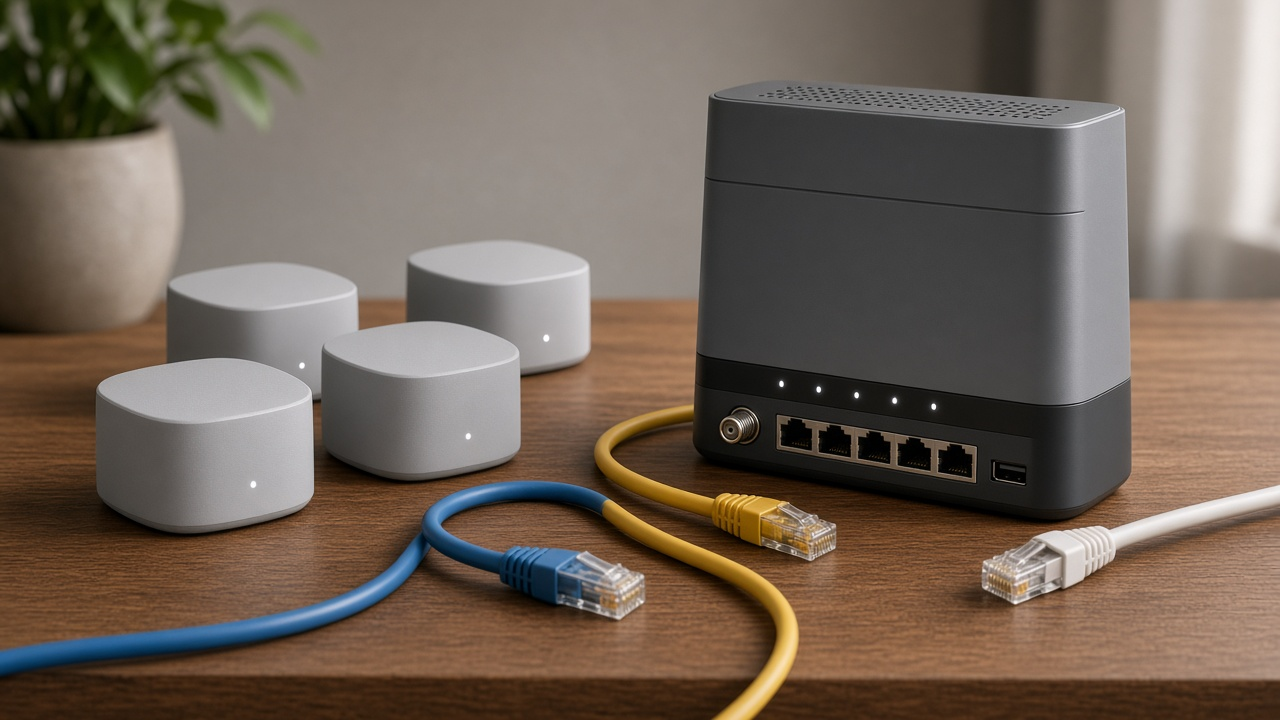
Speed defines digital experiences in homes where streaming, remote work, gaming, and smart devices converge on a single network. A fast internet connection isn't just a convenience—it’s the foundation for seamless living in a connected world. While your provider's bandwidth matters, real performance hinges on the infrastructure behind your walls and the equipment powering each connection. Routers, modems, mesh systems, and Ethernet configurations all influence speed, latency, and reliability.
This guide walks through expert-approved hardware selections, explains why certain technologies outperform others, and identifies key optimizations that boost network performance. Whether you're upgrading for smoother video calls or enhancing gaming response times, discover the tools professionals trust to deliver fast, consistent home internet.
Where Fast Internet Begins: Equipment Sets the Pace
Your Network Is Only as Strong as Its Weakest Link
Speed tests may suggest your internet plan delivers gigabit speeds, but hitting those numbers at home requires more than just the right ISP. The hardware inside your walls and on your desk directly affects how fast and consistently data travels throughout your home. Poor-quality routers, outdated modems, or weak signal distribution turn premium bandwidth into mediocre performance.
Devices don't operate in isolation. They rely on how well each component communicates with the next—from your modem to router, through switches, extenders, or mesh nodes, and ultimately to the device in your hand. Any subpar segment in this chain will throttle speeds, introduce latency, or create dead zones. Placement, signal interference, and the device's processing capability all contribute.
Not All Equipment Serves All Setups Equally
High-speed fiber requires different hardware than cable; similarly, gigabit plans demand equipment specifically designed to support multi-gig data streams. A great Wi-Fi router built for DSL subscribers can struggle with a 1 Gbps symmetrical fiber line. Compatibility matters as much as quality—buying the most expensive equipment without ensuring alignment with your ISP's protocols and speeds results in wasted performance and money.
Each internet service provider publishes a list of approved and tested modems and routers. Equipment that doesn’t make the list might still work, but it won't reach its full potential. Features like DOCSIS standards (for cable), GPON compatibility (for fiber), or channel bonding (on DSL) all determine throughput capacity. Overlooking these details introduces bottlenecks even on “fast” plans.
Choose Components That Match Today’s Demands
High-quality routers, mesh Wi-Fi systems, and modern modems don’t just deliver better speed—they handle simultaneous device load, interference, and smart home integrations with far greater reliability. Look for:
- Tri-band or Wi-Fi 6 routers that allocate channels intelligently and reduce congestion.
- Mesh systems that eliminate dead zones in multi-floor or large homes.
- Certified modems with up-to-date DOCSIS (3.1 or higher) to handle high bandwidth throughput.
- Gigabit Ethernet ports on all routing devices to ensure hardwired connections don’t become a speed cap.
Well-chosen equipment aligns your home’s infrastructure with today’s internet performance standards. The right configuration won’t just deliver promised speeds—it will support them seamlessly across every device in your home.
Expert-Approved Router and Mesh System Picks
Why Upgrade Your Router?
Routers direct traffic over your network. When outdated, they limit both speed and coverage—regardless of your internet plan. Upgrading to a high-performance router removes that bottleneck, enabling quicker downloads, smoother streaming, and more stable connections for multiple devices.
Top Routers Backed by Performance Tests
Among dozens of evaluated models, a few consistently deliver exceptional throughput, coverage, and reliability:
- ASUS RT-AX88U: Broad 5,000+ sq ft coverage, 8 LAN ports, high speeds with Wi-Fi 6, and reliable QoS management for gamers and streamers.
- Netgear Nighthawk RAXE500: Tri-band architecture with a dedicated 6 GHz band, hitting over 10.8 Gbps combined speed under optimal conditions. Ideal for high-density device environments.
- TP-Link Archer AX90: Offers tri-band Wi-Fi 6, support for over 100 devices, and uses OFDMA and MU-MIMO to eliminate latency buildup across active households.
Wi-Fi 6: Designed for Modern Demands
Wi-Fi 6 (802.11ax) offers a 40% increase in throughput compared to 802.11ac. It reduces latency for multiple concurrent users and enables better power efficiency thanks to features like Target Wake Time. For households with smart TVs, phones, laptops, and IoT devices all sharing the network, Wi-Fi 6 routers carry measurable advantages.
Dual-Band vs. Tri-Band: Smart Allocation of Bandwidth
Dual-band routers operate on 2.4 GHz and 5 GHz frequencies. Tri-band routers add a second 5 GHz or a 6 GHz band, creating space for demanding tasks like 4K streaming and online gaming while relegating background devices to lower bands. This separation reduces data collisions and congestion noticeably.
Mesh Systems: Built to Cover Every Corner
In homes over 2,500 square feet or split across multiple stories, single-point routers lose efficiency. Mesh systems, designed to handle these layouts, consist of a primary router and satellite nodes that broadcast signal uniformly. They adaptively reroute traffic based on current conditions to sustain high speeds throughout the space.
Backhaul and Seamless Roaming: What It Delivers
Mesh systems incorporating dedicated backhaul channels—either through a separate wireless band or Ethernet—avoid clogging transmission lanes with node communications. This results in smoother handoffs and consistent speeds when you move between rooms. Devices stay connected without dropouts or Wi-Fi “dead zones.”
Real-World Favorites from Experts
- Eero Pro 6E: Wi-Fi 6E mesh with 2.5 Gbps Ethernet, Matter compatibility, and dynamic rerouting based on traffic demands. Installs effortlessly and updates automatically.
- Google Nest Wi-Fi Pro: Optimized for simplicity. Native integration with Google Assistant, auto-band steering, and improved signal topology make it a favorite for non-technical households.
- ASUS ZenWiFi ET8: Two-pack system delivering Wi-Fi 6E across 5,500 sq ft, with separate backhaul and granular traffic control for streaming, gaming, or smart devices.
Modem Compatibility: Don't Overlook This Crucial Piece
The Modem: Your Gateway to Fast Internet
Routers tend to grab more attention, but the modem is just as critical to achieving high-speed home internet. Acting as the translator between your home network and your Internet Service Provider (ISP), the modem handles the raw data transmission that forms the foundation of your connection. If the modem can’t sync efficiently with your ISP’s service or technology, no router or mesh system will compensate enough to deliver optimal speeds.
Match Your Modem to Your ISP and Speed Tier
No single modem works seamlessly for all ISPs or service plans. Compatibility extends beyond physical connections; internal firmware, frequency channels, and bonding capabilities also play roles. For instance, subscribing to a 1 Gbps plan but pairing it with a 16x4 DOCSIS 3.0 modem will cut potential speeds nearly in half. ISPs allocate specific modem models based on their infrastructure and testing. Overlooking this match often results in bottlenecks, throttling, or complete connection failures.
DOCSIS 3.0 or 3.1? The Difference is Measurable
DOCSIS (Data Over Cable Service Interface Specification) defines how data travels over coaxial cable systems. Here's how the two major versions compare:
- DOCSIS 3.0: Up to 1 Gbps download speeds using channel bonding (usually 8x4 or 16x4). Still widely used but aging quickly, especially for gigabit plans.
- DOCSIS 3.1: Supports 10 Gbps downstream and 1-2 Gbps upstream capabilities. Built-in Active Queue Management (AQM) also reduces latency and improves responsiveness during high traffic.
ISPs like Comcast Xfinity, Cox, and Spectrum have all started phasing out support for older DOCSIS 3.0 modems on their higher-tier speed plans. The future of high-speed cable internet lies squarely in 3.1 territory.
Consult Your ISP’s Approved Modem List First
Each major ISP maintains an official and regularly updated list of approved modems. These devices have passed internal testing for compatibility, performance, and firmware stability. Here’s where to find them quickly:
- Xfinity (Comcast): xfinity.com/support/devices
- Spectrum: spectrum.net/support/internet/modem-compatible-list
- Cox: cox.com/residential/support/approved-modems
Buying outside these lists invites risk. Some models may connect but lack firmware support or channel bonding permissions, capping your speed far below advertised rates.
Expert-Endorsed Modems for Peak Performance
Industry technicians and network engineers consistently recommend specific modems based on test results, ISP partnerships, and long-term reliability. These top picks consistently deliver full advertised speed on most major cable ISPs:
- Motorola MB8600: DOCSIS 3.1, supports bonding up to 32x8 channels, performs exceptionally on Comcast and Cox gigabit plans.
- ARRIS SURFboard SB8200: Features dual Gigabit Ethernet ports, great for speed segregation and advanced setups. Compatible with Xfinity, Spectrum, and Cox.
- Netgear CM2000: Handles up to 2.5 Gbps, engineered for power users and multi-gigabit cable plans, especially with Xfinity’s Gigabit Extra tier.
These modems balance speed, reliability, and firmware stability better than generic models supplied by ISPs. Pairing one with an expert-rated router unlocks the highest potential of your internet subscription.
Ethernet vs. Wi-Fi: What the Experts Use and Recommend
Stability or Convenience? The Ongoing Debate
Ask any networking professional where they stand on Ethernet versus Wi-Fi, and you'll find them split—passionately. Ethernet delivers speed and reliability by physically tethering your device to the network, while Wi-Fi offers mobility at the cost of predictable performance. The real question becomes: which suits your specific internet activity better?
When Ethernet Makes the Difference
Experts overwhelmingly prefer Ethernet connections in environments where even minor disruptions are unacceptable. Here's where going wired pays off:
- Gaming: Online gaming demands low latency and stable ping. Ethernet eliminates packet loss and fluctuation, which can be the difference between a win and a dropped match.
- 4K Streaming: High-bitrate 4K video, especially on platforms like Apple TV+ or YouTube HDR, benefits from Ethernet’s consistent throughput. No buffering. No downgrade in resolution.
- Video Conferencing: For professionals working from home, Ethernet ensures clear, interruption-free Zoom or Teams calls, even during simultaneous device usage throughout the household.
Wi-Fi—Still a Strong Contender with Expert Adjustments
Wi-Fi remains the dominant choice in most homes, but performance depends heavily on setup. Experts don’t just plug in a router and hope for the best—they optimize. Follow these professional recommendations to extract the best from your wireless setup:
- Strategic Placement: Position your router or mesh node at chest height, away from thick walls or metal appliances. Centralizing the device increases coverage efficiency.
- Avoid Signal Interference: Reduce overlap with neighboring networks by enabling automatic channel selection. Microwave ovens, cordless phones, and baby monitors can also disrupt signal—keep routers away from them.
- Limit Connected Devices: Overloading the network with smart home devices or idle connections reduces bandwidth. Prioritize essential devices using QoS (Quality of Service) settings.
Professionals often deploy a hybrid network—Ethernet for fixed-location heavy-use devices and Wi-Fi for daily convenience. That balance enables both high performance and everyday flexibility without compromise.
Choosing the Right ISP Plan That Matches Your Bandwidth Needs
Your home internet speed starts with the plan you choose—and no matter how advanced your equipment is, a capped or low-speed plan will bottleneck performance. Selecting the right Internet Service Provider (ISP) package requires matching available bandwidth to real-world usage, not just advertised speeds.
Mbps Tells Part of the Story
ISPs advertise their plans using maximum download and upload speeds in Mbps (Megabits per second), but that number doesn't reflect actual speeds during peak times or across multiple devices. Network congestion, throttling, latency, and plan-specific limitations all affect the real-world output you experience.
Experts look beyond a single Mbps number. They correlate bandwidth consumption patterns, total household usage, and service reliability to determine what a home genuinely requires. It's the difference between streaming 4K content without buffering and watching your Zoom call freeze while someone downloads a game update.
How Much Bandwidth Do You Actually Need?
- Streaming (HD Video): Services like Netflix recommend 5 Mbps per stream for HD and 25 Mbps for 4K. Streaming on multiple TVs simultaneously? Multiply accordingly.
- Online Gaming: Latency matters more than raw bandwidth, but many online games still require 3–6 Mbps per device for smooth gameplay, plus headroom for updates and downloads.
- Video Conferencing: For platforms like Zoom or Microsoft Teams, stable performance requires a minimum of 3.8 Mbps upload and 3 Mbps download for HD meetings.
Minimum speeds might work on paper, but they don't account for real-world usage spikes. For example, watching YouTube while uploading photos and running cloud backups can easily cause interruptions if you're too close to your bandwidth ceiling.
Don't Forget to Factor in All Devices
A single device rarely uses bandwidth in isolation. The average U.S. household connected 22 devices to Wi-Fi in 2022, according to Statista. Phones sync photos in the background. Smart TVs auto-update apps. Voice assistants ping servers even when you’re asleep. Add tablets, laptops, thermostats, doorbells—each contributes to data flows, often simultaneously.
The more devices are connected and active, the more your available bandwidth needs to scale. A 100 Mbps plan might keep one or two users happy, but falls short in a digital household juggling multiple high-bandwidth applications at once.
Expert Strategy: Plan for Tomorrow, Not Just Today
Bandwidth consumption only moves in one direction: up. Video resolutions climb. Game files grow. Work-from-home scenarios multiply. Industry experts recommend choosing an internet plan that deliberately overshoots your current needs. This strategy avoids performance issues when unexpected demands spike—like a surprise guest working remotely or a new VR headset joining the network.
Most households experience fewer frustrations when their plan provides at least 300–500 Mbps of download speed if more than three people are online at once. For tech-heavy homes or users with frequent large file transfers, gigabit service becomes not just a luxury—but a requirement.
Optimizing Your Home Network for Speed
Strategic Router Placement Changes Everything
Signal strength drops by up to 50% when your router sits behind walls, inside cabinets, or near metal objects. To get the best performance, place your router in a central, elevated spot—away from large appliances and Bluetooth-heavy zones. Aim for a direct line of sight to high-use areas like living rooms or home offices. When routers are positioned in hallways or open-plan spaces, users across multiple rooms typically see 20–40% stronger connections.
Reduce Network Congestion Caused by Bandwidth-Hogging Apps
Background downloads, cloud-syncing tools, video calls, and auto-updating apps can silently consume huge blocks of bandwidth. On Windows PCs, apps like OneDrive or Steam frequently pull data in the background. On smart devices, streaming platforms buffer content in HD even when paused. Use native tools or third-party software to monitor traffic. Set app-specific limits during peak hours to reduce latency and improve responsiveness.
Initial Device Setup to Maximize Throughput
Out-of-the-box settings won’t deliver optimal speed. For PCs, disable auto-start apps, prioritize wired connections where possible, and customize DNS settings using servers from Cloudflare (1.1.1.1) or Google (8.8.8.8), which often respond faster than defaults from ISPs. On smart TVs, switch to Ethernet when available—streaming in 4K over Wi-Fi causes packet loss and buffering when the signal strength dips below -70 dBm. Some streaming devices, like Roku Ultra and Apple TV 4K, support Gigabit Ethernet and consistently outperform their wireless-only counterparts.
Enable QoS to Prioritize What Matters Most
Quality of Service (QoS) isn’t just a buzzword—it’s a feature that can transform performance during high-traffic hours. By configuring your router’s QoS settings, you assign bandwidth priority to specific devices or applications. Streaming a Zoom call while someone else downloads a massive game update? QoS will ensure that voice and video stay clear while the download continues in the background. Many routers let you drag and drop devices into priority tiers. Others feature automatic detection for video conferencing and gaming traffic. Review your router’s interface—brands like ASUS, TP-Link, and Netgear offer customizable QoS via desktop or mobile apps.
Integrating Smart Home Devices Without Slowing Down
The Expanding Role of IoT in Connected Homes
As homes adopt more smart devices—thermostats, lights, security cameras, voice assistants—the demand on Wi-Fi bandwidth increases. According to Statista, the average U.S. household will have over 22 connected devices by 2025. Without proper network design, this influx creates congestion, leading to measurable drops in internet speed and reliability.
IoT devices rarely consume high amounts of bandwidth individually, but aggregated together, they form a persistent background load. Smart cameras streaming HD video, cloud-synced doorbells, and always-listening AI assistants constantly ping servers and update firmware. Left unregulated, these interactions crowd the network and impair both latency-sensitive applications and raw download speeds.
Smart Home Brands That Keep Connectivity Smooth
Not all brands push your network to the edge. Several smart home ecosystems prioritize low-latency communication and adaptive congestion management:
- Google Nest uses Thread and Wi-Fi simultaneously, reducing impact on the primary network.
- Lutron Caséta relies on a dedicated proprietary connection, completely bypassing your Wi-Fi.
- Philips Hue (with bridge) uses Zigbee to connect devices to a central hub that limits Wi-Fi load.
When products adhere to efficient protocols like Zigbee, Z-Wave, or Thread, they exchange smaller packets and reduce reliance on mainstream Wi-Fi lanes—especially beneficial in environments with streaming or gaming.
Choose Devices with Dual-Band Support
Bandwidth distribution gets smarter with dual-band-capable devices. These units can communicate over both 2.4 GHz and 5 GHz frequencies, allowing flexibility. For example, place low-data devices like smart plugs or temperature sensors on the 2.4 GHz band, which offers longer range. Assign higher-bandwidth devices, like smart speakers with multiroom audio, to 5 GHz to maintain performance.
Manufacturers like TP-Link, Arlo, and Eufy now offer native dual-band support in many of their newer devices—enabling them to select the optimal channel without requiring manual input. That reduces congestion and keeps premium bandwidth free for other tasks.
Hubs That Won’t Drain Your Wireless Resources
Centralized smart home controllers improve performance when built to operate outside traditional Wi-Fi spectrums. Look for hubs that offload traffic management:
- Samsung SmartThings Station manages Zigbee, Thread, and Matter traffic on a separate layer.
- Home Assistant Yellow integrates Zigbee and multiprotocol radios for efficient device clustering.
- Apple HomePod Mini acts as a Thread border router, routing command traffic off of Wi-Fi entirely.
Hubs using wired Ethernet backhaul rather than Wi-Fi also improve stability and reduce overall packet loss from wireless retransmissions.
Segmenting Networks for Traffic Control
Professionals design networks that balance performance with isolation. One proven strategy: create a VLAN (Virtual Local Area Network) specifically for IoT. By separating smart devices from primary devices—like desktops or smartphones—admins can prioritize traffic and preempt performance bottlenecks.
Modern routers like the Ubiquiti Dream Machine or ASUS RT-AX86U support VLAN configurations through their user UI or advanced interfaces. Segmenting traffic also enhances security while controlling device broadcast behavior, particularly on the 2.4 GHz band where interference is most common.
Want to ensure your smart fridge doesn’t interfere with your Zoom call? Move it to a dedicated VLAN or guest network with bandwidth limits. That one adjustment frees your main SSID of needless background data chatter.
Network Security Measures That Safeguard Speed and Privacy
Bandwidth loss doesn't always originate from outdated hardware or an underperforming internet plan. Poorly secured home networks can bleed speed due to background activity, unauthorized users, and infections that consume resources silently. In parallel, compromised security invites privacy violations, including data interception and device hijacking. Many treat speed and security as separate considerations, but in a functional network, they’re inseparable.
How Poor Security Hurts Internet Speed and Privacy
Every connected device becomes a potential entry point for cyber threats. Unsecured routers make it easier for outsiders to piggyback on your connection, slowing down performance across devices. Infections from malware or botnets often run hidden processes that drain bandwidth, compete with legitimate traffic, and route your data through rogue servers. Privacy breaches go hand-in-hand, exposing browsing history, private communications, and sensitive credentials.
Over time, these breaches not only hurt speed, they also erode trust in your own network.
Top Expert-Recommended Adjustments
- Create Unique, Strong Passwords: Experts consistently recommend moving beyond default credentials. Use complex combinations with symbols, numbers, and mixed-case letters. Change passwords periodically and differentiate settings-specific logins from the Wi-Fi password itself.
- Use WPA3 Encryption: Choose routers and mesh systems that support Wi-Fi Protected Access 3 (WPA3). This current encryption standard defends against brute-force attacks and prevents passive eavesdropping, even on open networks.
- Activate Automatic Firmware Updates: Outdated firmware often contains exploits known to attackers. Top-performing routers from brands like ASUS, Netgear, and TP-Link now support automatic updates, ensuring continuous protection with minimal effort.
Equipment With Built-In Security Features
- Integrated Firewall Protection: Modern routers increasingly include hardware-based firewalls that filter incoming traffic before it reaches your devices. This minimizes the need for software-level solutions and reduces CPU load during data inspection, thereby keeping speeds consistent.
- Parental Controls with Deep Configuration: These tools aren't just about limiting screen time. High-end systems let you segment networks, schedule device access, filter harmful content, and block suspicious IP addresses. This isolates vulnerabilities and protects the core performance of your connection.
Security features embedded at the hardware level execute faster and with greater efficiency than software add-ons. The result: robust protection without the throttling effect common to overloaded security suites.
Next time you're configuring your home network, ask yourself: is this setup secure enough to protect my speed as much as my data?
When Speeds Don’t Match Expectations: How Experts Troubleshoot Internet Slowdowns
Where the Pros Start: Diagnosing the Real Issue
Sluggish internet doesn’t always point to a failing ISP or a bad plan. Seasoned network specialists tackle performance drops by narrowing variables before making changes. They begin with three focal points: the quality of the incoming connection, the behavior of the network hardware, and the role of connected devices. If just one of these components misfires, download and upload speeds may fall significantly below plan rates.
Essential Tools Pros Use to Analyze Home Networks
Technicians turn to a specific toolkit when inspecting network stability and throughput. These utilities deliver a clear picture of what’s happening behind the scenes.
- Speed test platforms like Speedtest.net and Fast.com compare current speeds against your service tier. Run tests both over Wi-Fi and Ethernet to isolate wireless interference.
- ISP outage maps such as Downdetector track regional disruptions. These tools confirm whether issues lie with your network or the provider’s infrastructure.
- Router system logs reveal dropped packets, hardware restarts, and DNS errors. Consulting these logs exposes errors invisible to casual users.
Common Hardware Faults That Cause Bottlenecks
Even top-tier equipment degrades or misbehaves under certain conditions. Professionals watch for a few key hardware red flags that directly impact speed and connection consistency.
- Overheating routers: Prolonged uptime without ventilation often triggers thermal throttling. Check device placement. Avoid stacking and ensure airflow.
- Outdated or buggy firmware: Old firmware versions produce packet loss and security gaps. Automatic updates sometimes fail silently, so manual checks are part of expert routines.
- Faulty cables or connectors: Ethernet cables with internal pin damage or oxidized connectors reduce throughput sharply. Swapping in new Cat 6/6a cables often resolves mysterious slowdowns.
A Pro’s Checklist for Diagnosing a Slow Home Connection
Experts follow a strict sequence when troubleshooting poor internet performance. Each step isolates a specific factor to help pinpoint the root issue clearly.
- Run a wired speed test directly through the modem to establish baseline ISP performance.
- Verify signal strength and error rates on the modem's admin page—compare attenuation and SNR values against manufacturer specifications.
- Restart both the modem and router, allowing a full 5-minute power cycle to clear memory and logs.
- Inspect router firmware version; cross-reference with manufacturer’s support portal and apply updates manually if necessary.
- Disconnect all devices, reconnect one test device over Ethernet, and retest speed to confirm hardware stability.
- Gradually reconnect additional devices and monitor router load using real-time traffic dashboards.
- If issues persist, swap router or modem with a backup unit to determine a potential hardware failure point.
By following this structured process, professionals eliminate guesswork. Each tested element either clears a component or confirms a problem, making resolution fast, repeatable, and reliable.