How to Boost Your Wi-Fi Signal Outdoors (2026)?
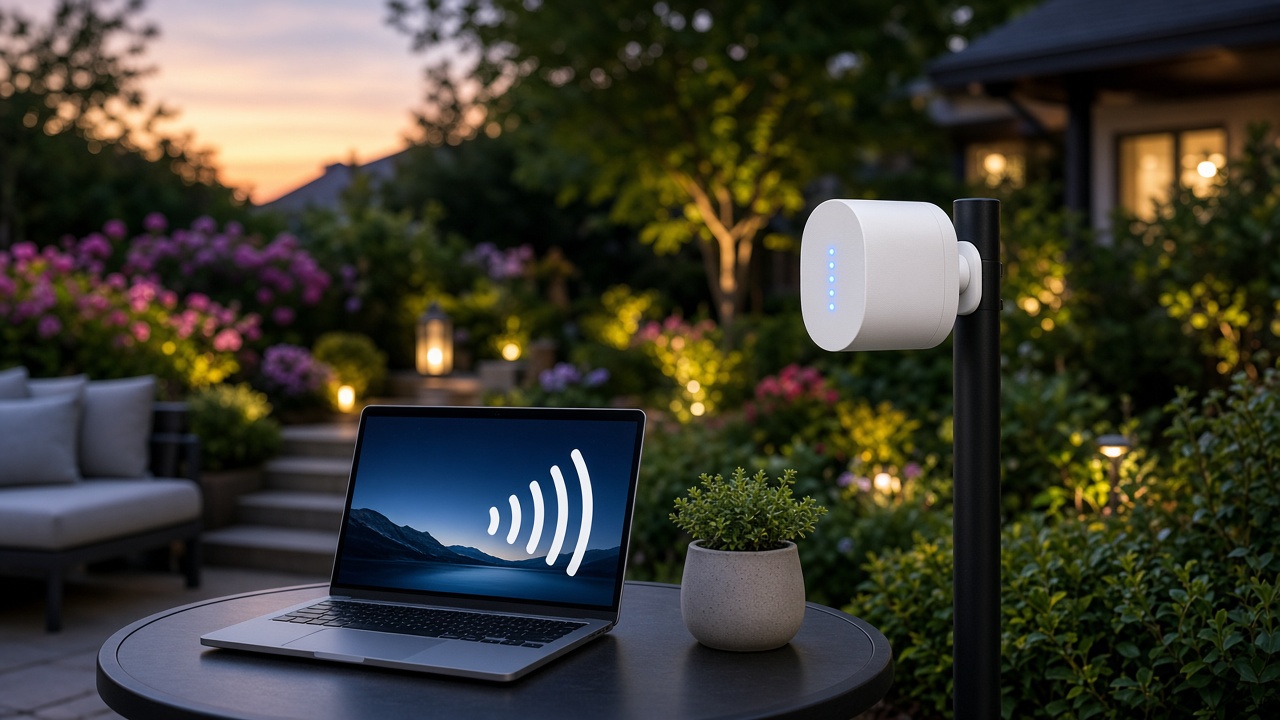
How to Boost Your Wi-Fi Signal Outdoors
Wi-Fi signal strength determines the reliability, speed, and coverage of your wireless internet connection. A strong signal means faster data transfer rates and minimal interference, while weak signals lead to slow connections, buffering, and potential dropouts. Indoors, walls and furniture can degrade performance, but outdoor environments introduce unique obstacles.
Trees, shrubs, and uneven terrain absorb and scatter Wi-Fi signals. Dense foliage obstructs transmission, especially at higher frequencies like 5 GHz, which struggle with physical barriers. Hills and dips in the landscape block line-of-sight connections, limiting range. These natural factors reduce signal efficiency, making outdoor optimization necessary for stable coverage.
The Impact of Distance on Wi-Fi Signals
How Distance Weakens Wi-Fi Signals
Wi-Fi signals lose strength as they travel further from the router. Wireless signals follow an inverse square law, meaning signal intensity decreases exponentially with distance. A device positioned 10 meters away from the router receives only a fraction of the strength available at 1 meter.
Higher frequencies, such as 5 GHz, degrade faster over distance than lower frequencies like 2.4 GHz. While 2.4 GHz waves travel farther, they offer lower speeds, whereas 5 GHz provides faster data rates but loses efficiency at extended ranges.
Coverage Challenges in Large Outdoor Areas
Expanding Wi-Fi coverage across large outdoor spaces introduces multiple challenges. A standard home router often provides a signal range of 30 meters indoors and up to 90 meters in open spaces, but real-world performance varies based on interference, environmental conditions, and obstacles.
- Backyards and gardens: A small to mid-sized backyard can typically be covered with a well-placed router, but signal drop-offs occur near fences and vegetation.
- Parks and large estates: Expanding coverage across areas exceeding 100 meters requires extenders, mesh systems, or high-gain antennas.
- Industrial or commercial spaces: Businesses with outdoor seating or warehouses may need multiple access points to maintain consistent coverage.
Addressing these challenges requires strategic placement of networking equipment, the right hardware, and potential signal-enhancing solutions.
Obstacles Affecting Outdoor Wi-Fi Range
Outdoor Wi-Fi signals encounter multiple obstacles that degrade signal quality and reduce coverage area. Physical barriers, environmental conditions, and interference from other devices contribute to signal attenuation. Understanding these factors helps in optimizing network placement and hardware choices.
Physical Barriers: Walls, Buildings, and Structures
Man-made structures weaken Wi-Fi signals significantly. Concrete, brick, and metal act as dense barriers that absorb or reflect signals.
- Concrete walls – High-density material that absorbs radio waves, causing drastic signal loss.
- Brick buildings – Thick and dense, brick reduces signal strength similarly to concrete.
- Metal fences and structures – Reflect signals, creating interference and dead spots.
- Glass windows with metal coatings – Appear transparent but contain metal layers that block signals.
Natural Elements: Trees, Water, and Terrain
Nature introduces its own challenges. Trees, bodies of water, and the landscape itself can disrupt wireless connectivity.
- Foliage and trees – Leaves, especially when wet, absorb Wi-Fi signals, weakening their reach.
- Bodies of water – Pools, lakes, and even rain scatter and absorb higher-frequency signals like 5 GHz.
- Hills and uneven terrain – Block line-of-sight transmission, reducing signal efficiency.
Interference from Other Wireless Devices
Wireless signals from other electronic devices introduce interference that affects connectivity and performance.
- Neighboring Wi-Fi networks – Compete for the same frequencies, leading to congestion and signal dropouts.
- Cordless phones and microwaves – Operate on the 2.4 GHz band, creating interference with Wi-Fi signals.
- Bluetooth devices – Share frequency bands, causing minor disruptions in signal clarity.
Addressing these obstacles involves strategic router placement, signal amplification, and interference mitigation. The next section covers selecting the right Wi-Fi hardware for overcoming these challenges.
Choosing the Right Wi-Fi Hardware
Selecting the appropriate Wi-Fi hardware determines the performance and range of your outdoor network. Standard indoor routers lack the power and durability to maintain a stable signal outside. Specialized equipment designed for outdoor use ensures better coverage, resistance to environmental factors, and higher signal strength.
Outdoor-Rated Routers
Routers built for outdoor conditions come with weather-resistant enclosures and enhanced transmission power. Models with IP-rated casings protect against dust and moisture. Some outdoor routers feature Power over Ethernet (PoE) capability, allowing flexible installation without needing a power outlet nearby.
Access Points for Extended Coverage
Outdoor Access Points (APs) provide significant coverage improvements by functioning as dedicated signal broadcasters. These devices connect to the main network via an Ethernet cable or a wireless bridge, extending reliable Wi-Fi coverage to areas beyond the reach of standard routers. Many outdoor APs support multiple-input, multiple-output (MIMO) technology, which improves performance by transmitting multiple data streams simultaneously.
Choosing the Right Antenna
The choice of antenna affects signal distribution and range. Different antennas serve distinct purposes:
- Omnidirectional Antennas: Broadcast signals evenly in all directions, best suited for open spaces requiring 360-degree coverage.
- Directional Antennas: Focus the signal in a specific direction, improving range and reducing interference for point-to-point connections.
- Sector Antennas: Cover wide horizontal areas with a stronger signal focus, useful for outdoor events and large open spaces.
Antenna gain, measured in decibels isotropic (dBi), determines signal amplification. Higher dBi values extend range but reduce signal spread, making directional antennas more effective for long-distance connections.
Dual-Band and Tri-Band Options
Many outdoor Wi-Fi solutions offer dual-band (2.4 GHz and 5 GHz) or tri-band configurations, providing flexibility in balancing speed and range. High-traffic areas benefit from dual-band operation, allowing devices to connect on less congested frequencies. When setting up outdoor Wi-Fi for large areas, tri-band routers distribute the load efficiently among connected devices.
Compatibility and Network Integration
Hardware selection must align with existing network infrastructure. Routers, APs, and antennas should support modern wireless standards like Wi-Fi 6 (802.11ax) for improved efficiency and performance. Devices with seamless roaming capabilities enhance user experience by reducing connection drops when moving between coverage zones.
Outdoor Wi-Fi Antennas and Extenders
Expanding Wi-Fi coverage outdoors requires specialized equipment. Antennas and extenders optimize signal distribution, ensuring connectivity reaches open spaces effectively. These devices compensate for signal loss due to distance and interference, making them essential for achieving stable internet connections in large outdoor areas.
Choosing the Right Outdoor Wi-Fi Antenna
Wi-Fi antennas modify signal propagation by focusing or dispersing transmission. The right antenna depends on the environment and desired coverage.
- Omnidirectional Antennas: These distribute Wi-Fi signals evenly in all directions and work well in central outdoor locations where coverage needs to spread uniformly.
- Directional Antennas: Designed to focus signals in a specific direction, these improve range and signal strength over long distances. They are suitable for point-to-point connections, such as linking Wi-Fi between buildings.
- Sector Antennas: Often used for large outdoor venues, they provide wider coverage than directional antennas but with a more concentrated beam than omnidirectional designs.
Selecting an Outdoor Wi-Fi Extender
Wi-Fi extenders retransmit existing signals, improving coverage across outdoor spaces. The ideal extender depends on usage scenarios and technical requirements.
- Standard Wi-Fi Extenders: These rebroadcast signals from the main router, effectively expanding Wi-Fi coverage to patios, backyards, and outdoor workspaces. They work best when positioned within a strong signal range.
- Power Over Ethernet (PoE) Extenders: These receive power and data through Ethernet cables, eliminating the need for nearby electrical outlets. They are beneficial in locations where direct power sources are unavailable.
- Weatherproof Extenders: Designed for harsh outdoor conditions, these withstand extreme temperatures, rain, and dust, ensuring consistent performance in exposed environments.
Matching the Antenna and Extender to the Environment
The effectiveness of an outdoor Wi-Fi solution depends on aligning device characteristics with environmental factors. Large open areas, such as farms or campuses, benefit from high-gain directional antennas paired with PoE extenders for long-distance transmission. Residential backyards or poolside areas often achieve better coverage with omnidirectional antennas and standard Wi-Fi extenders positioned strategically.
Compatibility with existing routers matters. Ensuring frequency band support (2.4 GHz or 5 GHz) aligns with network requirements prevents connectivity issues. Weather resistance should also be a priority when selecting equipment for outdoor installations.
Positioning Your Router or Extender Optimally
Maximizing Signal Strength Through Strategic Placement
Placing a router or extender in the right location significantly impacts Wi-Fi performance outdoors. Signals propagate outward in all directions, but obstructions and distance can weaken them. Positioning the device in a central, elevated spot reduces interference and ensures even coverage.
- Elevate the Device: Mounting the router or extender higher minimizes the ground’s signal absorption and improves transmission.
- Aim the Antennas: If the device has external antennas, adjusting them vertically enhances horizontal coverage, while angling them outward extends range in specific directions.
- Reduce Reflections: Placing the router near concrete surfaces or metal structures increases signal reflection, leading to inconsistent coverage.
Minimizing Barriers for Uninterrupted Connectivity
Walls, trees, and other obstacles weaken signal strength by absorbing or reflecting radio waves. Reducing these obstructions between the router and outdoor locations sharpens connectivity.
- Limit Physical Obstructions: Thick materials like brick, concrete, and metal block signals more than glass or wood.
- Avoid Interference Sources: Electronics such as microwaves and cordless phones emit electromagnetic interference, which disrupts Wi-Fi performance.
- Use Open Spaces: Positioning the router closer to windows, or near an outdoor access point, enhances direct signal transmission.
Proper placement minimizes interference and maximizes range. A well-positioned router or extender provides stronger, more stable outdoor Wi-Fi coverage.
Using Mesh Networking Systems
Mesh networking systems create a unified Wi-Fi network by using multiple nodes that communicate with each other. Unlike traditional routers that broadcast from a single point, mesh networks distribute signals dynamically, ensuring seamless coverage across an area, including large outdoor spaces.
How Mesh Networks Improve Outdoor Wi-Fi
Each node in a mesh network functions as both a transmitter and a receiver, relaying signals to the next available node. This design eliminates dead zones and provides stronger coverage in open areas where a single router might fail. Garden spaces, patios, and yards benefit significantly from strategically placed nodes.
- Seamless Roaming: Devices automatically switch to the strongest node, preventing disconnections when moving through an outdoor area.
- Self-Healing Networks: If a node goes offline, the system reroutes data through the remaining nodes without reducing performance.
- Scalability: Expanding coverage requires placing additional nodes within range, accommodating larger properties without technical complexities.
- Automatic Load Balancing: Traffic distributes dynamically across nodes, reducing congestion and maintaining optimal speeds.
Choosing a Mesh System for Outdoor Use
Not all mesh systems perform well in outdoor conditions. Models designed for external use include weather-resistant enclosures, extended-range antennas, and support for power-over-Ethernet (PoE) setups.
- Weather Resistance: Nodes rated IP65 or higher withstand elements such as rain, dust, and extreme temperatures.
- Dual-Band and Tri-Band Options: Tri-band systems dedicate one band for node communication, improving data flow efficiency.
- Ethernet Backhaul Support: Connecting nodes with Ethernet cables enhances stability, reducing dependency on wireless relaying.
- Integration with Existing Networks: Systems offering compatibility with current routers simplify installations and reduce additional costs.
Placement Strategies for Maximum Coverage
Proper node placement determines the effectiveness of a mesh network outdoors. Nodes require adequate spacing to maintain strong interconnectivity while preventing signal degradation.
- Elevated Positioning: Mounting nodes on poles or walls minimizes obstructions from furniture, plants, and ground-level objects.
- Clear Line of Sight: Positioning nodes where they can "see" each other prevents signal interference from thick barriers.
- Balanced Distance: Placing nodes too far apart weakens links, while excessively close positioning wastes potential coverage.
- Strategic Node Distribution: Placing nodes near frequently used outdoor areas, such as patios or workspaces, ensures stronger signal availability.
Mesh networking systems provide a scalable and efficient solution for extending Wi-Fi coverage outdoors. Thoughtful selection and strategic positioning of mesh nodes eliminate weak spots, ensuring fast and stable internet access across large open spaces.
Weatherproofing for Outdoor Wi-Fi Equipment
Outdoor Wi-Fi equipment must withstand rain, snow, extreme temperatures, and even direct sunlight. Without proper protection, exposure to these elements will degrade performance and shorten the lifespan of routers, extenders, and access points. Specialized weatherproofing solutions prevent moisture infiltration, temperature-related malfunctions, and UV damage.
Weatherproof Enclosures and Casings
Well-designed enclosures shield equipment from environmental factors while allowing sufficient airflow to minimize overheating. Manufacturers offer IP-rated outdoor enclosures specifically for networking devices. IP ratings indicate protection levels against dust and water; for outdoor deployments, IP65 or higher ensures resistance to rain and dust ingress.
- Plastic Enclosures: Lightweight, non-corrosive, and resistant to UV rays, making them suitable for long-term outdoor use.
- Metal Enclosures: Provide additional shielding against electromagnetic interference (EMI) but require proper ventilation to prevent heat buildup.
- UV-Stabilized Mounts: Protect against sunlight degradation, preventing cases from becoming brittle over time.
Sealing Cable Entry Points
Cables entering outdoor enclosures create potential moisture entry points. Using waterproof grommets, silicon sealant, or weatherproof cable glands will prevent water intrusion. In particularly damp environments, dielectric grease on Ethernet connectors further reduces corrosion risks.
Temperature Management
Extreme heat and cold impact Wi-Fi hardware functionality. High temperatures lead to thermal throttling, while sub-zero conditions affect battery longevity in powered devices. To manage temperature fluctuations:
- Use Ventilated Enclosures: Avoid trapping heat by selecting weatherproof boxes with airflow channels or integrated fans.
- Install Heater or Cooling Modules: In regions with extreme temperatures, enclosures with built-in heating or cooling elements regulate internal conditions.
- Position Equipment in Shaded Areas: Direct sunlight accelerates wear on plastic components and increases internal temperatures significantly.
Corrosion Protection for Outdoor Installations
Humidity, salt air, and pollution cause metal components to corrode over time. This especially affects installations near coastal regions or industrial zones. Stainless steel mounting brackets, rust-resistant screws, and applying a protective anti-corrosion spray on exposed metal surfaces enhance durability.
Rain and Snow Protection
Even when IP-rated enclosures offer water resistance, angled mounting positions prevent direct exposure to rainfall accumulation. Tilted mounting helps prevent water pooling, while raised installations keep devices above potential flooding levels.
Lightning and Surge Protection
Outdoor installations face risks from electrical surges due to lightning strikes or power fluctuations. Utilizing surge protectors, installing grounding wires, and incorporating shielded Ethernet cables reduce electrical damage risks.
- Ethernet Surge Protectors: Prevent sudden voltage spikes from damaging network equipment.
- Proper Grounding: Grounding outdoor antennas and access points ensures excess electricity gets discharged safely.
- Weatherproof Power Supplies: Use outdoor-rated power adapters or enclose them in protective casings to avoid short circuits.
Routine Maintenance and Inspection
Exposure to outdoor conditions gradually affects even well-protected Wi-Fi hardware. Periodic inspections identify early signs of wear such as water ingress, physical damage, or accumulating debris. Reapplying sealants, tightening mounts, and cleaning vent openings extend the operational lifespan of networking equipment.
Wi-Fi Frequency Bands: 2.4 GHz vs 5 GHz
Wireless networks operate on two main frequency bands: 2.4 GHz and 5 GHz. Each has distinct characteristics that affect range, signal penetration, and overall performance. Selecting the right frequency for an outdoor Wi-Fi setup depends on environmental factors and usage needs.
Range and Coverage
The 2.4 GHz band offers greater range than 5 GHz due to its longer wavelengths. Signals in this frequency travel farther and maintain strength over greater distances, making them more suitable for large outdoor areas.
In contrast, the 5 GHz band has shorter wavelengths, reducing its effective range. While faster at close distances, it weakens more quickly as distance increases, limiting coverage in expansive outdoor spaces.
Signal Penetration Through Obstacles
Lower frequencies penetrate barriers more effectively. The 2.4 GHz band passes through walls, trees, and other physical obstructions with less signal loss. Outdoor environments with dense foliage, buildings, or metal structures benefit from this characteristic.
The 5 GHz band struggles with penetration. It experiences greater attenuation when passing through obstacles, leading to signal degradation in environments with numerous physical interferences.
Interference and Network Congestion
The 2.4 GHz band faces more interference. Many devices, including Bluetooth gadgets, cordless phones, and microwaves, operate on this frequency. In heavily populated areas, this results in increased congestion, reducing overall network efficiency.
With more available channels, the 5 GHz band encounters less interference. This makes it better suited for high-bandwidth activities like streaming and video conferencing in areas with multiple networks.
Choosing the Right Frequency for Outdoor Wi-Fi
- For long-range outdoor coverage: Use 2.4 GHz to maintain a stable connection over larger distances.
- For high-speed connections in open spaces: Opt for 5 GHz when minimal obstacles exist and faster data rates are needed.
- For mixed environments: Dual-band routers provide flexibility, automatically switching between frequencies based on conditions.
Understanding how these frequency bands interact with outdoor environments ensures optimal Wi-Fi performance. Selecting the appropriate band based on range, obstacles, and interference levels improves connectivity and network stability.
DIY Solutions for Enhancing Wi-Fi Signals
Simple modifications and homemade tools can strengthen a weak Wi-Fi signal outdoors. These DIY solutions rely on commonly available materials and require minimal technical expertise.
Building a Reflector with Aluminum Foil
A parabolic reflector improves signal directionality. Aluminum foil, shaped into a concave curve, can amplify Wi-Fi waves by focusing them in a specific direction.
- Cut a piece of cardboard roughly the size of a standard sheet of paper.
- Cover one side with aluminum foil, ensuring a smooth and reflective surface.
- Curve the foil-covered cardboard into a parabola.
- Place it behind the router’s antennas or near an outdoor extender.
This reflector enhances signal reach by reducing interference from unwanted directions.
Creating a DIY Wi-Fi Antenna
Extending the range requires better antenna performance. A homemade antenna, crafted from coaxial cables and a metal can, provides a budget-friendly enhancement.
- Find a large, empty metal can, such as a coffee or Pringles can.
- Drill a hole near the base to insert a coaxial connector.
- Attach the can to the router’s external antenna port using a pigtail cable.
- Position the can’s opening towards the desired coverage area.
This directional antenna concentrates the signal, increasing its reach outdoors.
Optimizing Router Placement with a Homemade Signal Booster
Strategic placement significantly affects outdoor Wi-Fi coverage. A homemade signal booster made from an old soda bottle and aluminum tape redirects waves efficiently.
- Cut a plastic soda bottle lengthwise, creating a curved surface.
- Line the inner surface with aluminum tape.
- Position it behind the router’s antennas, directing the strongest signal outward.
This setup minimizes signal dispersion and maximizes efficiency in open spaces.
Reducing Interference Using a Simple DIY Shield
Electronic devices and physical obstructions weaken signals. A homemade shield blocks interference from unwanted sources.
- Use a lightweight metal sheet or foil-covered cardboard.
- Position it between the router and potential interference sources like power lines or large appliances.
- Adjust the angle to maximize signal reflection away from obstructions.
By reducing competing signals, this method improves consistency in outdoor Wi-Fi performance.
Extending Coverage with a Simple Wi-Fi Repeater
An extra router, repurposed as a repeater, extends signal range outdoors.
- Place an old router within the current Wi-Fi signal range but closer to the outdoor area.
- Configure it as a repeater using the router’s settings.
- Connect it wirelessly or via Ethernet for a stronger link.
This solution eliminates dead zones and enhances coverage without extra expenses.
Security Considerations for Outdoor Wi-Fi
Common Security Threats in Outdoor Wi-Fi Setups
Outdoor Wi-Fi networks face unique security risks due to their extended coverage and exposure to potential attackers. Unlike indoor networks, outdoor setups are more vulnerable to unauthorized access, signal interception, and physical tampering.
- Unauthorized Access: Open or weakly secured outdoor networks make it easier for unauthorized users to connect and exploit bandwidth.
- Data Interception: Attackers can use packet-sniffing tools to capture unencrypted transmissions, exposing sensitive data.
- Man-in-the-Middle Attacks (MITM): An attacker can intercept and manipulate data exchanged between devices by impersonating a legitimate access point.
- Device Spoofing: Rogue devices can mimic your network’s SSID to trick users into connecting to a malicious hotspot.
- Physical Security Risks: Outdoor routers, extenders, and access points can be stolen or tampered with to compromise network integrity.
Effective Security Measures for Outdoor Wi-Fi
Mitigating these risks requires implementing strong encryption, access control measures, and physical security strategies.
- Enable WPA3 Encryption: WPA3 provides better protection against brute-force attacks and safeguards data even if an attacker captures encrypted traffic.
- Use a Hidden SSID: Hiding the SSID prevents casual users from detecting the network, reducing unauthorized access attempts.
- Implement MAC Address Filtering: Restrict access by allowing only specified MAC addresses to connect.
- Deploy a Captive Portal: A login page with authentication requirements adds an extra layer of security for guest access.
- Monitor Connected Devices: Regularly check connected devices and remove any unrecognized users from the network.
- Restrict Signal Range: Adjust router power settings to prevent signals from reaching beyond necessary areas, limiting exposure to external threats.
- Use a Secure VPN: A virtual private network encrypts outgoing and incoming traffic, preventing unauthorized interception.
- Physically Secure Equipment: Lock outdoor routers and access points in weatherproof enclosures to prevent tampering or theft.
- Keep Firmware Updated: Regular firmware updates ensure routers and extenders remain protected against known vulnerabilities.
Segmenting Outdoor Wi-Fi Traffic
Separating outdoor Wi-Fi traffic from internal networks reduces security risks. A dedicated guest network with restricted access prevents unauthorized users from reaching sensitive business or personal data. VLAN (Virtual Local Area Network) configurations can also be used to segment devices, isolating high-security applications from general Wi-Fi traffic.
Optimizing Outdoor Wi-Fi for Reliable Connectivity
A strong outdoor Wi-Fi signal expands connectivity for work, entertainment, and smart home devices. Physical obstacles, long distances, and interference from other networks can weaken performance, but proper hardware selection and strategic placement improve coverage.
Try different solutions to address signal challenges. Adjust router placement, upgrade antennas, or implement a mesh network to extend coverage. Environmental factors like weather and interference affect signal strength, so monitoring performance and adapting configurations help maintain a stable connection.
Have you tested any of these methods? Share your experience or ask questions in the comments. Your insights can help others facing similar Wi-Fi challenges.
For more Wi-Fi and technology tips, subscribe to our updates. Need expert help? Contact a professional Wi-Fi installation service to design a custom outdoor network that fits your space and usage needs.