You Can Upgrade Your Old Roku TV or Roku Player With The New Roku Pro Remote (Nov 2026)
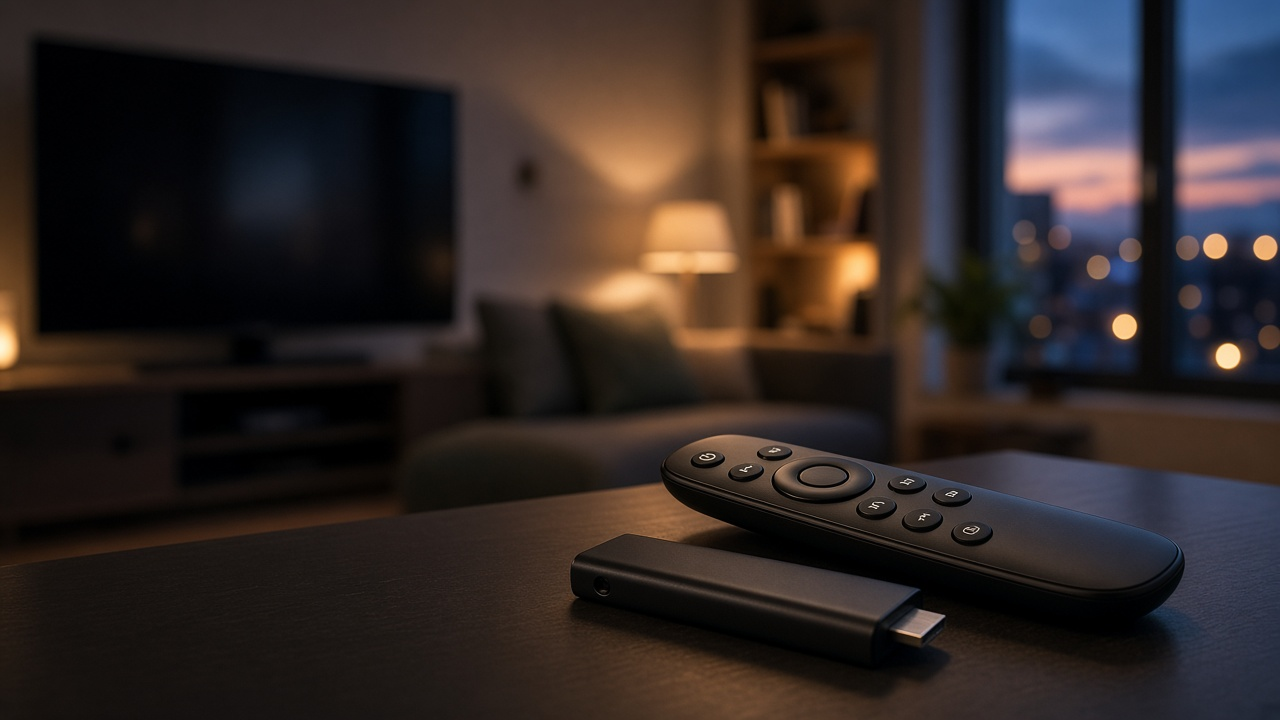
Modern streaming setups often rely on Roku for seamless access to thousands of channels, smooth navigation, and consistent performance. Whether connected through a Roku streaming player or built into a smart TV, Roku has become a cornerstone of home entertainment ecosystems. But what if you could enhance that experience without replacing your current device?
The Roku Pro Remote 2 offers that exact upgrade pathway—introducing advanced features like hands-free voice control, backlit buttons, and a rechargeable battery. And now, it's available at its lowest price yet. For users with older Roku TVs or players, this is a chance to dramatically improve your navigation experience without investing in a new streaming device. Ready to see how a remote can do all that?
Inside the Roku Ecosystem: Streamlined Simplicity Meets Broad Access
What Is Roku?
Roku is a streaming platform that enables users to access digital content over the internet directly on their TVs. Launched in 2008, the system has expanded into a range of devices, services, and partnerships with major media players. Roku consolidates subscription-based platforms, free channels, and pay-per-view services into one easy-to-navigate interface.
Understanding Roku TVs and Roku Players
Roku TV refers to smart televisions with Roku's operating system built in. These models, developed in partnership with brands like TCL, Hisense, and Sharp, eliminate the need for an external streaming device and boot directly into the Roku interface. Features such as integrated voice control, custom input labels, and automatic software updates are part of the experience.
Roku Players, on the other hand, are standalone streaming devices. These plug into standard HDTVs or 4K UHD TVs via HDMI, providing the same Roku interface independent of the native TV brand. The product line includes options like the Roku Express, Roku Streaming Stick 4K, and Roku Ultra, each offering different levels of performance, resolution, and connectivity features.
Key Differences Between Roku TV and Roku Player
- Hardware Integration: Roku TV comes with the Roku OS by default; Roku Players require external setup.
- Device Control: Roku TVs often support control of live TV, HDMI ports, and TV settings directly from the Roku remote, unlike Roku Players.
- Portability: Roku Players can travel easily between locations, while Roku TVs are fixed installations.
Roku's Position in the Streaming Market
In the U.S., Roku commands a major share of the streaming device landscape. According to Statista, as of 2023, Roku reached 71.6 million active user accounts, making it the most-used streaming platform in North America. This dominance is backed by a consistent user interface across devices, broad app compatibility, and wide-ranging hardware options to fit different budgets and screen types.
Globally, Roku has expanded through partnerships in Canada, the UK, Mexico, and other Latin American countries. Their international content growth strategy focuses on onboarding region-specific services and increasing support for localized ad delivery.
Extensive Content Availability
Roku users can access over 4000 streaming channels. This includes services like Netflix, Hulu, Disney+, and Amazon Prime Video, alongside free content from The Roku Channel, Tubi, and Pluto TV. The platform also supports niche subscriptions, such as Crunchyroll for anime or BritBox for UK television, and integrates live TV offerings for cord-cutters using digital antennas or app-based networks like Sling TV and YouTube TV.
From blockbuster films and local news to interactive exercise classes and kids’ cartoons, Roku enables near-total control over what—and how—households consume digital entertainment.
Meet the Roku Pro Remote 2: Precision Meets Simplicity
Designed for Control, Engineered for Comfort
The Roku Pro Remote 2 introduces a refined form factor with sculpted contours and a matte finish that fits naturally in hand. Weighing just over 3 ounces, it strikes a balance between premium heft and everyday comfort. The button layout has been reimagined for intuitive navigation—larger directional arrows sit centered, with dedicated volume and power positioned within thumb’s reach. Netflix, Disney+, Apple TV+, and Hulu get one-touch launch buttons for direct access without lag or menu clutter.
A standout hardware addition is the rechargeable battery. Ditching disposables, it charges via USB-C and holds power for up to two months on a full cycle. Roku reports a 30% improvement over previous rechargeable models based on internal testing.
Backlit Keys and Voice Control: See and Say Your Way
Automatically illuminating in response to ambient darkness, the backlit keys allow seamless control in dim environments. No fumbling, no missed buttons—just uninterrupted streaming, even during late-night sessions. Voice control integrates smarter, too. Hold the mic button and say, “Launch HBO Max” or “Show comedies with Steve Carell.” The remote processes full-sentence queries and narrows down results without keyboard hassle.
Faster Navigation, Smarter Interaction
Channel surfing becomes faster and smarter. With programmable shortcut buttons, users can assign custom channels or commands—like toggling closed captions or launching a specific input. Navigation speeds benefit from improved Bluetooth connectivity. Commands respond in milliseconds, while connectivity remains stable even across rooms with thick walls.
Remote Finder: Find It in Seconds
The redesigned Remote Finder works via the Roku app or the Roku TV interface—trigger an alert, and your misplaced Pro Remote 2 emits a sharp chime. Whether it slipped under cushions or disappeared into a drawer, audible alerting ensures nothing interrupts movie night.
Say It Once, Watch It Instantly
Voice search does more than control playback. Say "Search for 90s action films" and the remote activates a real-time content filter across all connected apps, sidestepping granular menu layers. The microphone leverages Roku’s next-generation voice recognition engine, which handles accents, movie titles, actor names, and genres with high accuracy. Multi-user households can expect consistent performance, even across varying vocal inputs.
- Sleek ergonomic design optimized for long sessions
- Rechargeable battery with 60-day capacity on a full charge
- Backlit keys that auto-adjust in dark rooms
- Advanced voice controls for contextual navigation
- Remote finder feature with audible chime system
- Programmable shortcuts for fast, custom actions
Roku Pro Remote 2 doesn’t just replace your current remote—it transforms the way you engage with your entire streaming experience by combining interface precision, visual clarity, and responsive AI-driven voice input into a single streamlined device.
Bringing Modern Control to Legacy Roku Devices
Seamless Integration with Roku TVs and Roku Players
The Roku Pro Remote 2 isn't exclusive to the newest devices. Roku designed it for wide compatibility across much of its ecosystem, including older Roku TVs and legacy Roku players. If you're still using a first-generation Roku Ultra or a TCL Roku TV from several years ago, there's a good chance this remote will work flawlessly with your setup.
Supported Models: A Breakdown
The remote supports almost all Roku TVs and players that use the standard Roku IR or Wi-Fi Direct protocols. Here's where support currently stands:
- Roku TVs: Compatible with all Roku TVs from brands like TCL, Hisense, Sharp, and Insignia manufactured after 2014.
- Roku Players: Works with models including Roku Ultra (2016 and newer), Roku Streaming Stick+ (3800, 3810), Roku Premiere (3920, 3921), and all Express models from 2017 forward.
It does not support devices that lack Wi-Fi Direct or are older than 2015 and use proprietary remotes only. To confirm if your Roku device works with the Roku Pro Remote 2, check the product code on your settings screen under:
Settings > System > About. Look for model numbers such as:
- 3810X: Streaming Stick+
- 4640X, 4660X, 4670X: Roku Ultra
- 3900X, 3930X: Roku Express/Express+
- 7000X-Series: Most smart TVs running Roku OS
If your model number appears in one of these ranges, the new remote supports it.
No New HDMI or Power Cables Required
Upgrading your controls doesn't mean reconfiguring your entertainment center. The Roku Pro Remote 2 connects wirelessly using Wi-Fi Direct and manages IR controls without the need to swap out any HDMI or power cables. Your existing devices remain in place—only the experience improves.
This remote controls both streaming players and TVs over HDMI-CEC when enabled, so you’ll be able to adjust volume, switch inputs, and power everything on and off from a single remote control. Setup remains plug-and-play with no need for adaptors, converters, or new connections.
Why Upgrading Your Roku Remote Beats Buying a New Player
Significant Cost-Savings with Minimal Investment
The Roku Pro Remote 2 enters the market at a fraction of the price of a brand-new Roku streaming device. While a current generation Roku Ultra retails for approximately $99.99 USD, the Roku Pro Remote 2 is available for as low as $29.99 USD during promotional periods. That difference puts about $70 back in your pocket. For users with a functioning Roku TV or a streaming player that still meets performance needs, upgrading the remote provides a direct path to enhancing usability without unnecessary hardware replacement.
Especially for homes with multiple Roku devices, replacing each one would escalate costs quickly. A single remote upgrade can infuse high-end features across several compatible units, delivering far more value from a modest expense.
Give Your Roku a Second Wind
Electronic waste continues to mount—globally, the world produced 59.4 million metric tons of e-waste in 2022, according to the Global E-waste Monitor. Much of this comes from devices replaced long before the end of their useful lifespans. By upgrading instead of replacing, you help extend the life cycle of your current Roku hardware.
This approach aligns with sustainability goals and smart resource management. When your Roku still delivers dependable streaming, adding features like hands-free voice control or customizable shortcuts through a remote refresh makes more sense than tossing it aside.
Streamlined Setup in Under a Minute
Pairing the Roku Pro Remote 2 takes less time than logging into your favorite streaming app. Here’s how to do it:
- Step 1: Insert the included rechargeable batteries into the new remote.
- Step 2: Power on your Roku device and bring the remote within close range.
- Step 3: Hold the pairing button located under the battery cover for around 5 seconds.
- Step 4: Wait for the on-screen prompt confirming successful pairing, and follow any remaining instructions.
No software downloads, no external tools, no complicated configuration. The system automatically detects the Pro Remote 2 and seamlessly integrates its features without interrupting your viewing session.
Smart TV Accessories to Pair With the Roku Pro Remote 2
Complementary Upgrades Worth Considering
Swapping in the Roku Pro Remote 2 already elevates your viewing experience, but pairing it with the right accessories rounds out the package. Rather than just upgrading the remote, consider enhancing your entire media corner. Several tools blend seamlessly with the Roku ecosystem while ensuring peak performance across your home theater setup.
- HDMI Splitters: If you’re juggling multiple HDMI devices, an HDMI splitter simplifies things—connect one output across several screens without constantly unplugging. Look for models supporting HDMI 2.0 or above; they’ll handle 4K streaming without lag or compression.
- Soundbars and Audio Systems: Visuals may command attention, but sound quality seals the experience. Pairing your Roku device with a soundbar like the Sonos Beam or Vizio Elevate shifts audio from acceptable to cinematic. Use an optical cable or ARC-enabled HDMI to maintain signal clarity.
- Cable Management Solutions: Tangled cords behind the TV instantly devalue polished electronics. Use zip sleeves, adhesive clips, or magnetic cable holders to maintain a clean, clutter-free look.
- Wall Mounts With Tilt or Swivel: Upgrade the viewing angle. A TV wall mount that allows repositioning creates a more comfortable and immersive experience, especially in shared spaces.
- USB-Powered Ambient Lighting: Bias lighting behind your TV not only reduces eye strain in dark rooms but also boosts contrast perception. Match it with the color scheme of your interface for a refined touch.
Creating a Full Home Entertainment Setup
Imagine watching high-definition content on a 65-inch TV, audio pulsing through a 5.1 surround sound system, and ambient backlighting reflecting the on-screen action—this doesn’t require a complete overhaul. Smart planning with select accessories amplifies every element, and the Roku Pro Remote 2 becomes the central command unit.
Combine a Roku Ultra with a Dolby Atmos-compatible soundbar for volume depth and surround precision. Use a smart power strip to connect all components while managing energy consumption intelligently. Add a universal remote holder near the couch or attach it via magnet to your side table to keep that Pro Remote within easy reach.
Want seamless streaming across multiple rooms? Integrate your Roku system with a mesh Wi-Fi router like the Eero Pro 6. It minimizes buffering and delivers consistent bandwidth, even in tech-dense environments.
Transform the living room, not by cluttering it, but by choosing tools that interact seamlessly. Each piece adds function and polish, and when they come together, your media setup operates as a synchronized, high-performance system—with your Pro Remote 2 leading the charge.
Know When to Upgrade: Evaluating Your Roku Setup
Recognizing the Signs That It's Time
Streaming devices, like all tech, follow a performance curve. They run smoothly for years, then slowly begin to lag—interfaces take longer to load, menus stutter, and remote commands feel delayed. If your older Roku TV or player exhibits these behaviors, it's not just annoying—it’s telling you the hardware is aging. Many models released before 2019, such as the Roku Streaming Stick (3800X) or Roku Express (3700X), show notable performance degradation when running the latest Roku OS updates.
Another red flag: limited feature support. For instance, newer channel interfaces—think Netflix’s interactive previews or expanded search results—may not render properly. Voice control inconsistencies and missing shortcut integrations also signal software-hardware mismatches that impact usability.
The Remote: Small Upgrade, Big Impact
Before deciding on a complete replacement, start with the control center of your streaming experience—the remote. Upgrading to the Roku Pro Remote 2 often reverses daily annoyances instantly. Users moving from standard IR remotes or earlier Roku Voice Remotes report tangible improvements in response times, button layout efficiency, and voice recognition accuracy.
Here's how that translates to everyday use:
- Faster navigation: The new remote reduces input lag substantially, especially noticeable in older models like the Roku Ultra 4660 or TCL Roku TVs from the 2017-2018 lineup.
- Programmable buttons: Built-in customizable shortcut keys allow one-press access to favorite apps or frequent searches.
- Revived functionality: For Roku TVs suffering from intermittent remote pairing or signal issues, the Wi-Fi direct connection used in the Pro Remote 2 eliminates line-of-sight limitations.
An upgraded remote won't change the chipset in your Roku box. But it will bridge the usability gap created by aging components, offering a refreshed user experience at a fraction of the cost of a full device replacement.
Unlocking the Technology: Roku Pro Remote 2 Features in Depth
Quick Launch Buttons That Do More
Roku Pro Remote 2 pushes convenience to the surface—literally. Its array of dedicated quick-launch buttons eliminates scrolling through menus. With one press, apps like Netflix, Hulu, Disney+, and Apple TV+ load immediately. This shortcut-oriented design not only saves time but streamlines the way users interact with media platforms. Rather than navigating through the home menu or voice commands, users get frictionless access to their preferred channels in under a second.
Integrated Buttons for Netflix, Hulu, Disney+, and More
The button layout targets consumer preferences based on usage data. As of Q4 2023, Netflix remained the most used streaming service in the U.S., with 79% of streaming households accessing it monthly (source: Statista). Roku Pro Remote 2 places these high-demand apps where thumbs naturally fall. Each dedicated button sends an instant application call, bypassing unnecessary UI steps.
Customizable Shortcuts—Your Habits, Your Setup
Beyond fixed buttons, the remote introduces two customizable shortcut buttons. Users can program these to perform specific commands—launching apps, running voice search queries, or switching inputs—to match distinct viewing behaviors. Want to open Plex or tune into your favorite classic movie channel on demand? Assign it once, and it's locked in. These programmable slots provide targeted control personalized to your routine.
Unlike typical remotes that dictate how navigation works, this flexibility empowers users to dictate their own shortcuts. It adapts to your media lifestyle instead of forcing conformity to standard mappings.
Rechargeable USB-C: A Charging Standard That Makes Sense
The shift to USB-C charging marks a practical evolution from earlier models. Instead of swapping out disposable AA batteries, users plug in a cable—the same one used for most modern phones and tablets. Full charge cycles deliver up to two months of usage per charge, based on average input metrics gathered by Roku's internal engineering team.
This upgrade reduces environmental waste generated by removable batteries and lowers long-term accessory costs. The addition of a USB-C charging port also pushes the remote to align with current tech trends, where uniformity in charging cables is becoming an industry standard.
Designed to Outperform Standard Roku Remotes
Compared to the original Roku Voice Remote, the Pro Remote 2 integrates more responsive tactile feedback, a sleeker ergonomic design, and a more substantial build. The differences become immediately noticeable when navigating menus or using voice search. Precision control sees improvement through the redesigned D-pad and a higher-quality internal accelerometer that supports motion-based input for games and spatial navigation.
Overall, these features combine to create an upgraded control experience tailored for both power users and casual viewers, turning a simple remote into a true interface upgrade.
Get Set and Go: A Hands-On Guide to the Roku Pro Remote 2
Unboxing and First Impressions
Slide open the box and you'll immediately notice Roku's slick, upgraded design language. Alongside the Roku Pro Remote 2, the package includes two AA batteries, a quick-start guide, and a USB-C cable for recharging. Unlike earlier models, there's no need to buy separate batteries frequently—just charge and go.
Step-by-Step Pairing Guide
To link the new Roku Pro Remote 2 with your existing Roku TV or player:
- Insert the included AA batteries or fully charge the remote via USB-C if using rechargeable cells.
- Power on your Roku TV or plug in your Roku player.
- Press and hold the pairing button located below the battery compartment for 5 seconds. An LED light will begin to flash.
- On-screen instructions will appear on your Roku-connected display—just follow them to complete the pairing.
- If the pairing screen doesn’t show up, navigate manually by going to Settings > Remotes & Devices > Set Up a New Device on your Roku home screen.
Once paired, the home menu will confirm the connection and link via Wi-Fi Direct, ensuring low latency and stable functionality.
Getting the Most Out of Your Remote
The Roku Pro Remote 2 introduces several usability enhancements that align with Roku’s premium experience. Here's how to take advantage of them day-to-day:
- Use the private listening feature by plugging headphones into the 3.5mm jack. This works seamlessly even with older Roku TVs and players.
- Set custom shortcuts by pressing and holding one of the programmable buttons after performing a command, such as opening Netflix or launching Spotify.
- Tap the voice button to launch apps, search for actors, control playback, or check the local weather—no typing required.
- Backlit keys illuminate automatically in low light, making late-night browsing frustration-free.
Pro Tips to Enhance Everyday Use
Tap into extra utility hidden in plain sight:
- Enable TV controls through CEC settings, allowing power and volume adjustments on most TVs—even non-smart ones.
- Use the Find My Remote button on compatible Roku players to trigger the built-in speaker on the Pro Remote 2.
- Switch from IR mode to Wi-Fi Direct via settings for lag-free input—especially useful for commands like fast-forwarding or volume control.
- Toggle Roku’s Private Listening Mode from the Roku mobile app when you want to route sound to multiple headphones simultaneously.
Fixing What Doesn’t Work
Bugs happen. Here’s how to tackle common issues head-on:
- Remote not pairing? Remove the batteries, unplug the Roku TV or player for 10 seconds, plug it back in, and retry the pairing process.
- Backlight not turning on? Confirm battery levels using the Roku mobile app’s device settings. Recharge or replace as needed.
- Audio not transmitting through headphone jack? Reboot both the Roku and remote. Still no luck? Try a different set of wired headphones.
- Voice search unresponsive? Check your internet connection—voice input routes through Roku’s servers via Wi-Fi.
If deeper issues persist, performing a factory reset on the Roku device and re-pairing can often resolve firmware conflicts with newly released remotes.
Lowest Price on the Roku Pro Remote 2 — Where to Buy and How to Get the Best Deal
Best Price Available Now
As of today, the Roku Pro Remote 2 is listed at its lowest-ever price: $29.99. This markdown comes as part of a limited-time promotional campaign, dropping from its regular price of $39.99. A direct purchase through Roku’s official site or select authorized retailers secures this deal, no coupon needed.
Where to Buy: Official and Authorized Sellers
Buyers looking for authenticity and warranty protection should stick to official or authorized outlets. These include:
- Roku.com – Direct purchase ensures all standard warranty and return features apply.
- Best Buy – Offers price matching with Roku.com and easy in-store pickup options.
- Amazon (fulfilled by Roku) – Convenient for Prime members, with fast shipping and return handling.
- Walmart – Carries the Pro Remote online and in select stores, often pairing with bundle discounts.
Bundle Opportunities and Streaming Extras
Several retailers are bundling the Roku Pro Remote 2 with streaming add-ons. Look for offers including:
- Free 30-day trials to services like Netflix, HBO Max, or Apple TV+.
- Reduced prices when purchased with select Roku streaming players, including the Roku Streaming Stick 4K.
- Cashback offers through store credit cards or digital wallet purchases.
Scanning weekly circulars or using tools like Honey, Rakuten, or Capital One Shopping can reveal these hidden extras.
Return Policy & Warranty Coverage
The Roku Pro Remote 2 comes with a 1-year limited warranty when purchased from Roku or authorized resellers. This covers hardware failures not caused by misuse or accidents. Return windows vary by retailer:
- Roku.com: 30-day return period with full refund and free return shipping.
- Best Buy & Walmart: Generally 15-day return window for open box electronics, extended for loyalty members.
- Amazon: 30-day return policy under standard conditions.
Ready to Buy?
Act now to lock in the $29.99 deal before promotional pricing ends. For verified pricing and availability, visit Roku’s official accessories page or trusted retail partners like Amazon, Best Buy, and Walmart.