What are Xfinity Gateways?
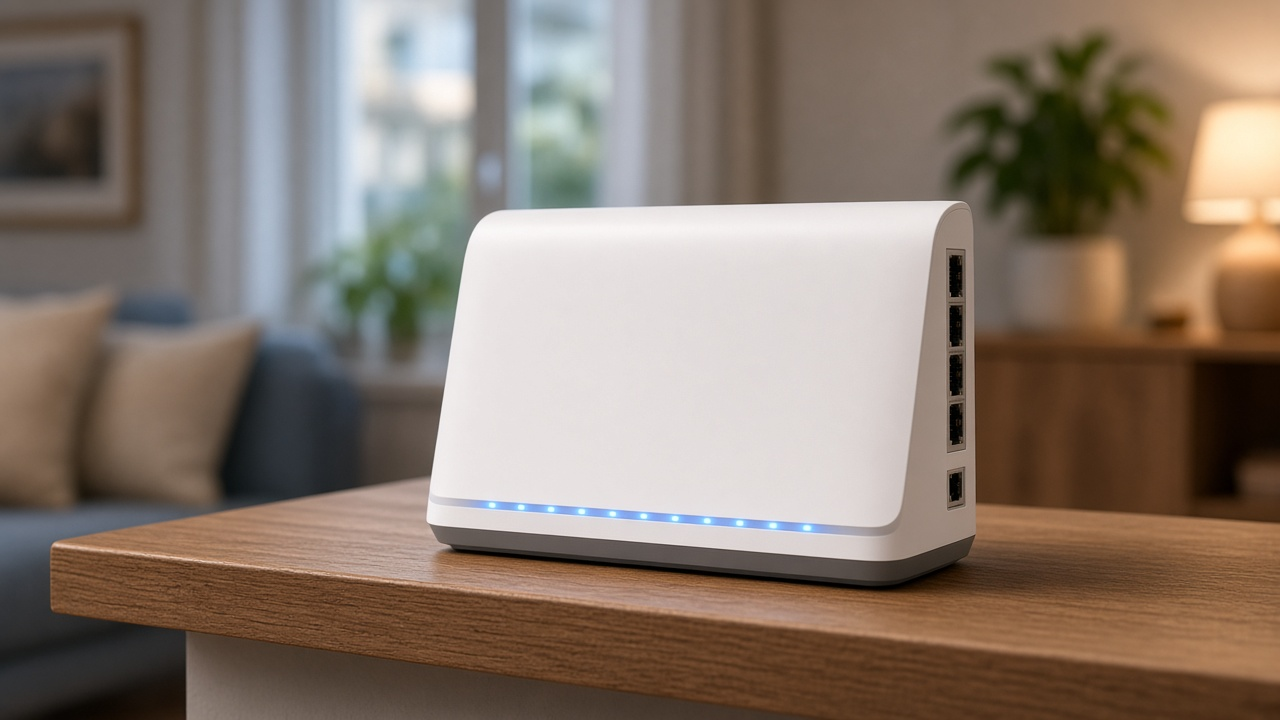
An Xfinity Gateway serves as the central hub for internet and WiFi connectivity in homes subscribed to Comcast's Xfinity internet services. Merging the functions of a modem and a router, these devices translate incoming data from the cable network into a form suitable for WiFi and Ethernet-connected devices. They facilitate high-speed internet access, allow for the creation of home networks, and are engineered to optimize and distribute the connection efficiently across multiple devices. Xfinity Gateways offer advanced features such as parental controls, guest networks, and enhanced security, significantly elevating the home internet experience.
Demystifying Xfinity Gateways Operation
Delving into the mechanics of Xfinity Gateways unveils a sophisticated array of technology designed to facilitate seamless internet access. At the heart of these devices are dual functionalities that combine a modem, responsible for connecting to the cable internet service, and a Wi-Fi router, which provides wireless internet to the household. This integration simplifies the home network setup by reducing the need for multiple devices.
Gateways adeptly manage Wi-Fi connectivity across varying data speeds by employing advanced communication protocols. They support DOCSIS 3.0 or 3.1 standards, which enable high-bandwidth transfer over existing cable systems, meeting the demands of modern high-speed internet requirements. This allows households to enjoy robust internet performance for streaming, gaming, and teleconferencing, among other bandwidth-intensive activities.
Moreover, these gateways are equipped with intelligent technology to optimize Wi-Fi signal strength. Beamforming, for example, focuses the Wi-Fi signal towards connected devices rather than broadcasting in all directions, which enhances connection reliability and speed. As users move throughout the space, channel selection and band steering mechanisms dynamically adjust settings in real time to maintain optimal performance.
- Beamforming concentrates Wi-Fi signals, fostering enhanced connectivity for devices in use.
- Channel selection adapts to minimize interference from other networks.
- Band steering shifts devices between frequencies to alleviate congestion and optimize speed.
Integrated within the gateways are also components such as Quality of Service (QoS) which allocate bandwidth priority to different types of traffic, ensuring that high-priority tasks continue without interruption even during heavy network usage. In essence, gateways smartly prioritize data to maintain fluid communication lines for real-time applications like video calls or online gaming, ensuring they take precedence over less critical tasks.
Ultimately, Xfinity Gateways stand as comprehensive solutions for home internet, engineered to adapt to a vast range of networking demands, and consistently deliver robust, reliable wireless connectivity.
Unveiling the Differences: Xfinity Gateways vs. Modems
A modem is a device that decodes the signal from an Internet Service Provider (ISP), enabling an internet connection. On the other hand, a gateway often refers to a modem-router combo, which both decodes the ISP signal and distributes the internet connection across a local network.
Xfinity Gateways provide a unified solution combining these functionalities, offering several advantages. They simplify the home network by integrating the modem and router into a single piece of equipment, reducing clutter and points of failure. This integration allows for a seamless user experience, with a single interface for setting up and managing both the internet connection and home network. Xfinity Gateways support advanced features, such as the ability to create a mesh network with Xfinity xFi Pods for improved Wi-Fi coverage.
Moreover, these gateways include the necessary hardware to access Xfinity's higher-speed plans that standalone modems might not support. Using a device directly from your ISP can also assure compatibility and ease of service. An additional benefit includes the convenience of dealing with a single vendor for support and troubleshooting, often leading to faster resolution of issues. Finally, Xfinity Gateways leverage xFi technology, which offers enhanced control over your home network including parental controls, network management, and improved security measures.
- Modems decode ISP signals; gateways route them into local networks.
- Xfinity Gateways integrate these functions and are compatible with advanced features and higher-speed plans.
- Unified devices offer simplified setup, management, and support.
- xFi technology brings robust network control and security benefits.
Discover the Advanced Features of Xfinity Gateways
One encounters Xfinity Gateways offering a suite of features designed to enhance internet connectivity. Recognizing the significance of reliable Wi-Fi in homes and workplaces, these devices integrate various technologies to provide optimal internet performance.
Robust Wi-Fi Connectivity
Xfinity Gateways deliver powerful Wi-Fi signals designed to support intense internet activities like streaming, gaming, and video conferencing. These devices facilitate ample speed and remarkable wireless coverage, empowering devices across homes and offices to connect with ease.
Speed and Performance Excellence
- Engineered to accommodate diverse internet plans, Xfinity Gateways manage high-speed connections that keep pace with growing demands for bandwidth.
- Competently addressing multiple devices online simultaneously, they optimize data flow to ensure a seamless digital experience.
Expansive Coverage
A pivotal aspect of Xfinity Gateways lies in their extensive coverage. They utilize strategically designed hardware to ensure that Wi-Fi signals reach every corner, reducing dead spots and providing inclusive internet access within the serviced space.
xFi Technology: A Cornerstone of Xfinity Gateways
Gather insights into network performance and manage connections fluidly with xFi technology. This platform, incorporated into Xfinity Gateways, simplifies digital life by providing personalized tools for network management, such as setting up Wi-Fi names and passwords, seeing what devices are connected, and troubleshooting issues promptly.
With these features, Xfinity Gateways not only optimize existing internet services but also prepare a foundation for future advancements in connectivity, ensuring users remain at the forefront of digital evolution.
Step-by-Step Guide: Installing Your Xfinity Gateway
Configuring an Xfinity Gateway sets the stage for robust home networking. Begin by unpacking the gateway and locating all accompanying materials. Proceed by connecting the coaxial cable from your wall outlet to the gateway. Secure the connection by tightening the coax cable by hand to avoid damage. Next, connect the power cord to the gateway and plug it into an electrical outlet. Observe the gateway’s lights as they power on and initiate the startup sequence, a process that may take up to 10 minutes.
Following a successful connection, grab a smart device or computer for activation. Navigate to the Xfinity app or the activation webpage provided in the gateway's documentation. The system will guide users through the requisite steps to activate the gateway. Enter account credentials when prompted and select the appropriate internet service as the activation process nears completion.
Optimal Gateway Placement and Configuration
Positioning your gateway is as pivotal as the initial setup for a seamless internet experience. Select a central location, raised off the floor and free from obstructions that could interfere with signal distribution. Surfaces such as desks or shelves often make for the ideal placement within a home.
Consider the environment; walls, ceilings, and large objects can dampen wireless signals. Ensure the gateway is not trapped behind thick walls or sizable metal objects that might deflect Wi-Fi signals, causing diminished coverage. Arranging the gateway in an open space can significantly augment connectivity across devices.
Customize gateway settings for an optimal network. Accessing the Xfinity Gateway interface, often through a web browser or app, enables the adjustment of settings like Wi-Fi SSID and password as necessary. Establish distinct passwords for each frequency band offered by the gateway to improve network security. Validators claim that updating the firmware regularly ensures the gateway operates with the latest features and security patches.
Achieving the best performance from your Xfinity Gateway involves leveraging both the physical and digital aspects of your home network. Placement impacts signal reach throughout the home, while settings affect how devices interact with the network. By approaching installation with forethought and configuring with precision, users realize a robust and secure home internet environment.
Troubleshooting Common Issues with Xfinity Gateways
Xfinity Gateways may sometimes exhibit connectivity issues, which may require certain steps to resolve. Users may experience intermittent or lost connections, slow speeds, or trouble connecting devices to their network. These issues may point to a need for troubleshooting the gateway setup.
Identifying and Resolving Common Connectivity Problems
Understanding the nature of the connectivity problem is the first step towards finding a solution. For example, a simple gateway restart often fixes temporary bugs or hang-ups in the system. Unplugging the gateway, waiting for a minute, and plugging it back in allows the device to reset.
Signal interference can also lead to connectivity issues. Devices placed near microwaves, cordless phones, or baby monitors may experience interference. Relocating your gateway to a central location away from these devices can help to strengthen the signal.
Is your gateway's firmware up to date? Outdated firmware may cause performance issues. Users can log into the Xfinity account to check for firmware updates and follow the prompts to install any available updates.
Examining cable connections for any signs of damage or loose connections can also be a fruitful exercise. Ensuring all cables are firmly connected and undamaged is a simple yet effective step.
- A quick check of the network settings may reveal incorrect configurations impeding connectivity.
- Running the Xfinity My Account app's troubleshoot feature allows users to perform a health check on their gateway.
- Lastly, resetting the gateway to its factory settings can solve various issues, but be warned, this will erase all customized settings.
When to Contact Xfinity Support
If all troubleshooting steps fail to resolve the issue, direct contact with Xfinity support may be necessary. Persistent connectivity issues, unusual gateway behavior, or an outright failure from the device to power on warrant professional intervention. Xfinity offers a 24/7 support line, chat services, and a community forum where users can seek help.
Keep the gateway's model number and serial number handy when requesting support, as it will streamline the process. By accurately describing the issue and any troubleshooting steps already taken, the support team will be better equipped to quickly diagnose and rectify the problem.
Regularly inspecting and maintaining the Xfinity Gateway can prevent many common issues. Prompt action at the first sign of trouble prevents minor inconveniences from escalating into major interruptions. Engagement with Xfinity user guides and support channels empowers users to effectively manage their home network.
Xfinity Gateway Models and Specifications
Dive into the diverse range of Xfinity Gateway models designed to cater to each household’s unique demands. Each model boasts a distinctive set of features tailored for various internet speeds, coverage areas, and user needs to ensure optimal performance.
Overview of Available Models
Xfinity offers a selection of gateway models which include the xFi Gateway 3rd Generation (XB7), xFi Advanced Gateway (XB6), and the xFi Wireless Gateway (XB3). The XB7 and XB6 are the newer, more advanced options, with the XB7 being the latest offering equipped for superior wireless and wired connectivity.
Comparing Specifications
- The xFi Gateway 3rd Generation (XB7) supports Wi-Fi 6 technology, offering higher speeds, improved security, and better performance in homes with numerous connected devices. It also features four Gigabit Ethernet ports and two telephony ports for versatile connectivity.
- The xFi Advanced Gateway (XB6) is also robust, designed to deliver high-speed internet with its DOCSIS 3.1 support, but does not feature Wi-Fi 6. It comes with two Gigabit Ethernet ports and two telephony ports.
- The xFi Wireless Gateway (XB3) is suited for everyday internet use and supports 802.11n wireless standards as well as two Gigabit Ethernet ports.
Selecting the right gateway model for your home involves assessing personal internet usage, the number of devices connected, and desired wireless range. A home with high internet traffic, multiple smart devices, and 4K streaming demands might align well with the XB7, whereas smaller households with standard browsing habits may find the XB3 more than sufficient.
Finding the Right Fit for Your Home
When choosing a model, consider the size of your living space and the construction materials, as these factors can influence Wi-Fi signal strength. For larger spaces with potential signal interference, the XB7’s Wi-Fi 6 capabilities can prove to be a significant advantage. While for more compact living arrangements, the basic requirements might be met with the XB3’s capacity.
Each Xfinity Gateway model delivers a different set of capabilities that cater to the demands of varying internet usage patterns. Assess your household’s internet consumption habits, potential device count, and the physical layout of your space to inform your choice of the gateway model that will serve your needs best.
Expand Your Connectivity with Xfinity Gateways and xFi Technology
Xfinity Gateways not only merge modem and router functions into one device but also excel at distributing Wi-Fi signals throughout the home. These devices are engineered to transmit wireless signals over a broad area, reducing dead spots and ensuring your devices maintain a stable connection whether you're in the basement, the attic, or anywhere in between.
Seamless Wi-Fi Coverage Revolutionized by Xfinity Gateways
The ability of Xfinity Gateways to offer extensive coverage comes from a combination of advanced internal hardware and sophisticated software algorithms. These Gateways include powerful antennas that cast Wi-Fi signals across a wide radius. Beamforming technology is often utilized, targeting Wi-Fi signals directly to devices rather than broadcasting in all directions indiscriminately. This not only improves coverage but also enhances the signal strength and reliability to specific areas where it's needed most.
Discover the Benefits of xFi – The Ultimate Wi-Fi Experience
The xFi platform, exclusive to Xfinity, is an integrated digital dashboard from which customers can manage their home Wi-Fi network. With xFi, users can easily oversee connected devices, set up parental controls, pause Wi-Fi on demand, and receive instant alerts when new devices join the network. The platform is also capable of running regular security scans, helping to safeguard connected devices against cyber threats.
- xFi Advanced Security monitors for suspicious activity, blocking potential threats before they can reach your devices.
- Personalize Wi-Fi access by setting up profiles for family members, assigning devices, and setting parental controls accordingly.
- Pause and resume Wi-Fi access to specific devices or profiles, offering control over internet usage at home.
- Track and manage Wi-Fi usage patterns and optimize your home network for improved performance.
- Easily set up a separate Wi-Fi network for guests, ensuring your primary network remains secure.
Employing xFi technology, users will find that managing their home network becomes a more intuitive and engaging experience. Whether prioritizing a device for high-speed data, setting safe browsing standards for children, or providing guest access, xFi puts comprehensive control in the hands of the user.
Manage Access and Safeguard Your Home Network with Xfinity Gateways
Xfinity Gateways encompass a suite of features that facilitate home network management and enhance security. With parental controls, users can tailor their network to fit their family's needs, successfully regulating both content and device usage. These tools empower subscribers to create a safer, more controlled online environment for all connected devices.
Parental Controls: Tailoring Online Experience
When setting up parental controls on an Xfinity Gateway, you can restrict access to inappropriate content, monitor online activities, and even pause Wi-Fi access during dinner time or bedtime. This level of customization ensures that children browse the internet and interact with devices within a structured and monitored framework.
Network Management: Oversight and Control at Your Fingertips
Use the Xfinity xFi app for seamless network management. From the convenience of a smartphone or tablet, the app provides real-time insights into online activities and control over who can connect to the network and when. Schedule times for internet access, view activity reports, and receive alerts when new devices attempt to join your network.
- The Xfinity xFi app provides real-time oversight of your home network's activity.
- Device usage management not only includes the capability to set schedules for accessible times but also allows for immediate suspension of Wi-Fi to specific devices as needed.
- Safe browsing settings can be applied to protect family members from accessing unsuitable content across all connected devices.
By using these management tools in tandem, the administration of your home network transcends basic connectivity, thus ensuring a streamlined and secure online experience for the entire household. With Xfinity Gateways, network administration, and parental controls operate synergistically, paving the way for a digitally secure home environment.
Xfinity Gateway Security Features
Xfinity Gateways provide users with robust security features designed to safeguard their online activity. These gateways come with in-built security protocols such as Advanced Security, which utilizes AI and machine learning to prevent online threats from reaching connected devices. This system blocks suspected malicious activity and informs the user of potential threats to network security.
As threats to online data evolve, Xfinity Gateways adapt to offer protection. The incorporation of a firewall helps in filtering inbound and outbound traffic, reducing the risk of unauthorized access. Xfinity's commitment to security also extends to ensuring that customers' personal information and online activities remain confidential with secure Wi-Fi connections.
Aiding in protection against cyber threats, Xfinity Gateways include automatic updates. These updates ensure that the gateway's security is always up-to-date without requiring manual intervention. Users receive the latest security patches and enhancements as they become available, providing continuous defense against vulnerabilities.
With the goal of safeguarding your devices and data, Xfinity implements encryption protocols in their gateways. Encryption transforms the data transmitted over your home network into a code, which only authorized devices can decode, preventing eavesdropping or data breaches. This layer of encryption is particularly critical in maintaining the privacy of sensitive information transmitted online.
- Xfinity Gateways prevent unauthorized access with regular firmware updates and secure Wi-Fi connections.
- Encryption technology ensures private communication between devices on your network.
- Advanced Security by Xfinity actively blocks known threats and informs users of unusual activities.
- The inherent firewall filters traffic and thwarts attempts at intrusion.
Xfinity provides not only the tools but also assistance, with experts available to help customers navigate these security features. For individuals seeking to enhance their digital defense, Xfinity Gateways offer a strong foundation to protect against a wide array of cyber threats.
Upgrading or Replacing an Xfinity Gateway
Xfinity Gateway technology evolves continuously, accommodating faster speeds and new features. Users may consider upgrading or replacing their current gateway if they encounter persistent connectivity issues, demand higher internet speeds, or seek advanced security features. The need for an equipment upgrade often coincides with changes in internet usage habits or following the introduction of new devices into the home network.
When and How to Upgrade Your Xfinity Gateway
To ensure optimal performance, Xfinity offers device upgrades periodically. Subscribers receive notification of available upgrades, typically when their current model is outdated or no longer supports the subscribed internet tier's maximum speeds. Initiating the upgrade requires contacting Xfinity customer support or visiting a local Xfinity Store. In some cases, subscribers may upgrade their gateways through the Xfinity app or website, choosing from available models that are compatible with their service plan.
The Process for Recycling or Returning Old Equipment
Upon receipt of a new gateway, old equipment should be recycled or returned to avoid unreturned equipment fees. Customers may bring their old gateways to any Xfinity Store or UPS Store, with provided prepaid shipping labels, for free and responsible recycling or return. Detailed instructions are provided with new equipment shipments or available online at Xfinity’s website, guiding subscribers through the recycling or return process.
Seamless Smart Home Integration with Xfinity Gateways
Xfinity Gateways serve as a central hub that offers compatibility with a broad range of smart home devices and platforms. Users may connect an array of devices, from smart thermostats and lights to security cameras and voice assistants. This gateway simplifies the task of creating a cohesive smart home network, offering streamlined connectivity that enhances user experience.
When integrating smart devices, Xfinity Gateways use protocols such as Zigbee and Wi-Fi, allowing various gadgets to communicate and interact with one another. The convenience of managing all connected devices through a single interface via Xfinity xFi cannot be overstated. The result is a refined and unified home automation ecosystem.
Xfinity's role in the smart home extends beyond mere compatibility. The gateways facilitate advanced functions like scheduling, remote access, and real-time alerts directly through the xFi app. These capabilities empower users to create an intuitive, responsive environment that adapts to their lifestyle and preferences.
- Envision setting the mood with smart lighting that adjusts to the time of day.
- Picture a smart thermostat learning your schedule to optimize energy consumption.
- Consider the peace of mind granted by security cameras and alarms that are accessible from anywhere.
All of these scenarios and more become effortless with the inclusion of an Xfinity Gateway in your home network. Synergizing with voice assistants like Amazon Alexa, Google Assistant, and others, voice control adds a layer of convenience that further streamlines the management of your smart home devices.
Xfinity Internet Plans and Gateway Compatibility
Dive deep into Xfinity's Internet plans to understand how to match a gateway to your specific connectivity needs. As bandwidth demands increase, selecting a gateway that aligns with the internet package plays a crucial role in ensuring optimal performance. Xfinity offers a range of plans, each tailored to different levels of usage and speed requirements.
Reviewing Different Xfinity Plans
Xfinity's Internet plans cater to a wide array of consumers, from those with minimal connectivity needs to heavy data users. Offerings range from the Performance Starter, an entry-level plan suitable for light browsing and email, to the Gigabit Pro, a high-tier option delivering lightning-fast speeds that satisfy even the most demanding streaming, gaming, and downloading activities.
Matching Your Gateway Choice with Your Internet Usage and Speed Requirements
Selecting a gateway that corresponds to your Xfinity plan enhances the user experience. Subscribers should note that not all gateways can handle the higher speeds offered by premium plans. For instance, if you opt for the Extreme Pro+ plan for its 800 Mbps speeds, ensure your gateway supports that rate to avoid bottlenecks. Conversely, users subscribed to more modest plans may not require the advanced capabilities of Xfinity’s latest gateway models.
- For basic plans such as Performance and Performance Starter, a standard gateway that supports speeds up to a few hundred Mbps will be adequate.
- Middle-tier plans like Blast! and Performance Pro+ often necessitate a more capable device that can handle several devices streaming high-definition content concurrently.
- Top-speed plans demand state-of-the-art gateways, like those equipped with DOCSIS 3.1 technology, ensuring full utilization of gigabit speeds offered by plans such as Gigabit and Gigabit Pro.
Pairing the appropriate Xfinity gateway with your selected internet plan ensures you receive the service quality and speed for which you're paying. With the correct setup, streaming 4K video, engaging in online gaming, or managing a smart home network becomes a seamless, lag-free experience.
Customer Reviews and Feedback on Xfinity Gateways
User testimonials offer a window into real-world performance and service quality of Xfinity Gateways. Analyzing customer reviews illuminates strengths and highlights areas needing improvement. Such feedback frequently mentions the ease of installation and the user-friendly interface of Xfinity’s gateway management app, xFi.
Several users have expressed appreciation for the convenient parental controls and advanced security features, which foster a sense of trust and control over their home network. On the flip side, others have reported connectivity issues and frustrations due to intermittent signal drops.
Experiences with customer service vary, with some users recounting prompt and helpful support, while others describe longer wait times and challenges with resolving their concerns. Performance and reliability are often praised, especially in urban areas where Xfinity’s network infrastructure is robust.
- Customers noted that the gateways reliably handle multiple devices connected at once.
- A segment of users are satisfied with the Wi-Fi coverage, although some users recommend using Wi-Fi extenders in larger homes.
- Latency and network speeds receive mixed feedback; online gaming and streaming in 4K can be seamless for some, but problematic for others.
Reflect on the relevance of this array of experiences in shaping your expectations and decision-making process regarding investing in an Xfinity Gateway. These firsthand accounts are instrumental in highlighting what potential users might encounter in their daily use.
Examining the Distinctions: Xfinity Gateways versus Third-Party Routers
Consumers routinely weigh the decision between provider-supplied equipment, such as Xfinity Gateways, and routers available on the open market. Acknowledging this choice necessitates evaluating various dimensions. The pricing structure and features of Xfinity Gateways could be juxtaposed against those of third-party routers, where both service-capability alignment and economic considerations prompt thorough analysis.
Pricing and Feature Comparison
An evident differentiator lies in the cost. Xfinity Gateways are often incorporated into the service package, leading to a monthly rental fee. Alternatively, third-party routers entail a one-time purchase that, while possibly higher up front, eliminates ongoing costs. When discussing capabilities, Xfinity Gateways integrate a modem and router, facilitating a seamless network environment optimized for Xfinity services. Conversely, third-party routers can offer greater variety, from basic models to high-end units boasting advanced features like increased bandwidth and better range.
Factors to Consider When Deciding Between Xfinity Gateways and Other Options
Selecting the optimal routing apparatus mandates a thought-out approach. Subscribers need to contemplate network requirements, budget constraints, and the value of features exclusive to Xfinity Gateways, such as direct support and easy integration with Xfinity's ecosystem. Users with specific needs may find that third-party routers present custom solutions, while individuals seeking a streamlined, hassle-free experience might lean towards Xfinity's offerings. Considering the extent of one's technical know-how can also guide this decision; while Xfinity provides extensive customer support for their gateways, third-party router users may need to rely more on self-service or manufacturer support.
- Do the exclusive features of Xfinity Gateways, like xFi Advanced Security, align with the user's priorities?
- How does the anticipated lifespan of the hardware contrast with the costs, both initial and ongoing?
- Will the internet plan’s maximum speed exceed the router’s capabilities?
- Does the user prefer comprehensive customer service and easy installation?
Overall, a multiplicity of factors, tempered by personal preference and practicality, governs the decision between an Xfinity Gateway and a third-party router. Analyzing the interplay of features, cost, compatibility, and support facilitates an informed and fitting choice.
Unlock the Full Potential of Home Internet with Xfinity Gateways
Delving into the capabilities of Xfinity Gateways unveils a gateway that not only simplifies your home network but reshapes the very fabric of your digital lifestyle. Xfinity Gateways stand out as a fusion of modem and router offering seamless access to high-speed internet, coupled with advanced features like xFi technology for extended Wi-Fi coverage, comprehensive parental controls, and robust network management. These gateways ensure that users enjoy a consistent and secure connection across all devices.
By selecting an Xfinity Gateway, you tap into the power of cutting-edge technology designed to deliver superior content and services. Whether you are streaming ultra-high-definition videos, engaging in competitive online gaming, or connecting a host of smart home devices, these gateways are engineered to handle the increasing demands of modern digital households effortlessly.
Xfinity's commitment to innovation is evident in the continuous roll-out of gateway models tailored to support varying levels of internet usage. Illustrations of this commitment include support for high-bandwidth activities and the capacity to handle numerous devices simultaneously. Furthermore, Xfinity Gateways incorporate enhanced security features to safeguard your online presence, while the xFi platform empowers users with tools to personalize their home network experience.
Step Forward with Confidence
Embarking on the journey to optimize your home internet setup extends an invitation to explore the potential of Xfinity Gateways. Should you seek to enhance your connectivity or require guidance on the ideal model for your needs, Xfinity professionals are ready to assist. Embrace the opportunity to elevate your internet experience by consulting them today.
To embark on a seamless upgrade or to make an initial purchase, visit the official Xfinity website or contact a local Xfinity store. Assuredly, a gateway that fits your specific internet lifestyle awaits, promising an unwavering connection to the world at your fingertips.