Best Internet Setup for Gaming: Optimize Your Network in 2026
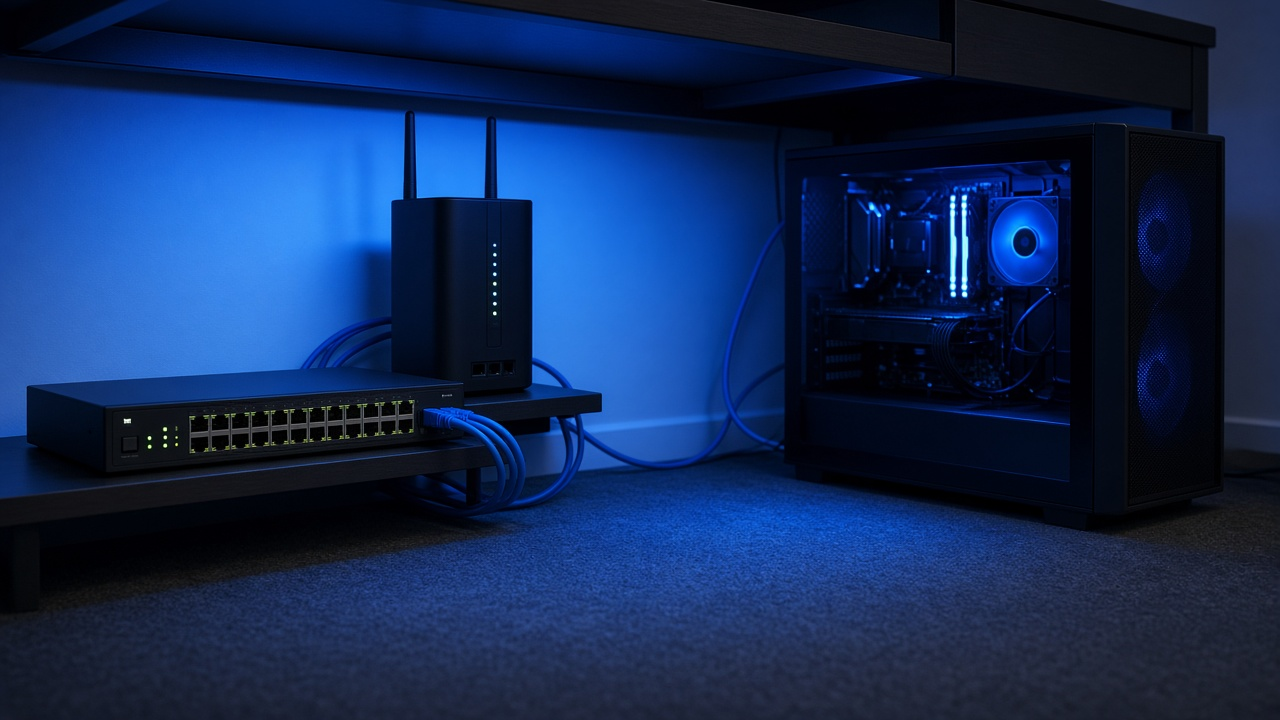
As the gaming landscape dives deeper into immersive experiences, the benchmarks for high-speed internet evolve in tandem. In 2025, the standard for gaming demands seamless connectivity, with speeds surpassing 1 GB per second not uncommon among devoted gamers seeking an edge. These blistering speeds render latency nearly obsolete, transforming gameplay into a real-time exercise in reflex and skill.
Internet Service Providers grasp the voracious appetite of gamers for low-latency and high-throughput networks, positioning their services as pivotal elements in the gaming ecosystem. Through package deals and dedicated gaming lines, ISPs have become crucial allies in achieving the responsiveness and uninterrupted play users expect.
A showdown emerges in the choice of infrastructure, where Fiber Optic connectivity promises unparalleled upload and download symmetries, translating to instantaneous in-game actions. Cable Internet, while robust, grapples to keep pace, offering a compelling option for areas yet untouched by the Fiber revolution. The decision between these two could mean the difference between triumph and defeat in the digital arenas of 2025.
Wired vs. Wireless Connections: Choosing What’s Best for Gaming
When determining the most suitable internet setup for gaming, considering the type of connection forms the foundation of a seamless experience. Gamers must weigh the merits of wired and wireless options carefully. An ethernet port provides a har dline connection that consistently delivers superior performance. A direct link to the network ensures lower latency, a metric which directly influences the responsiveness of online gaming.
Ethernet Port Advantages for Performance and Lower Latency
Dedicated gamers often favor an ethernet connection for its reliability and speed. Ethernet boasts reduced interference and higher data transfer speeds compared to its wireless counterparts. These characteristics translate to less lag and more stable connections during critical gaming moments, something no serious gamer would overlook.
Wi-Fi Router: Understand its Place in the Modern Gaming Setup
Wi-Fi technology, on the other hand, has evolved considerably. Many choose Wi-Fi routers for their convenience and improving technology. Current routers now support gaming effectively, with specifications catering to bandwidth-intensive tasks. Features such as dual-band frequencies and Gigabit Wi-Fi contribute to a more viable and flexible gaming environment. As wireless standards advance, high-speed Wi-Fi becomes more accessible, propelling Wi-Fi into a viable option for gaming setups.
Use of Mesh Networks for Gaming: Seamless Wi-Fi Coverage
- A mesh network eradicates dead zones by dispersing Wi-Fi across multiple nodes.
- Gamers experience consistent connections even when far from the primary router.
- This distributed approach ensures that all gaming devices maintain a robust signal, imperative for uninterrupted gameplay.
Setting up a mesh network can revolutionize the in-home gaming experience. This system is particularly advantageous for users who cannot feasibly run ethernet cables throughout their living spaces. By ensuring that the Wi-Fi signal is robust no matter the location within the home, gamers can enjoy quality gaming sessions without the tether of a wired connection.
Reflect upon your gaming habits and preferences to assess the connection type that resonates with your style. Combining speed, reliability, and convenience will lead you to your ultimate gaming network setup.
Tackling Network Latency and Ping for Real-Time Gaming
Understanding network latency and its partner, ping, unlocks the mystery behind perceived delays during online gaming. Latency measures the time taken for data to travel from the source to its destination and back, affecting real-time game performance as prolonged latency leads to lag. Lower latency equates to a more responsive gaming experience. Ping, essentially, is a tool that measures this latency in milliseconds (ms), acting as a performance indicator for your connection's speed relative to the gaming server.
DNS Settings for Faster Connection Speeds: How to Configure
DNS, or Domain Name System, plays a pivotal role in how quickly a gaming device connects to online servers. Reconfiguring DNS settings to a faster provider may accelerate this process. Locate the DNS settings within your device's network settings. Enter the details for a faster DNS service, which could be a public DNS server known for higher speeds. Results will include quicker domain name resolutions, potentially leading to reduced game load times.
VPNs and Their Impact on Gaming Latency
VPNs, or Virtual Private Networks, introduce security at the potential cost of increased latency. Data often travels longer routes when using a VPN due to encryption and the rerouting of traffic to obscure player location. Gamers seeking privacy need to weigh the trade-offs. Choosing a VPN with servers close to the game server’s physical location may mitigate the latency effect, sustaining a balance between security and speed.
- Opt for VPNs that offer servers specifically optimized for gaming
- Compare the latency difference with and without the VPN enabled to assess the impact
- Consider the time of day and server loads as they variably influence latency
Optimizing Network Performance with QoS for Gaming
Gamers recognize that a lag-free experience hinges on network performance. Quality of Service (QoS) settings play a fundamental role in managing network traffic, ensuring that gaming packets get the bandwidth and priority required for uninterrupted play.
What QoS Settings Accomplish in Gaming Networks
Network routers can differentiate and prioritize data packets thanks to QoS settings. This ability becomes crucial when multiple devices vie for bandwidth. By assigning high priority to gaming traffic, QoS settings ensure that games receive the necessary resources even during heavy network usage. Gamers benefit from reduced latency and packet loss, thus enjoying a smoother gaming experience.
Bandwidth Allocation and Management Benefits
Have you noticed gameplay deteriorate when others stream videos or download large files? Practical bandwidth allocation ensures your gaming remains unaffected. Implementing QoS allows for setting bandwidth limits on non-gaming activities, leaving a larger portion available for real-time gaming, crucial for games demanding quick reflexes and timely actions.
Router Features That Enhance Gaming Sessions
When selecting a router, consider features like Dynamic QoS which adaptively prioritizes traffic. Some routers are designed with gaming in mind, offering specialized modes that streamline the setup process. Features such as geo-filtering also enhance gaming by allowing connections to nearby servers, further reducing ping times.
Select routers support game packet prioritization, identifying and accelerating gaming traffic above other data types. Evaluated at firmware level, this feature streamlines the QoS setup for gaming. A growing number emphasize on user-friendly interfaces for customization, responding to the need for easy-to-manage QoS configurations.
Variations in router firmware and hardware capabilities mean results can differ. Connecting with the gaming community and reviewing professional benchmarks will inform your choice, acquiring a router that fits your specific gaming requirements.
- Identify routers with advanced QoS features tailored for gaming.
- Consider firmware with intuitive interface for easy QoS configuration.
- Look for community feedback and reviews on router performance.
While configurations may seem daunting, reflection on the benefits cement their worth for seamless gaming. Investing the time to understand and implement QoS settings optimizes your network for competitive and casual gaming alike, paying dividends in the quality of your online play.
Essential Hardware for Optimal Gaming Performance
Gamers often overlook the pivotal role hardware plays in network performance. Identifying the right pieces can transform an average gaming setup into a streamlined, lag-free experience.
Gaming Routers and Networking Hardware
Off-the-shelf routers can suffice for general internet use, but gaming routers offer customized features. These devices prioritize gaming traffic through intelligent Quality of Service (QoS) algorithms and provide a more robust Wi-Fi signal. A gaming router's built-in gaming dashboard presents real-time analytics, giving gamers a deeper insight into network performance and allowing immediate adjustments.
Network Interface Cards (NICs)
Updated Network Interface Cards (NICs) establish a superior foundation for connectivity. Today's NICs support higher bandwidths, ensuring that your device can handle the speed your internet service offers. A quality NIC can reduce network congestion, ultimately minimizing in-game latency.
The Significance of a Router's Ethernet Ports in Gaming
- Multiple high-speed Ethernet ports ensure a more stable and reliable connection.
- A router boasting 1 Gigabit Ethernet ports allows for fast data transfers between local devices and the router, crucial for online gaming without lag.
- Connecting gaming consoles and PCs directly to these ports can grant an edge over competitors who may be relying on wireless connections.
Upgrading your hardware sets the stage for achieving peak gaming performance. Gamers who invest in their network infrastructure will notice streamlined gameplay and improved responsiveness.
Advanced Networking Techniques for Gamers
Gaming enthusiasts perennially seek ways to streamline their network for an optimal experience. Contemplating the minutiae of network configurations can lead to significant performance gains.
Port Forwarding and NAT Types
Correctly setting up port forwarding and understanding Network Address Translation (NAT) types enhances connectivity in online gaming. By directing incoming traffic to the specific IP address of your gaming device, port forwarding circumvents common hindrances that can disrupt or slow down multiplayer sessions. To facilitate seamless inter-device communication on the same network, managing NAT types is imperative; an Open or Type 1 NAT offers a direct connection to other players, drastically reducing matchmaking times and connection dropouts.
The Use of Mesh Networks
A mesh network extends reliable wireless coverage across vast spaces without sacrificing speed, an attractive option for gamers with multiple devices spread across different rooms. Eliminating dead zones, a mesh network maintains a robust signal, ensuring that the gaming console or PC maintains high connectivity without interference from other network traffic.
Device-specific Bandwidth Allocation
Consistent performance often requires prioritizing your gaming system's traffic over other devices. By allocating bandwidth explicitly to your gaming console or PC—known as Quality of Service (QoS)—network resources focus on gaming, significantly reducing lag and buffering during gameplay. This strategy guarantees that your gaming session remains uninterrupted, even when other devices are consuming network resources.
Securing Your Gaming Sessions with Robust Network Security
Gaming engagements expose networks to various security risks, including potential attacks and unauthorized access. Gamers must prioritize robust network security to safeguard their data and maintain uninterrupted gaming experiences.
The Nuances of Network Security for Online Gaming
Online gaming necessitates a secure environment, as it often involves the exchange of sensitive personal information. Encryption protocols like WPA3 for wireless connections add a strong layer of security, preventing unwanted interceptions. Implementing a good firewall provides another barrier, controlling inbound and outbound traffic based on an applied set of security rules. Use of Virtual Private Networks (VPNs) masks IP addresses, making it more challenging for cyber-attacks to target a specific device.
The Impact of Internet Data Caps on Online Gaming and How to Manage Them
Internet data caps can hinder extensive gaming sessions by limiting the amount of data you can use. Monitoring data usage effectively allows gamers to avoid overage fees and throttling. Consider contacting the internet service provider (ISP) to negotiate higher data limits, explore package upgrades, or, when possible, choose an ISP offering unlimited gaming data plans.
Ensuring Secure Connections and Protecting Against DDoS Attacks
A stable and secure connection forms the bedrock of any online gaming setup. Gamers should be proactive in implementing security measures to thwart Distributed Denial of Service (DDoS) attacks. These measures may include setting up a robust network infrastructure, keeping software and hardware up-to-date, and utilizing specialized anti-DDoS services that detect and mitigate these attacks. Furthermore, frequent password changes and avoiding clicking on suspicious links can prevent attackers from gaining easy access to networks.
Partnering with the Right ISP: The Game Changer
Securing a partnership with a proficient Internet Service Provider (ISP) transforms the gaming experience. ISPs play a pivotal role in consistent gaming performance, delivering the high-speed, stable connections gamers require. With the right ISP, network irregularities diminish, and uptime maximizes, objectively enhancing game play.
The Role of ISPs in Consistent Gaming Performance
ISPs are the backbone of your internet connection, drastically influencing latency, speed, and stability. A dedicated ISP with advanced infrastructure lays the groundwork for smooth, uninterrupted gaming sessions. High-bandwidth plans specifically tailored for gamers ensure that the network can handle the intensive data demands of modern games, from massive downloads to real-time streaming.
Evaluating ISPs: Features and Services Beneficial for Gaming
When evaluating ISPs, ascertain whether they offer features conducive to gaming. Look for service providers that supply symmetrical upload and download speeds; this ensures that you can stream gameplay and interact on multiplayer platforms without a hitch. An ISP that supports IPv6 is beneficial as this modern internet protocol increases address capacity and improves routing efficiency. Consider ISPs that provide dedicated gaming servers or prioritize gaming traffic to mitigate packet loss and provide a more direct route to game servers, thereby reducing ping times.
- Investigate the presence of data caps which can limit play time and downloads.
- Insist on a guaranteed minimum speed to avoid fluctuations during peak gaming hours.
- Establish the availability of customer support experienced in handling gaming-related queries swiftly.
- Scrutinize user testimonials and independent reviews, focusing on the experiences of fellow gamers.
Choosing an ISP invested in gaming communities often yields additional perks, such as early access to games or exclusive events. Reflect on how these features can elevate your gaming journey. Securing a reliable ISP ensures that the network becomes a robust pillar supporting your success in the realm of online gaming.
Future-Proofing Your Gaming Setup
As gaming technology evolves, so too does the need for advanced networking solutions. Gamers who seek uninterrupted, high-quality play must anticipate changes and adopt the latest technologies. Emerging trends in gaming, such as cloud-based platforms and virtual reality, will require robust and versatile Internet connections.
Emerging Trends and Technologies in Gaming and Networking Solutions
5G and beyond offer transformative potentials in mobile gaming by drastically reducing latency. Network slicing, a technology that allows multiple virtual networks on a single physical network, promises enhanced performance for gaming applications. Additionally, Wi-Fi 6E expands Wi-Fi capabilities to the 6GHz band, providing greater bandwidth and reduced interference.
Upcoming Features in Routers and Devices to Look Out For
New routers are already emerging with features that cater specifically to gamers, including adaptive QoS and support for multiple input, multiple output (MIMO) technology. Future devices may incorporate cutting-edge firmware optimized for real-time game traffic management and AI-based adaptive learning algorithms that cater to individual gaming habits.
How to Stay Updated with the Changing Landscape of Online Gaming Infrastructure
- Subscribe to tech and gaming publications for the latest industry news.
- Join online communities and forums where gamers and industry experts share insights.
- Attend gaming expos and tech seminars, where upcoming technologies are often showcased.
- Follow the social media channels of technology leaders and game developers for updates on new advancements.
- Regularly check for firmware and software updates to ensure your devices remain compatible with new gaming standards.
With gaming technology advancing at a rapid pace, staying informed and adaptable is the best strategy to future-proof your gaming setup. By embracing new networking capabilities and keeping a vigilant eye on upcoming technologies, gamers can maintain an edge in the online arena.
Master Your Gaming Realm: Forge the Ultimate Internet Setup in 2026
Gamers relentlessly pursue an edge in the digital arenas where milliseconds can spell the difference between victory and defeat. Tailoring your internet setup holds the power to unlock that edge. Remember the necessity of a robust, high-speed internet connection and how the choices between wired and wireless can turn tides. Acknowledge the weight network latency and ping have on your gaming precision. Quality of Service (QoS) settings keep your network's prioritization razor-sharp for gaming essentials, underpinning a seamless experience.
Beyond configuration, the right hardware lays the foundation for unparalleled performance. Delve into advanced networking techniques; every tweak finely tunes your network to gaming supremacy. With the rise of cyber threats, robust network security shields not only your private data but also ensures uncompromised gaming sessions. Your ISP serves as a strategic ally, a choice that can bolster or hamper your internet ecosystem.
As technologies evolve, future-proofing your gaming setup is less an option and more a necessity to transcend ordinary play. Embrace the advancements 2025 offers, adapt your networking strategies, and draw closer to the ultimate gaming zenith. As the gaming world and internet technologies continue to advance hand-in-hand, staying updated with these strategies ensures you remain at the forefront of digital gaming revolutions.
Do you envision your setup as unmatched within the gaming community? Reflect on the strategies outlined here, upgrade and optimize your network accordingly, and step forward to claim a formidable position in the realm of gaming. Dive into the conversation — share insights about your gaming setup triumphs, lingering challenges, or question others on their legendary configurations. Your shared experiences will echo through the collective journey of gaming excellence.