Snow on Your Satellite Dish? A Winter Guide for Starlink, Viasat and Hughesnet
Updated
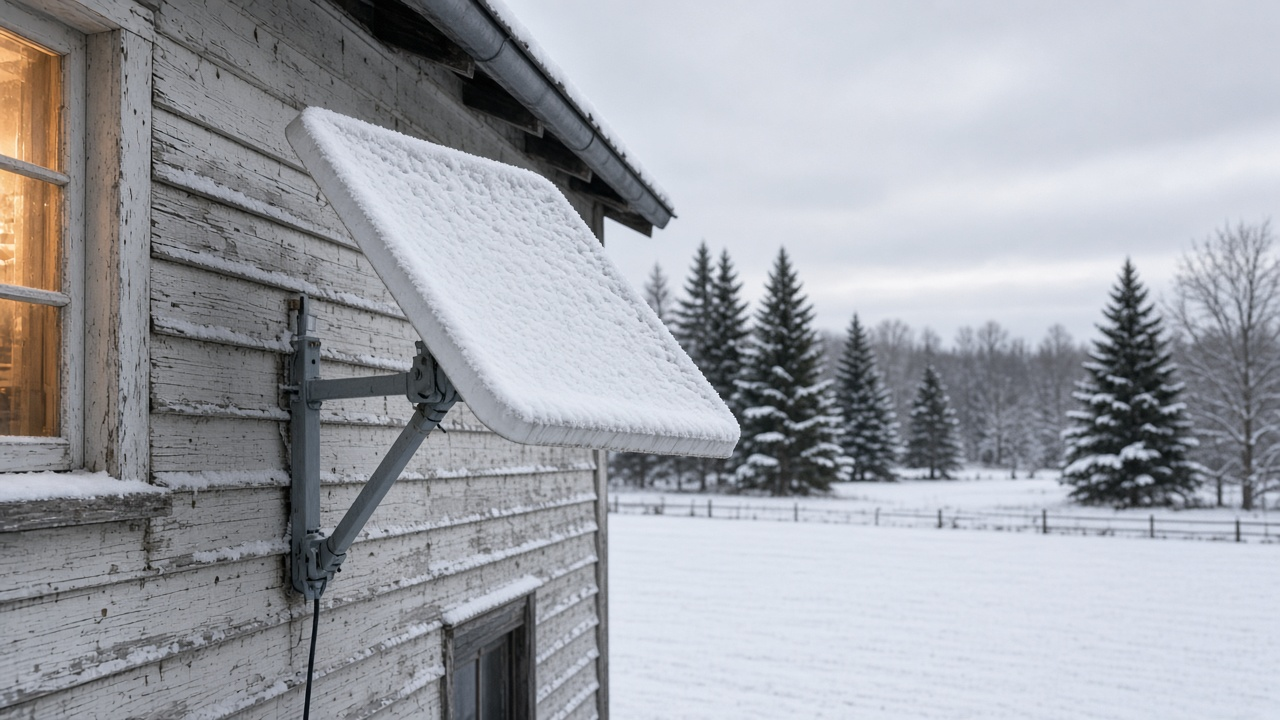
Winter is the season satellite internet customers worry about most. The good news: light snow rarely interrupts service on Starlink, Viasat or Hughesnet. Heavy, wet snow and ice storms are a different story. Here's how each service handles snow, what you can safely do about it, and what to check before the next storm.
How snow affects each service
| Service | Dish heater | What the provider says |
|---|---|---|
| Starlink | Yes, built in | Standard kit melts up to 40 mm (1.5 in) of snow per hour; Snow Melt can be set to Off, Automatic or Pre-heat in the app |
| Viasat | No | Light snow shouldn't interrupt service; heavy, wet snow may cause temporary slowdowns or loss of service; connection usually returns when conditions clear |
| Hughesnet | No | Light rain or fog shouldn't matter; heavy snow or ice storms can cause intermittent or lost connection, which restores itself when weather clears |
Viasat and Hughesnet both point out one surprise: you can lose service under clear skies if bad weather hits the ground station (gateway) your signal passes through, which can be in another state. Those outages are usually brief.
Starlink Snow Melt settings
- Automatic: Starlink's recommended setting. The dish heats only when it detects snow.
- Pre-heat: Keeps the dish warm before a storm to stop build-up, but uses more power. This can increase power use.
- Off: Saves power, useful if you run on batteries or solar and snow isn't expected.
Find it in the Starlink app under Settings, then Starlink, then Snow Melt. Mount the dish where melted snow can slide off and isn't buried by drifts or roof avalanches.
How to clear a dish safely
- Stay off the roof. If the dish is roof-mounted and icy, wait or call your provider.
- Use a soft broom or brush from the ground, and brush gently so you don't shift the aim. On Viasat and Hughesnet dishes, clear the feed arm in front of the dish too.
- Skip boiling water, scrapers and salt. They can damage the surface or electronics.
- Give it a few minutes. Service usually reconnects by itself once the dish is clear.
Before the first big storm
- Trim branches that could drop snow on the dish.
- Put your modem and router on a battery backup (UPS) so short power blips don't knock you offline.
- Download maps, shows and work files ahead of a big storm.
Satellite options if wired service doesn't reach you
The best plan depends on your exact address, equipment, and monthly cost. Check current offers before ordering: promotional prices, data policies and equipment charges can change. The providers handle winter weather differently.
| Provider | Winter feature | What to check before ordering |
|---|---|---|
| Starlink | Built-in Snow Melt on the Standard kit | Dish placement, power draw, equipment cost and the plan available at your address |
| Viasat | No built-in dish heater | Baseline and burst speeds, data policy, equipment lease and service terms for your address |
| Hughesnet | No built-in dish heater | Priority data, installation and equipment costs, and the plan available at your address |
If heavy snow is common where you live, Starlink's built-in heater is a practical advantage. It does not eliminate weather interruptions or the need for a clear view of the sky. Viasat describes its residential baseline speed as up to 80 Mbps and says actual speeds vary. Ask about any specific speed commitment in writing before ordering.
Compare internet at your address
Plans and pricing vary by address. We can check what is available where you live.
Frequently asked questions
Does snow knock out satellite internet?
Light snow usually doesn't. Viasat and Hughesnet both say heavy snow or ice storms can cause slowdowns or a temporary outage, and service comes back on its own when conditions clear.
Does Starlink melt snow?
Yes. Starlink dishes have a built-in heater. Starlink's Standard kit is rated to melt up to 40 mm (1.5 in) of snow per hour, and the app offers Off, Automatic and Pre-heat Snow Melt settings.
Should I clear snow off my dish?
Only if you can reach it safely from the ground. Viasat says you can wipe off build-up if the antenna is easily accessible. Never climb onto an icy roof, and don't knock the dish out of alignment.
Can I use hot water to melt ice on my dish?
Avoid boiling water and sharp tools. Gently brush off snow; if ice remains and you can't reach it safely, wait for it to melt or call your provider.